
HTTP to HTTPS Redirector Chrome 插件, crx 扩展下载
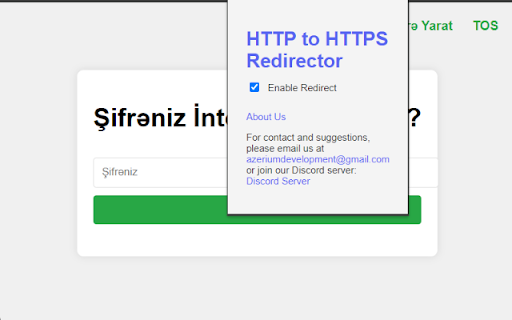


Redirects HTTP to HTTPS with enable/disable functionality.
HTTP to HTTPS Redirector ??
Enhance your web security effortlessly with the HTTP to HTTPS Redirector Chrome extension. Automatically upgrade your HTTP connections to secure HTTPS and enjoy:
✨ Automatic HTTPS Upgrades: Secure all your web traffic seamlessly.
? Enable/Disable Toggle: Easily turn the redirection on or off.
? Localhost Bypass: Skip HTTPS for localhost during development.
? Redirect Analytics: Track the number of redirects performed.
? Manage Exclusions: Exclude specific domains from redirection.
? Real-time Notifications: Get alerts for each redirect.
Protect your online privacy and browse with confidence!
| 分类 | 🛠️工具 |
| 插件标识 | idohnadigfkikbikifengnfkgolkcgfa |
| 平台 | Chrome |
| 评分 |
★★★★☆
4.4
|
| 评分人数 | 32 |
| 插件主页 | https://chromewebstore.google.com/detail/http-to-https-redirector/idohnadigfkikbikifengnfkgolkcgfa |
| 版本号 | 2.0 |
| 大小 | 20.75KiB |
| 官网下载次数 | 30 |
| 下载地址 | |
| 更新时间 | 2024-08-29 00:00:00 |
CRX扩展文件安装方法
第1步: 打开Chrome浏览器的扩展程序
第2步:
在地址栏输入: chrome://extensions/
第3步: 开启右上角的【开发者模式】
第4步: 重启Chrome浏览器 (重要操作)
第5步: 重新打开扩展程序管理界面
第6步: 将下载的crx文件直接拖入页面完成安装
注意:请确保使用最新版本的Chrome浏览器
同类插件推荐

HTTPS Everywhere
Automatically redirect to HTTPS version of website

SteamDirect : Skip Redirect Warning
Skip Steam's redirect notification page to go

Localhost HTTPS -> HTTP
A simple extension aimed at developers, which auto

HTTP/HTTPS Switcher
Toggle between HTTP and HTTPS for the current tab.

HTTP Nowhere
This extension upgrades non-secure connections (HT
HTTP to HTTPS Redirector
Redirects HTTP to HTTPS with enable/disable functi

HTTP redirect to HTTPS
Enable this extension ?️ that automatically redire

HTTP to HTTPS
Automatically switched to secure HTTP version of w

No CORS for swf
Removes CORS restriction from Flash requests. Thi

URL Tracking Stripper & Redirect Skipper
Increase the speed & privacy of your browsing.

Easy Redirect && prevent Cryptojacking
Block harmful's sites and redirect URL's.B

Ignore Google Scripts
Ignore Google scripts and route Google CDN to Clou

Smart HTTPS
Automatically changes HTTP protocol to HTTPS, and