
console.diff(...) Chrome 插件, crx 扩展下载
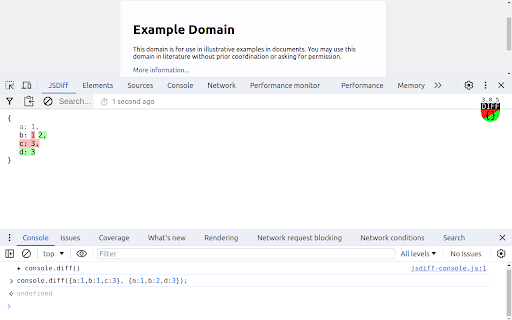
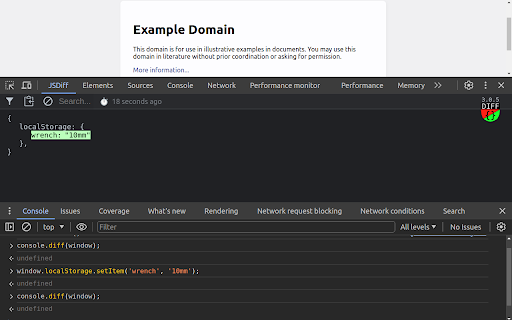
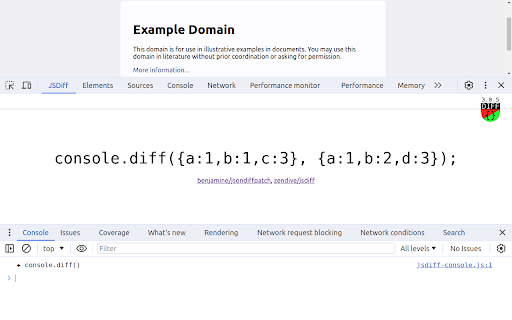
Compare objects in memory with console.diff(old, new) devtools function
An extension for developers that enhances the console API by incorporating the ability to compare objects and adds a JSDiff tab (parallel to Elements, Network panels) within your dev-tools for viewing the results.
Note: before using, immediately after fresh installation, - make sure to refresh inspected tab or restart browser.
API:
// compare left and right
console.diff(left, right);
// shorthand for console.diffPush(next)
console.diff(next);
// update object on the left side only
console.diffLeft(left);
// update object on the right side only
console.diffRight(right);
// shifts sides, right becomes left, next becomes right
console.diffPush(next);
Read more at: https://github.com/zendive/jsdiff
| 分类 | 💻开发者工具 |
| 插件标识 | iefeamoljhdcpigpnpggeiiabpnpgonb |
| 平台 | Chrome |
| 评分 |
☆☆☆☆☆
0
|
| 评分人数 | 3 |
| 插件主页 | https://chromewebstore.google.com/detail/consolediff/iefeamoljhdcpigpnpggeiiabpnpgonb |
| 版本号 | 3.0.6 |
| 大小 | 66.71KiB |
| 官网下载次数 | 260 |
| 下载地址 | |
| 更新时间 | 2024-11-15 00:00:00 |
CRX扩展文件安装方法
第1步: 打开Chrome浏览器的扩展程序
第2步:
在地址栏输入: chrome://extensions/
第3步: 开启右上角的【开发者模式】
第4步: 重启Chrome浏览器 (重要操作)
第5步: 重新打开扩展程序管理界面
第6步: 将下载的crx文件直接拖入页面完成安装
注意:请确保使用最新版本的Chrome浏览器
同类插件推荐

CoffeeScript Console 3
A CoffeeScript and LiveScript console within the C
console.diff(...)
Compare objects in memory with console.diff(old, n

Rempl
Rempl host for browser's Developer ToolsRempl

Map to IntelliJ IDE
Extends the Developer Tools, clicking a resource w
Javascript Console Editor
Lets you test Javascript against a web page.A simp

RE:DOM dev tools
RE:DOM dev tools for ChromeRE:DOM dev tools for Ch

Carload Controller
Carload extension monitoring systemI use this exte

Debricked Select Extension
Open Source Select will help developers find and u

GM Assistant
GM AssistantUse this chrome extension to join all

Trello minimal UI toggle
Hide unused elements from Trello boardThis extensi

Apache KIE™ Serverless Workflow Editor for GitHub
Visualize and edit Serverless Workflow files using

GPT Summary
Summary of any webpage by GPTSummarizes webpages w