
Watch Party - Watch Together on Netflix, Youtube, Hulu, HBO Chrome 插件, crx 扩展下载
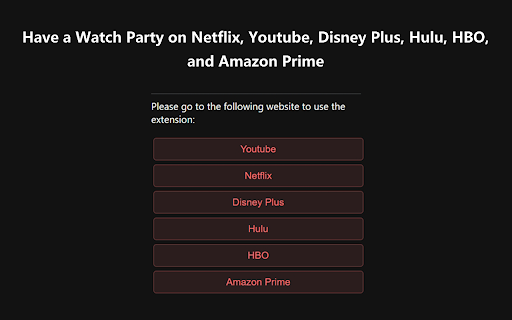
Watch TV together with your friends. Have a watch party on Netflix, Youtube, Disney Plus, Hulu, HBO,and Amazon Prime.
Watch Together enables you to watch Netflix, Youtube, Hulu, Disney Plus, HBO Max, with your friends and loved ones online. Your videos are synced automatically even when you switch videos while watching. Install the extension and start sharing moments together even when you're thousands of miles apart.
Watch Together is a browser extension for watching TV remotely with friends, e.g., for movie nights with that long-distance special someone. It synchronizes video playback and adds group chat to your favorite streaming sites.
1. Install the Chrome extension
2. Create a Chat Room
Go to website of Netflix, Youtube, Hulu, Disney Plus, HBO Max, click on the extension icon, and then click 'Create Chat Room'.
3. Share the link
Click on 'copy link' and send the link to the people who you want to watch together with.
4. Enjoy the show
That's it! The extension will automatically sync the playback of your video. You can chat in the sidebar.
| 分类 | 🛠️工具 |
| 插件标识 | ieljeoaihaphmpdfdjooiaclmennomeo |
| 平台 | Chrome |
| 评分 |
★★★★☆
4.1
|
| 评分人数 | 17 |
| 插件主页 | https://chromewebstore.google.com/detail/watch-party-watch-togethe/ieljeoaihaphmpdfdjooiaclmennomeo |
| 版本号 | 1.0.1 |
| 大小 | 1.14MiB |
| 官网下载次数 | 183 |
| 下载地址 | |
| 更新时间 | 2024-10-25 00:00:00 |
CRX扩展文件安装方法
第1步: 打开Chrome浏览器的扩展程序
第2步:
在地址栏输入: chrome://extensions/
第3步: 开启右上角的【开发者模式】
第4步: 重启Chrome浏览器 (重要操作)
第5步: 重新打开扩展程序管理界面
第6步: 将下载的crx文件直接拖入页面完成安装
注意:请确保使用最新版本的Chrome浏览器
同类插件推荐

Sabi - Language Learning with Netflix, YouTube, Disney+, and Prime Video
Turn Netflix, YouTube, Disney+ & Prime Video i

Watch Party
Watch Netflix, Youtube, Disney Plus, Hulu, HBO, an

Watch Party - Watch Together on Netflix, Youtube, Hulu, HBO
Watch TV together with your friends. Have a watch

Flickcall: Netflix Party with Video Call
Create watch party on Netflix, Jiocinema, Hotstar,