
ExpressIMG - Resize images from URL Chrome 插件, crx 扩展下载
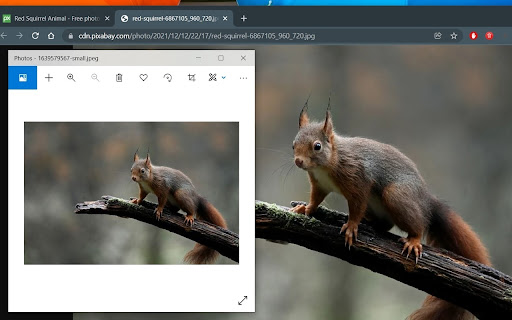
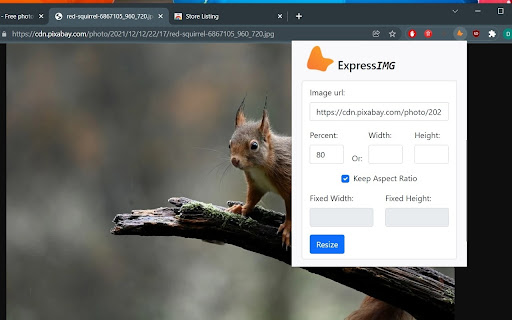
A super fast image resizer that can resize images straight from the internet. No file download required!
Quickly resize images directly from the website. Just paste the image url and select your desired dimensions. The file will be downloaded for you already resized so you don`t need to save the original image on your computer.
Supported formats: PNG, JPG, SVG.
NOTICE
You have to make sure that the image you are trying to resize is publicly accessible.
For support, email [email protected]
| 分类 | 🎨艺术与设计 |
| 插件标识 | ifcoagfkdeikcbbadpgnngjhmjbghmce |
| 平台 | Chrome |
| 评分 |
★★★★★
5
|
| 评分人数 | 401 |
| 插件主页 | https://chromewebstore.google.com/detail/expressimg-resize-images/ifcoagfkdeikcbbadpgnngjhmjbghmce |
| 版本号 | 1.0 |
| 大小 | 51.97KiB |
| 官网下载次数 | 38 |
| 下载地址 | |
| 更新时间 | 2021-12-20 00:00:00 |
CRX扩展文件安装方法
第1步: 打开Chrome浏览器的扩展程序
第2步:
在地址栏输入: chrome://extensions/
第3步: 开启右上角的【开发者模式】
第4步: 重启Chrome浏览器 (重要操作)
第5步: 重新打开扩展程序管理界面
第6步: 将下载的crx文件直接拖入页面完成安装
注意:请确保使用最新版本的Chrome浏览器
同类插件推荐
ExpressIMG - Resize images from URL
A super fast image resizer that can resize images

ImgGet 图片助手
Effortlessly Download, Filter, and Archive Web Ima

Ultimate Web Scraper
Extract data instantly: Grab text, images, emails

图像调整大小工具
?️ 在线使用图像调整大小工具调整图像大小、裁剪图像和压缩照片。非常适合社交媒体、网页和批量调整大小