
Self-Destructing Cookies Chrome 插件, crx 扩展下载
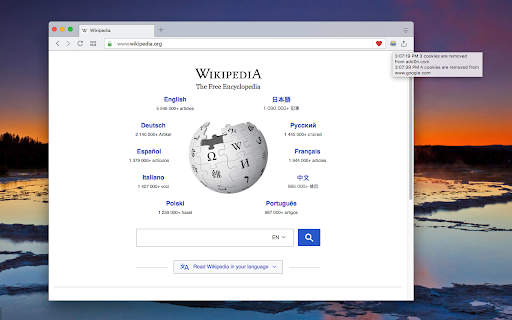
Delete cookies when browser is closed or once the tab is closed to prevent tracking
This extension aims to bring "Self-Destructing Cookies" extension written by "Ove" to Chromium browsers. The extension supports two modes to deal with cookies:
1. "session" mode: delete cookies once the current session is closed (all browser windows are closed).
2. "tabs" mode: delete cookies related to the current tab once the tab is closed and there are no other tabs of the same domain.
Example: Let's say you are logged-in into your email account:
In "session" mode, you will be logged-in until all browser tabs are closed.
In "tabs" mode, you will be logged-out once all email tabs are closed. So if you have two email tabs opened and still one tab is open, you are still logged-in. Once the other tab is closed, you will get logged-out
Note: the extension does not support cleaning "window.localStorage" at this moment. I will work on that later!
To report bugs please use the review section of the FAQs page
| 分类 | 💻开发者工具 |
| 插件标识 | igdpjhaninpfanncfifdoogibpdidddf |
| 平台 | Chrome |
| 评分 |
★★★★☆
4.7
|
| 评分人数 | 2965 |
| 插件主页 | https://chromewebstore.google.com/detail/self-destructing-cookies/igdpjhaninpfanncfifdoogibpdidddf |
| 版本号 | 0.2.1 |
| 大小 | 83.39KiB |
| 官网下载次数 | 4000 |
| 下载地址 | |
| 更新时间 | 2024-11-25 00:00:00 |
CRX扩展文件安装方法
第1步: 打开Chrome浏览器的扩展程序
第2步:
在地址栏输入: chrome://extensions/
第3步: 开启右上角的【开发者模式】
第4步: 重启Chrome浏览器 (重要操作)
第5步: 重新打开扩展程序管理界面
第6步: 将下载的crx文件直接拖入页面完成安装
注意:请确保使用最新版本的Chrome浏览器
同类插件推荐

Cookie Killer for Facebook
Keeps Facebook on Facebook.com. When you log out,

Auto Tab Discard (suspend)
如果您打开了很多标签页,这个扩展能提升浏览器速度并减少内存占用。Auto Tab Discard a

Cache Killer
Automatically clear your browser cache before load
Self-Destructing Cookies
Delete cookies when browser is closed or once the