
ListGPT - Save & Share ChatGPT chats Chrome 插件, crx 扩展下载
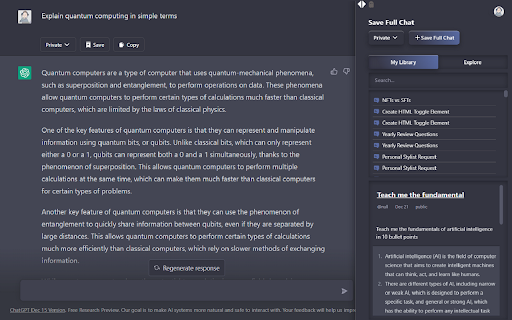

Save & Share ChatGPT chats in private, protected or public mode
Supercharge your productivity in ChatGPT.
Save your ChatGPT chats in Public, Private or Protected mode.
You can also explore other public chats people had with AI.
How it works:
Step 1) Download the extension and login to Listgpt.com
Step 2) Go to https://chat.openai.com/chat
Step 3) A sidebar will automatically open, enabling you to save your chats.
Features:
- Save private chatgpt chats.
- Set privacy to Public, Private or Protected (share link with people)
- Get access to prompt library
- Save your whole conversation with ChatGPT
- Save only certain messages
- Download messages as text files
- Share a private link with others
- Explore public conversations
- Access your chats faster
You can automatically save your chats in private, public or protected mode.
| 分类 | 📝工作流程与规划 |
| 插件标识 | igfmhikgjcmmaidhfdpcfbdjcbmabfac |
| 平台 | Chrome |
| 评分 |
★★★★☆
4.6
|
| 评分人数 | 460 |
| 插件主页 | https://chromewebstore.google.com/detail/listgpt-save-share-chatgp/igfmhikgjcmmaidhfdpcfbdjcbmabfac |
| 版本号 | 1.1.2 |
| 大小 | 58.47KiB |
| 官网下载次数 | 237 |
| 下载地址 | |
| 更新时间 | 2023-02-11 00:00:00 |
CRX扩展文件安装方法
第1步: 打开Chrome浏览器的扩展程序
第2步:
在地址栏输入: chrome://extensions/
第3步: 开启右上角的【开发者模式】
第4步: 重启Chrome浏览器 (重要操作)
第5步: 重新打开扩展程序管理界面
第6步: 将下载的crx文件直接拖入页面完成安装
注意:请确保使用最新版本的Chrome浏览器
同类插件推荐
ListGPT - Save & Share ChatGPT chats
Save & Share ChatGPT chats in private, protect

ThinkGPT: ChatGPT, Claude & Deepseek Bookmarks Message keeper
Save and manage your favorite ChatGPT, Claude, and

保存 ChatGPT DALL·E-3 对话记录到 Notion
一键保存 ChatGPT 对话到 Notion。导出 ChatGPT 对话ChatGPT保存到Not
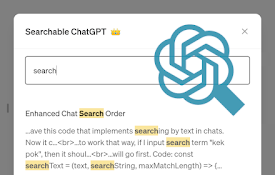
Searchable ChatGPT: 搜索 GPT 对话历史
即刻搜索 ChatGPT 对话历史。完全本地化和私密。按侧边栏按钮或快捷键- ? 精确/模糊搜索 C