
Better Bookmarker Chrome 插件, crx 扩展下载
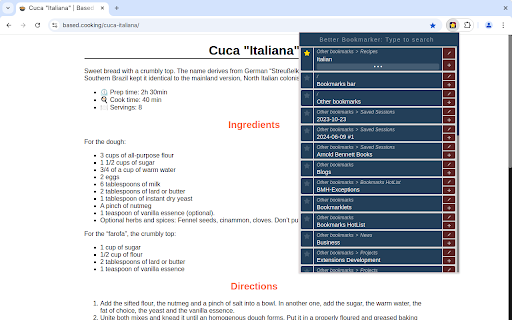

Save the current page: pick a bookmark folder from a searchable list
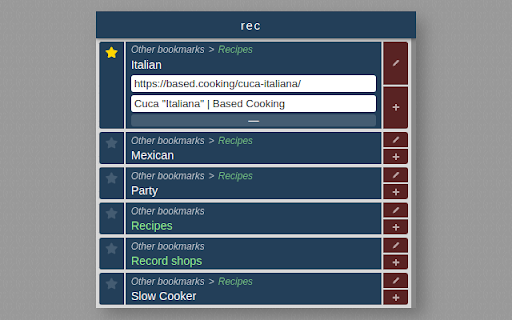
Each bookmark folder is presented with its full path in an ordered, searchable list. You can easily
· Find the folder you want
· Create a new subfolder if necessary
· Bookmark the current page in that folder
· Edit the bookmark's title and address
· View the folder in the Bookmark Manager page
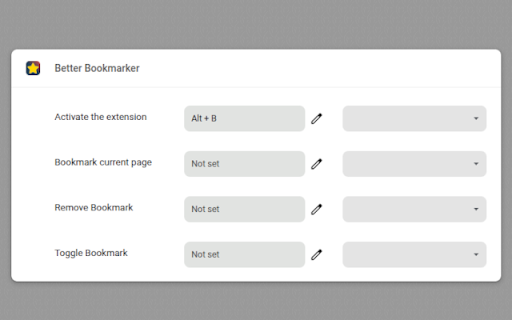
Open the Popup: Alt+B
Choose another shortcut: chrome://extensions/shortcuts
Other keyboard shortcuts can be set up to
· Bookmark the current page
· Remove the current page's bookmarks
· Toggle bookmarks for the current page
| 分类 | ⚙️功能性 |
| 插件标识 | ighoahmfodeijcamlhoodoglhjdcgflf |
| 平台 | Chrome |
| 评分 |
★★★★☆
4.2
|
| 评分人数 | 56 |
| 插件主页 | https://chromewebstore.google.com/detail/better-bookmarker/ighoahmfodeijcamlhoodoglhjdcgflf |
| 版本号 | 1.7 |
| 大小 | 63.04KiB |
| 官网下载次数 | 18 |
| 下载地址 | |
| 更新时间 | 2025-02-25 00:00:00 |
CRX扩展文件安装方法
第1步: 打开Chrome浏览器的扩展程序
第2步:
在地址栏输入: chrome://extensions/
第3步: 开启右上角的【开发者模式】
第4步: 重启Chrome浏览器 (重要操作)
第5步: 重新打开扩展程序管理界面
第6步: 将下载的crx文件直接拖入页面完成安装
注意:请确保使用最新版本的Chrome浏览器
同类插件推荐

Better Bookmarker
Save the current page: pick a bookmark folder from

Folderwise Bookmarks: Search & Sessions
Search for Bookmarks by Folder Name, and save Sess

vBookmarks
A popup bookmark manager. Enhanced Neat Bookmarks.

书签管理增强版
快速添加书签到目标文件夹===适用=== 如果你拥有海量的书签要管理。 保存书签时难以找到合适的文