
AIpex —— Tab & History Manager, AI Companion Chrome 插件, crx 扩展下载
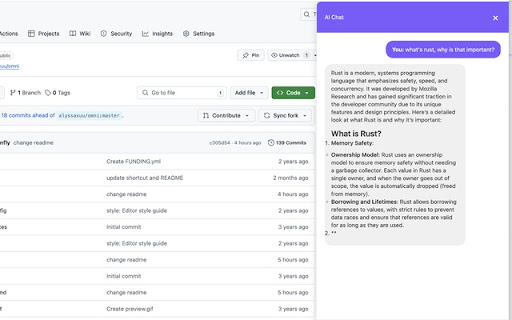

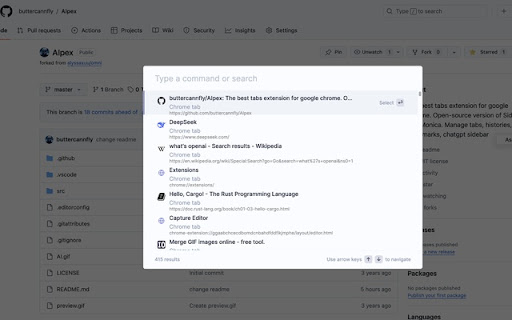
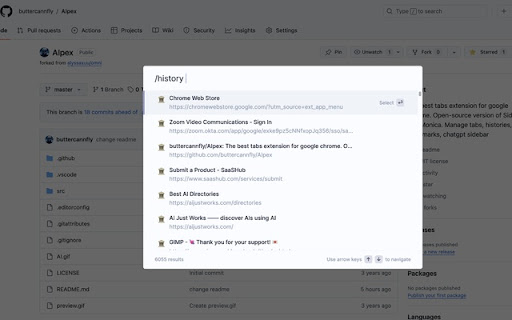
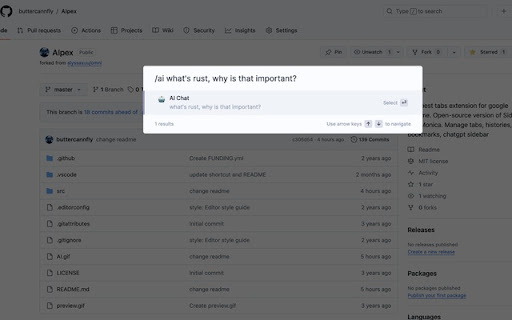
Supercharge Chrome with commands, shortcuts, and AI
Powerful Tab Management
? Seamlessly switch, open, close, and search your tabs with AIpex's tab manager. Restore closed tabs and utilize AI-powered tab organization to keep your workspace tidy and organized.
Comprehensive Browsing History and Bookmarks
? Browse and manage your bookmarks with ease. ? Quickly search your browsing history to find the information you need.
Boost Your Productivity
⚡️ Leverage over 50 actions to improve your productivity, from muting and pinning tabs to advanced bookmarking shortcuts.
AI-Powered Chatbot Sidebar
? Elevate your browsing experience with the integrated AI chatbot sidebar. Engage in continuous conversations, ask the chatbot to translate text, summarize web pages or videos, and even perform web searches - all without leaving your browser.
Customizable and Integrative
? Use special commands to filter and perform more actions. ? Seamlessly integrate with popular tools like Notion, Figma, and Docs.
Versatile and Adaptable
⚙️ Adjust advanced settings to help troubleshoot browsing issues. ? Switch between dark and light modes to suit your preferences.
Operate Like Arc
⭐ Enjoy a browsing experience that mimics the popular Arc browser, with a focus on efficiency and productivity.
| 分类 | 🛠️工具 |
| 插件标识 | iglkpadagfelcpmiidndgjgafpdifnke |
| 平台 | Chrome |
| 评分 |
★★★★☆
4.8
|
| 评分人数 | 1291 |
| 插件主页 | https://chromewebstore.google.com/detail/aipex-——-tab-history-mana/iglkpadagfelcpmiidndgjgafpdifnke |
| 版本号 | 1.4.18 |
| 大小 | 3.8MiB |
| 官网下载次数 | 82 |
| 下载地址 | |
| 更新时间 | 2025-01-29 00:00:00 |
CRX扩展文件安装方法
第1步: 打开Chrome浏览器的扩展程序
第2步:
在地址栏输入: chrome://extensions/
第3步: 开启右上角的【开发者模式】
第4步: 重启Chrome浏览器 (重要操作)
第5步: 重新打开扩展程序管理界面
第6步: 将下载的crx文件直接拖入页面完成安装
注意:请确保使用最新版本的Chrome浏览器
同类插件推荐

Tabbar - Bookmark, History, & Tab Manager
Supercharge Chrome with commands, shortcuts, and m
AIpex —— Tab & History Manager, AI Companion
Supercharge Chrome with commands, shortcuts, and A

Omni - Bookmark, History, & Tab Manager
Supercharge Chrome with commands, shortcuts, and m

iLaunch: 管理书签、历史记录、标签、扩展 & 快捷命令启动工具
管理书签、历史记录、标签、扩展 & 快捷命令启动工具使用命令,让你像专业人士一样玩转浏览器。