
OnceHub for Gmail Chrome 插件, crx 扩展下载

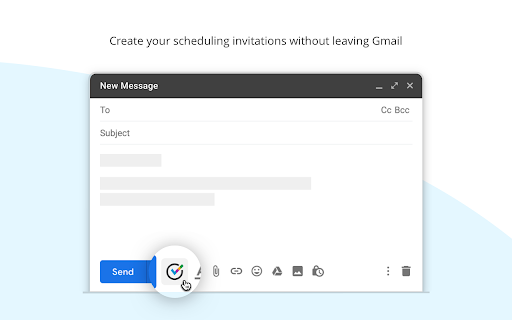
Create your ScheduleOnce meeting invitations without leaving Gmail
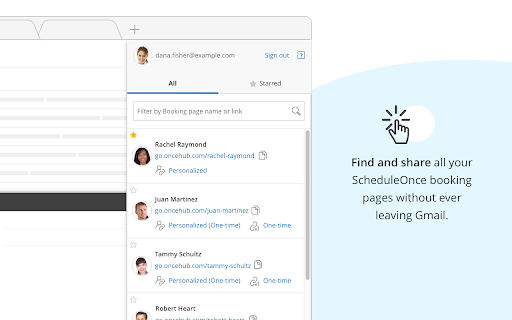
>> Instant access to your booking page links <<
Find and share all your ScheduleOnce booking pages.
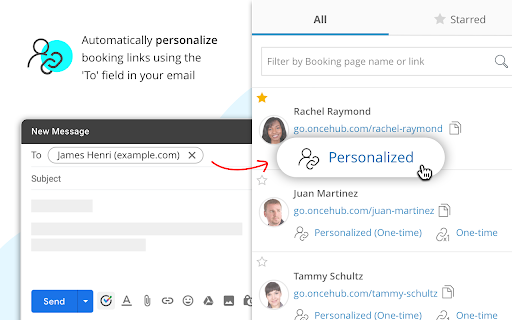
>> Automatically personalize links <<
Automatically personalize booking links with the 'To' field in the email.
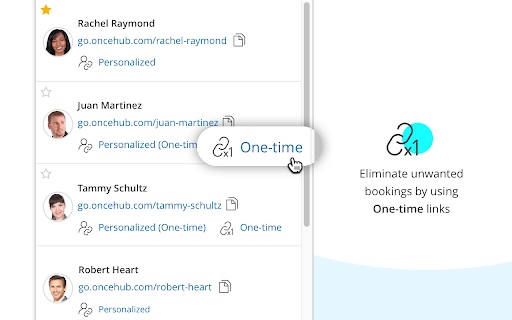
>> Create one-time links <<
Instantly generate one-time links, eliminating any chance of unwanted repeat bookings.
>> Supports all meeting types <<
Easily share scheduling links for all types of meetings including group, panel and one-on-one meetings.
>> Tight integration with Gmail for optimum performance <<
Works in complete harmony with your inbox and contacts to ensure quick and easy scheduling with every email.
---------------------- About OnceHub ----------------------
OnceHub's scheduling and chatbot solutions are here to increase your sales, delight your customers, and save you time
Try it free - www.oncehub.com
| 分类 | 📝工作流程与规划 |
| 插件标识 | ijlpmpplkkhpkhgpingckadmlohkgddg |
| 平台 | Chrome |
| 评分 |
★★★★☆
4.8
|
| 评分人数 | 21 |
| 插件主页 | https://chromewebstore.google.com/detail/oncehub-for-gmail/ijlpmpplkkhpkhgpingckadmlohkgddg |
| 版本号 | 30.6 |
| 大小 | 621KiB |
| 官网下载次数 | 6000 |
| 下载地址 | |
| 更新时间 | 2025-01-13 00:00:00 |
CRX扩展文件安装方法
第1步: 打开Chrome浏览器的扩展程序
第2步:
在地址栏输入: chrome://extensions/
第3步: 开启右上角的【开发者模式】
第4步: 重启Chrome浏览器 (重要操作)
第5步: 重新打开扩展程序管理界面
第6步: 将下载的crx文件直接拖入页面完成安装
注意:请确保使用最新版本的Chrome浏览器
同类插件推荐

Mail Boss Scheduler for Gmail
Recurring email scheduler for GmailMail Boss Sched
OnceHub for Gmail
Create your ScheduleOnce meeting invitations witho

Meeting Scheduler for Gmail™ by cloudHQ
直接从 Gmail™ 轻松安排会议和会议邀请Scheduling appointments and

ChatGPT for Gmail by cloudHQ
直接从您的 Gmail 中轻松免费的在线投票和调查? 使用Gmail的ChatGPT为您的电子邮件游