
ProductPanel - Amazon BSR History & Analytics Chrome 插件, crx 扩展下载
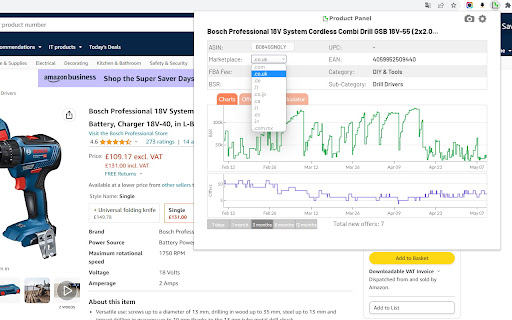
Shows Amazon BSR, Offers and Price history charts, FBA Fees, Live offers with stock levels and Amazon FBA & FBM profit calculator
Product Panel is a tool for Amazon sellers that shows basic data on a product page: Amazon BSR and Offers history charts, UPC codes, EAN codes, FBA Fees, Category, Current offers including prices and stock levels and Profit calculator.
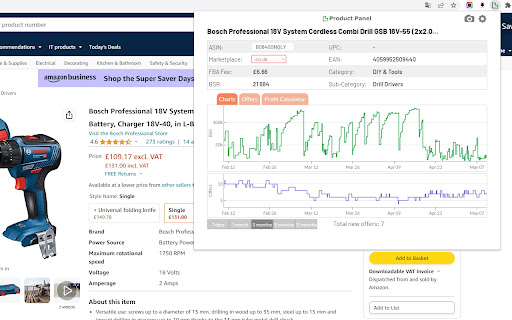
- Best Sellers Rank and Offers history charts
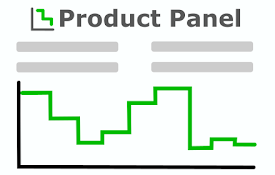
Detailed BSR history chart and Offers history chart showing data up to 365 days old. The time range can be set to 7 days, 1 month, 3 months, 6 months or 12 months. Based on this data you can estimate the product sales volume and history of offers count.
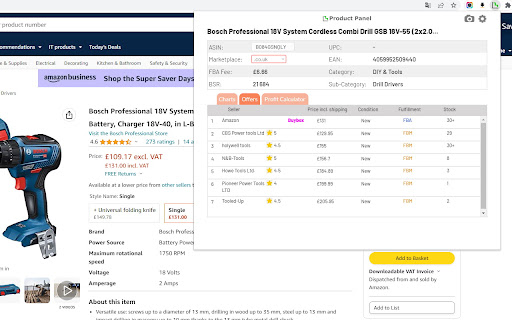
- Current Offers
List of all current offers including price, rating and stock levels for each offer.
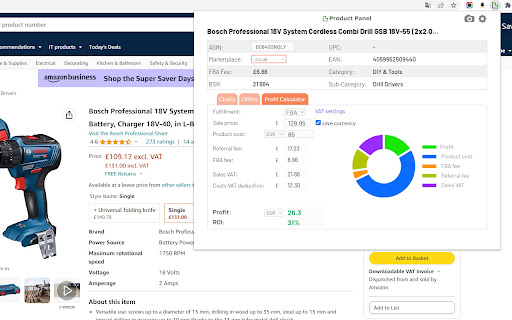
- Profit Calculator
Calculates your profit. Calculator determines FBA fee and Referral fee. You can input your costs and (if applicable) VAT rates. Preferred currency can be set and saved. With this calculator the profit can be determined very accurately.
- Storage fees calculator
Determines storage fees based on the product dimensions, storage lenght, number of units.
- FBA Fees
If the item is sold using Fulfilled by Amazon program, the FBA fee is displayed.
- UPC and EAN codes
Eighter UPC or EAN barcode is displayed. Some products have multiple barcodes.
- Category
Main product category and sub-category of the product.
| 分类 | 📝工作流程与规划 |
| 插件标识 | ikjhbkcheiofejcegidcmfnmecmicgbl |
| 平台 | Chrome |
| 评分 |
★★★★☆
4.7
|
| 评分人数 | 4962 |
| 插件主页 | https://chromewebstore.google.com/detail/productpanel-amazon-bsr-h/ikjhbkcheiofejcegidcmfnmecmicgbl |
| 版本号 | 2.3 |
| 大小 | 130KiB |
| 官网下载次数 | 672 |
| 下载地址 | |
| 更新时间 | 2024-03-09 00:00:00 |
CRX扩展文件安装方法
第1步: 打开Chrome浏览器的扩展程序
第2步:
在地址栏输入: chrome://extensions/
第3步: 开启右上角的【开发者模式】
第4步: 重启Chrome浏览器 (重要操作)
第5步: 重新打开扩展程序管理界面
第6步: 将下载的crx文件直接拖入页面完成安装
注意:请确保使用最新版本的Chrome浏览器
同类插件推荐
ProductPanel - Amazon BSR History & Analytics
Shows Amazon BSR, Offers and Price history charts,

sellerboard Amazon FBA Profit Calculator
sellerboard Amazon FBA Profit Calculatorsellerboar

Amazon Product Finder - AMZScout PRO Extension
AMZScout扩展将帮助您根据实际数据做出选择利基的决定,而不是直觉。亚马逊产品发现工具让您只需点

Price History Extension - Price Tracker for Amazon & Flipkart
Price History Extension for Amazon & Flipkart.