
Azure DevOps PR View Chrome 插件, crx 扩展下载
Improves the Azure DevOps pull request (PR) view to make code reviews easier
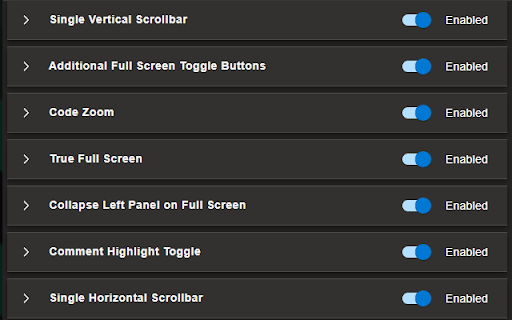
All of the below features can be enabled/disabled via the extension's options page
Features:
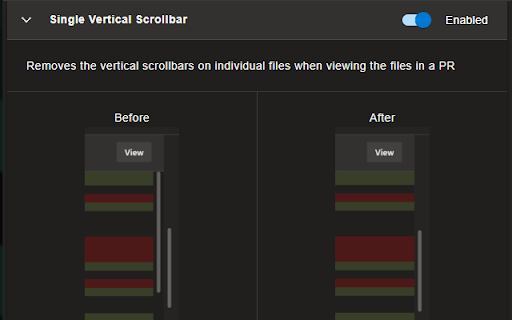
Single Vertical Scrollbar
Removes the vertical scrollbars on individual files when viewing the files in a PR
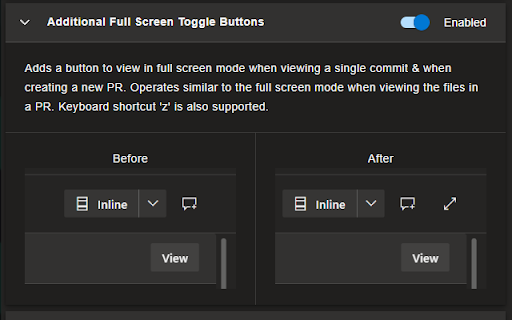
Additional Full Screen Toggle Buttons
Adds a button to view in full screen mode when viewing a single commit and when creating a new PR. Operates similar to the full screen mode when viewing the files in a PR. Keyboard shortcut 'z' is also supported.
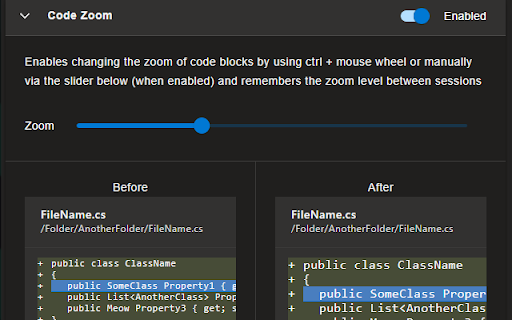
Code Zoom
Enables changing the zoom of code blocks by using ctrl + mouse wheel or manually via the options page and remembers the zoom level between sessions
True Full Screen
Toggles the browser's full screen mode when full screen mode is toggled via a button or the keyboard shortcut 'z'
Collapse Left Panel on Full Screen
Collapses/expands the left panel when full screen mode is toggled via a button or the keyboard shortcut 'z'
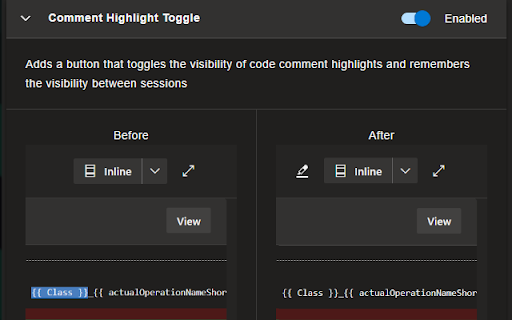
Comment Highlight Toggle
Adds a button that toggles the visibility of code comment highlights and remembers the visibility between sessions
Single Horizontal Scrollbar
Removes the horizontal scrollbars on individual files when viewing the files in a PR. Side-by-side view is not affected.
| 分类 | 💻开发者工具 |
| 插件标识 | imhdlkegjegakidnjoebonfmhklflnpl |
| 平台 | Chrome |
| 评分 |
☆☆☆☆☆
0
|
| 评分人数 | 7 |
| 插件主页 | https://chromewebstore.google.com/detail/azure-devops-pr-view/imhdlkegjegakidnjoebonfmhklflnpl |
| 版本号 | 0.6 |
| 大小 | 264KiB |
| 官网下载次数 | 92 |
| 下载地址 | |
| 更新时间 | 2022-12-19 00:00:00 |
CRX扩展文件安装方法
第1步: 打开Chrome浏览器的扩展程序
第2步:
在地址栏输入: chrome://extensions/
第3步: 开启右上角的【开发者模式】
第4步: 重启Chrome浏览器 (重要操作)
第5步: 重新打开扩展程序管理界面
第6步: 将下载的crx文件直接拖入页面完成安装
注意:请确保使用最新版本的Chrome浏览器
同类插件推荐

JIRA Issue Branch Name Generator
Generates a branch name based on the current JIRA

AZ Insights Heatmap
Changes color of AI tiles depending on health perc

DevOps Boost
Supercharge your Azure DevOps Backlog experience.D

Azure DevOps Pull Requests
Azure DevOps - Manage pull requests in multiple re

Azure DevOps Wiki Editor
This extension will replace standard Azure DevOps

Azure DevOps Fast Copy
Quickly copy the link to any Azure DevOps work ite

TimeTracker Devops - Target Software
A timetracker application for Azure Devops organiz

Parents for Azure Devops Boards
Fetch and display the parent of each item and also
Azure DevOps Extension
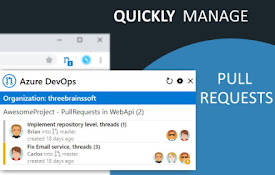
Azure DevOps Extension - Check your pull requests

Turbo Query for Azure DevOps
Instantly retrieve work items from Azure DevOps.Th
Shorten Azure DevOps URL with vso.io
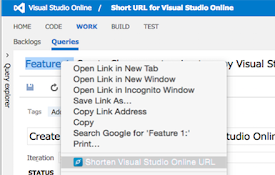
Shorten Azure DevOps (formerly Visual Studio Onlin
Azure DevOps PR View
Improves the Azure DevOps pull request (PR) view t

Jira View
Improves Jira Cloud (*.atlassian.net) views to mak