
CodePeek - ChatGPT Code Preview & Visualizer Chrome 插件, crx 扩展下载
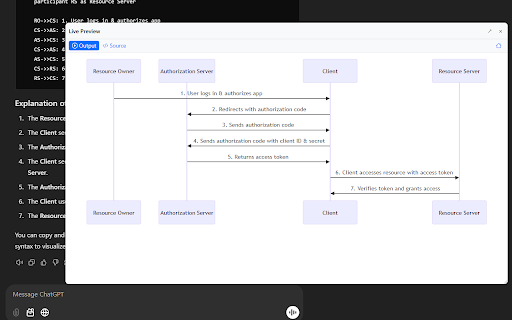
ChatGPT Code Visualizer: Live preview HTML, React, JS code, Mermaid diagrams & Mindmaps in ChatGPT, You.com & DeepSeek
Unlock a faster, smarter coding workflow with CodePeek, the browser extension designed to provide real-time previews of your code directly within platforms like You.com and ChatGPT. Whether you're a developer, designer, or beginner, CodePeek helps you save time, streamline your process, and experiment with code more efficiently.
? Key Features:
? Real-Time Previews: See live updates to your HTML, CSS, JavaScript, Mermaid diagrams, and SVG as you write. No more switching between tabs or refreshing pages!
? Mermaid Diagrams Support: Easily create process diagrams and flowcharts directly in your code without extra tools.
? SVG Integration: Display high-quality, scalable vector images right within your projects—perfect for any screen size.
⚡ Effortless Workflow: Modify your code and instantly preview changes within the same page—saving you precious time.
?? User-Friendly Interface: Designed for everyone—from coding beginners to seasoned developers—with zero setup hassle.
Perfect for All Skill Levels
Whether you're a beginner learning to code or an experienced developer, CodePeek lets you instantly see the results of your changes, helping you learn and iterate faster.
Why CodePeek?
?️ Fast & Efficient: Make adjustments to your code and see changes instantly, boosting productivity.
? Built for Experimentation: Perfect for testing new code snippets or ideas on the fly.
Get Started Today!
Install CodePeek now and supercharge your coding projects with real-time previews—all directly in your browser!
| 分类 | 💻开发者工具 |
| 插件标识 | infhkockcenbmlncfgboaeninconkaoe |
| 平台 | Chrome |
| 评分 |
★★★★☆
4.6
|
| 评分人数 | 651 |
| 插件主页 | https://chromewebstore.google.com/detail/codepeek-chatgpt-code-pre/infhkockcenbmlncfgboaeninconkaoe |
| 版本号 | 1.2 |
| 大小 | 60.5KiB |
| 官网下载次数 | 389 |
| 下载地址 | |
| 更新时间 | 2025-01-21 00:00:00 |
CRX扩展文件安装方法
第1步: 打开Chrome浏览器的扩展程序
第2步:
在地址栏输入: chrome://extensions/
第3步: 开启右上角的【开发者模式】
第4步: 重启Chrome浏览器 (重要操作)
第5步: 重新打开扩展程序管理界面
第6步: 将下载的crx文件直接拖入页面完成安装
注意:请确保使用最新版本的Chrome浏览器
同类插件推荐
CodePeek - ChatGPT Code Preview & Visualizer
ChatGPT Code Visualizer: Live preview HTML, React,
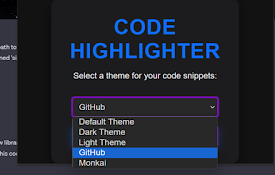
ChatGPT Code Highlighter
Improve the appearance of code snippets in ChatGPT

Jarvis AI: Chat GPT, Bing, Claude, Bard, BOT
Jarvis AI Copilot Chatbot by ChatGPT, OpenAI, Clau
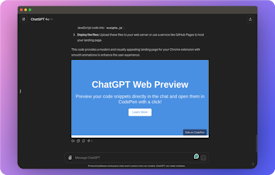
ChatGPT Web Preview
Preview HTML, CSS, and JS code from ChatGPT with T