
YouTube™ Comment Translate Enhanced Chrome 插件, crx 扩展下载
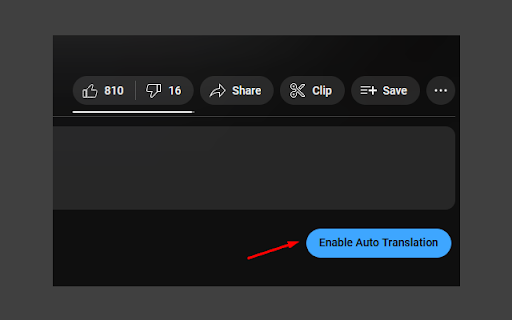
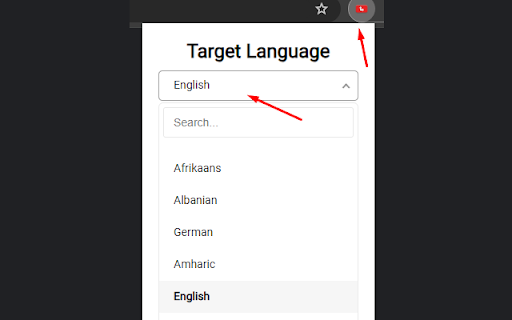
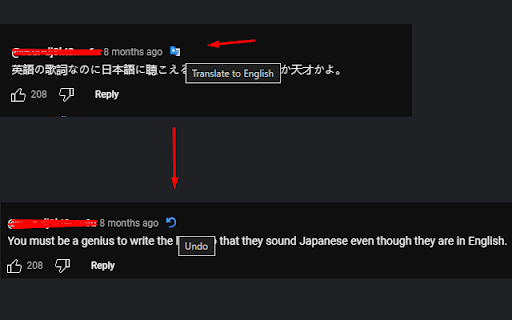
Translate YouTube comments instantly with Google Translate. Customizable target language and a button to auto translate all comments
Automatically translate YouTube comments on videos and shorts using the Google-Translate API.
This extension allows the user to translate YouTube comments with the click of a single button, right next to the comment.
This is useful, i.e. when listening to music from other countries.
The target language is customizable.
The sourcecode is openly available on GitHub.
The default target language is your browser language. To change it, click on the top right of chrome on the extension icon and select a new target language by clicking on the dropdown.
There's also a button to translate all visible comments automatically.
YouTube's default translation button is hidden.
| 分类 | 🛠️工具 |
| 插件标识 | inkldemkdmcdgjdjgbimjkfafpgibaha |
| 平台 | Chrome |
| 评分 |
★★★★☆
4.7
|
| 评分人数 | 106 |
| 插件主页 | https://chromewebstore.google.com/detail/youtube-comment-translate/inkldemkdmcdgjdjgbimjkfafpgibaha |
| 版本号 | 0.1.5.3 |
| 大小 | 25.66KiB |
| 官网下载次数 | 1000 |
| 下载地址 | |
| 更新时间 | 2024-11-06 00:00:00 |
CRX扩展文件安装方法
第1步: 打开Chrome浏览器的扩展程序
第2步:
在地址栏输入: chrome://extensions/
第3步: 开启右上角的【开发者模式】
第4步: 重启Chrome浏览器 (重要操作)
第5步: 重新打开扩展程序管理界面
第6步: 将下载的crx文件直接拖入页面完成安装
注意:请确保使用最新版本的Chrome浏览器
同类插件推荐
YouTube™ Comment Translate Enhanced
Translate YouTube comments instantly with Google T
YouTube™评论翻译Pro
自动翻译YouTube评论和实时聊天,支持100多种语言。免费使用:? 使用所有翻译功能无需支付任何
YouTube™ Comment Translate
Automatically translate YouTube comments using the

Youtube Translater
Translate youtube comments to a preferred language