
Subtitle Anything! Chrome 插件, crx 扩展下载


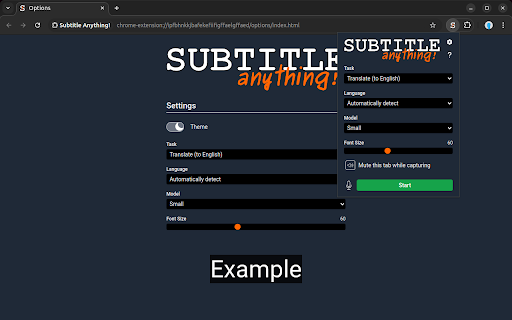
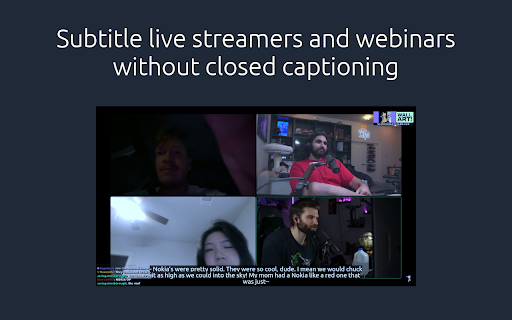
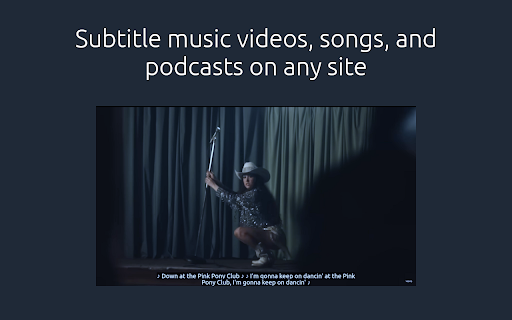
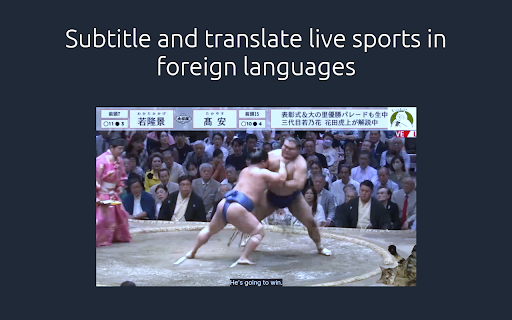
Add AI generated subtitles to any video or audio playing in your browser.
This closed captioning extension lets you generate subtitles in real time, wherever you browse. Native language transcriptions and translations to English are supported, as well as some non-speech sounds.
Protect your ears with lower volumes, get the gist of that foreign language dialogue, improve your retention while studying, and follow the conversation!
Subtitle Anything is:
1. Free: No monthly payments or credits. If your device supports it, you can run it forever. Free.
2. Private: No data leaves your device. Subtitle Anything doesn't run translations using Google's (or any other) services.
3. Flexible: No site specific support. One extension. Any tab that plays audio. 99 languages plus autodetect.
This extension doesn't show ads and doesn't send your data anywhere.
Subtitles are generated by continually capturing a buffer of recent audio from any tab and passing it to a machine learning model. It needs a graphics card to do this quickly enough, and support on Linux is experimental.
See the official website for more documentation:
https://www.subtitle-anything.com/
Feel free to check out the GitHub releases and issues tracker here:
https://github.com/ae9is/subtitle-anything/
| 分类 | ♿无障碍访问 |
| 插件标识 | ipfbhnkkjbafekefiifigffaelgffaed |
| 平台 | Chrome |
| 评分 |
★★★★☆
4.5
|
| 评分人数 | 6774 |
| 插件主页 | https://chromewebstore.google.com/detail/subtitle-anything/ipfbhnkkjbafekefiifigffaelgffaed |
| 版本号 | 0.4.0 |
| 大小 | 537MiB |
| 官网下载次数 | 123 |
| 下载地址 | |
| 更新时间 | 2024-12-17 00:00:00 |
CRX扩展文件安装方法
第1步: 打开Chrome浏览器的扩展程序
第2步:
在地址栏输入: chrome://extensions/
第3步: 开启右上角的【开发者模式】
第4步: 重启Chrome浏览器 (重要操作)
第5步: 重新打开扩展程序管理界面
第6步: 将下载的crx文件直接拖入页面完成安装
注意:请确保使用最新版本的Chrome浏览器
同类插件推荐

Subtitle Anything!
Add AI generated subtitles to any video or audio p
Speech Translator
实时翻译任何视频、音频或直播。此扩展程序使用由Google提供支持的语音识别技术,将来自任何来源的语

Substital: Add subtitles to videos and movies
Add captions to any video or movie on Netflix, You

Potion Screen Recorder - Easily Create Personalized AI Videos
Convert screen recordings into personalized AI vid