
Qvidian for Web (EU Hosting) Chrome 插件, crx 扩展下载
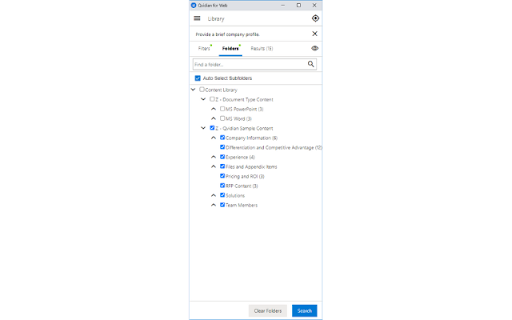
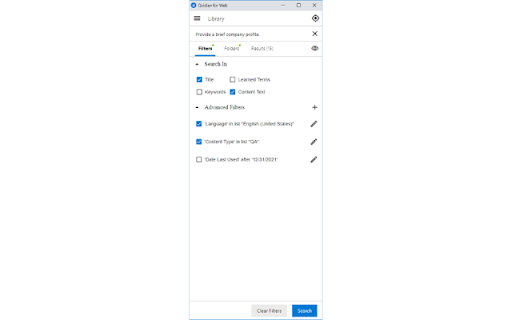
Qvidian for Web (EU Hosting) allows you to find and use RFP answers, sales content and more, right from your browser.
Now your entire organization can easily access content managed in Qvidian with Qvidian for Web. Help your RFP team respond to online RFPs or find answers easily online and benefit other teams, or infrequent users, by giving them access to approved content stored in a centralized repository in an interface that is easy to use.
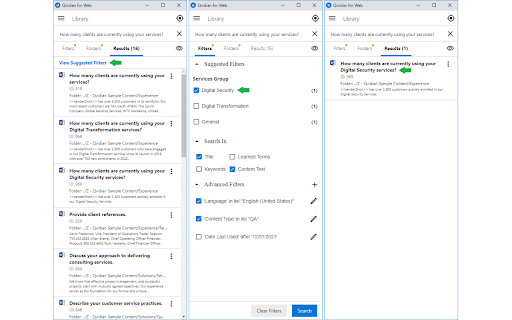
Qvidian for Web (EU Hosting) allows you to find and use RFP answers, sales content and more, right from your browser. Finding exactly what you’re looking for couldn’t be easier when you take advantage of Qvidian’s suggested filters and learned terms.
With Qvidian for Web you can:
- Run broad searches across your entire library or focus in to search among selected folders.
- Narrow search results with filters using standard properties, like Content ID, Date Last Modified, and Language, or your custom metadata fields.
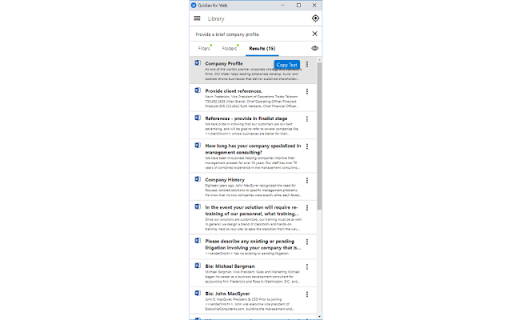
- View, copy and download best matches for quick use.
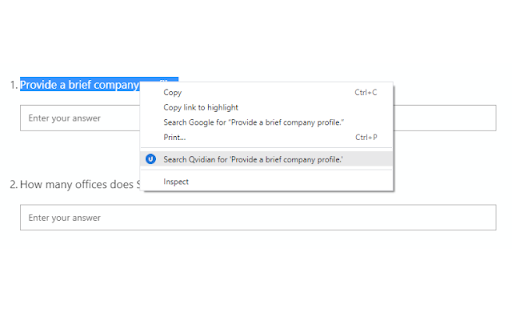
- Search Qvidian or selected text on a page by clicking a button, or copying and pasting, and customize the fields you want to search with.
- Participate in the ongoing quality of the content by submitting feedback to the content owners.
Why choose Upland Qvidian?
Upland Qvidian automates away the tedious and frustrating parts of your RFx response and proposal processes. With Qvidian, sales and proposal teams can collaborate effortlessly to quickly deliver polished and compliant proposals, presentations, and sales documents.
More than 1,000 companies rely on Qvidian, including eight of the ten largest U.S. banks and six of the ten largest European banks. Worldwide, over 200,000 users trust Qvidian to meet deadlines, tame proposal content chaos, and win more deals.
Want to learn more? Request a demo and see how Qvidian can help you craft more persuasive proposals, presentations, and sales documents: https://uplandsoftware.com/qvidian/demo-request/
| 分类 | 📝工作流程与规划 |
| 插件标识 | jdjllblgabmbginkjcancjgfhfpkahhi |
| 平台 | Chrome |
| 评分 |
☆☆☆☆☆
0
|
| 评分人数 | 22 |
| 插件主页 | https://chromewebstore.google.com/detail/qvidian-for-web-eu-hostin/jdjllblgabmbginkjcancjgfhfpkahhi |
| 版本号 | 1.01 |
| 大小 | 19.44KiB |
| 官网下载次数 | 75 |
| 下载地址 | |
| 更新时间 | 2022-09-26 00:00:00 |
CRX扩展文件安装方法
第1步: 打开Chrome浏览器的扩展程序
第2步:
在地址栏输入: chrome://extensions/
第3步: 开启右上角的【开发者模式】
第4步: 重启Chrome浏览器 (重要操作)
第5步: 重新打开扩展程序管理界面
第6步: 将下载的crx文件直接拖入页面完成安装
注意:请确保使用最新版本的Chrome浏览器
同类插件推荐

quiz maker for Language
Try to improve your listening skill by fill-in-bla

Qvidian for Web (US Hosting)
Qvidian for Web (US Hosting) allows you to find an
Qvidian for Web (EU Hosting)
Qvidian for Web (EU Hosting) allows you to find an

Apty Client V3
Efficient user engagement and onboarding through r

SBX | A Collaborative Inbox for Outlook
Collaborate with your team in Outlook. Easily mana
Colorify
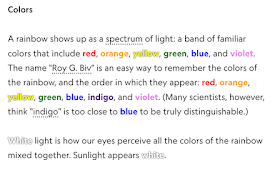
Changes the hue of words to the color they're

Launcher Tab Closer
Close leftover tabs from Teams, Zoom and Global Pr

Twitter View Hider
Automatically hide view counts of tweets in your t

Salesforce Navigator for Lightning
Get more done in Salesforce - list and search reco

SHR
Capture SHRThis browser extension can capture root

Git Helpers for Jira
Automatically generate a suggested branch name and