
Online Arbitrage Tool Chrome 插件, crx 扩展下载
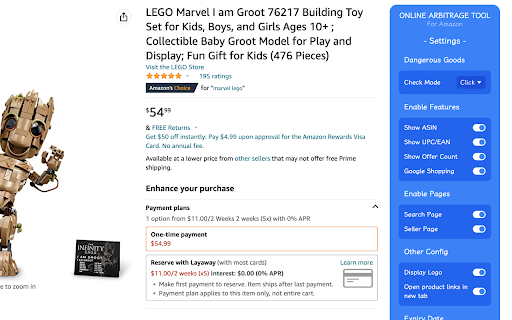
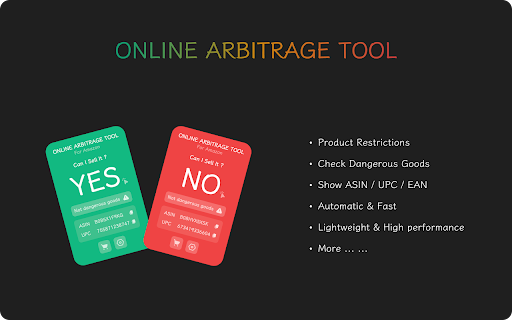
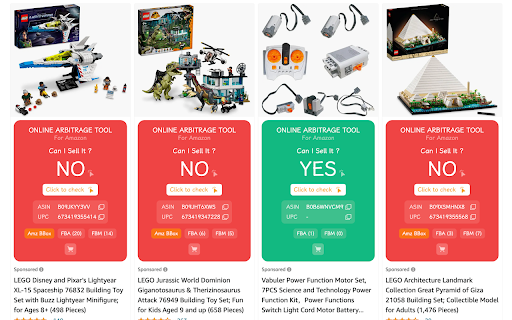
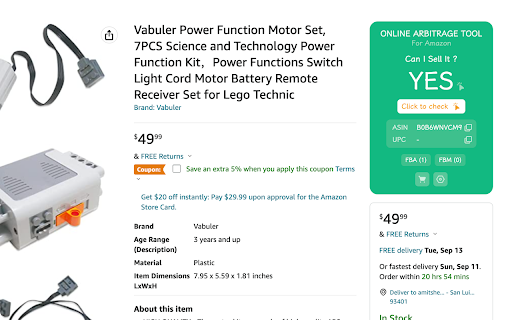
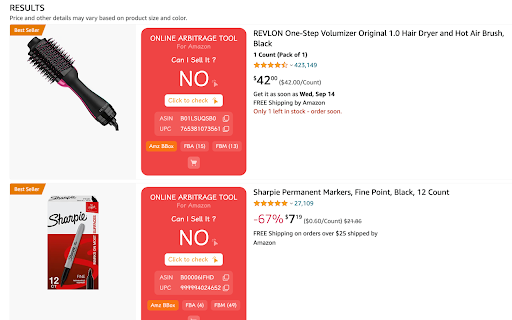
A chrome extension tool that quickly and automatically check any Amazon FBA online arbitrage deal
A chrome extension tool that quickly and automatically check any Amazon FBA online arbitrage deal.
Official Website: https://oat.zthbest.com
< Automatic & Fast >
Fully automated and fast analysis of any Amazon FBA online arbitrage deal. No copy, No paste, No click.
< Product Restrictions >
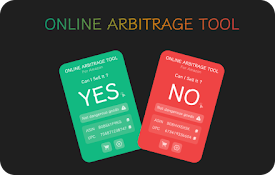
Automatically detect and visually display product restriction status. YES or NO, Green or Red.
< Dangerous Goods >
Automatic (configurable as manual) detection of the dangerous goods status of the product.
< One-click Jump >
One-click jumping to Search Product, Dangerous Goods Check, Google Shopping and more ...
< ASIN & UPC/EAN >
Configurable display ASIN and UPC/EAN, and can one-click to copy.
< Open in new tab >
Configurable to open product page in new tab, no more frequent forward and backward.
< Custom configuration >
Customize the configuration feature, only enable the feature you want.
Subscribe Now !
面包多:https://mianbaoduo.com/o/zth/
Gumroad: https://zthbest.gumroad.com/l/oat
If you have any questions, please feel free to contact me. email: [email protected]
| 分类 | 📝工作流程与规划 |
| 插件标识 | jhadihflffnhhkilpmdlhglgejmgfphl |
| 平台 | Chrome |
| 评分 |
★★★★☆
4.6
|
| 评分人数 | 965 |
| 插件主页 | https://chromewebstore.google.com/detail/online-arbitrage-tool/jhadihflffnhhkilpmdlhglgejmgfphl |
| 版本号 | 2.0.5 |
| 大小 | 74.64KiB |
| 官网下载次数 | 158 |
| 下载地址 | |
| 更新时间 | 2024-10-30 00:00:00 |
CRX扩展文件安装方法
第1步: 打开Chrome浏览器的扩展程序
第2步:
在地址栏输入: chrome://extensions/
第3步: 开启右上角的【开发者模式】
第4步: 重启Chrome浏览器 (重要操作)
第5步: 重新打开扩展程序管理界面
第6步: 将下载的crx文件直接拖入页面完成安装
注意:请确保使用最新版本的Chrome浏览器
同类插件推荐
Online Arbitrage Tool
A chrome extension tool that quickly and automatic

sellerboard Amazon FBA Profit Calculator
sellerboard Amazon FBA Profit Calculatorsellerboar

SellerApp: Supercharge your Amazon Sales
SellerApp’s Chrome extension to Research and compa

FBA calculator for Amazon Sellers : SellerApp
Is FBA the better choice for a product or FBM? Ana