
Speak to Chess.com (Standard Notation) Chrome 插件, crx 扩展下载
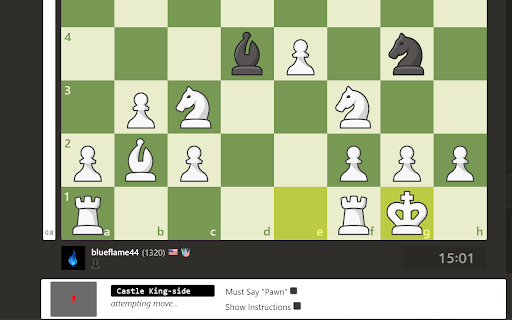
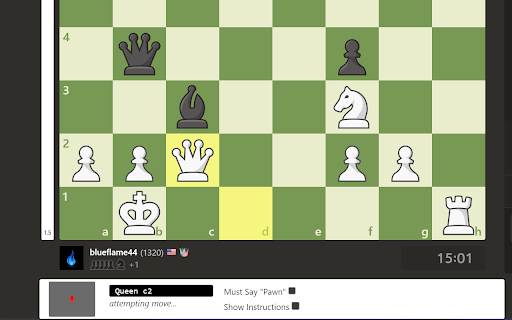
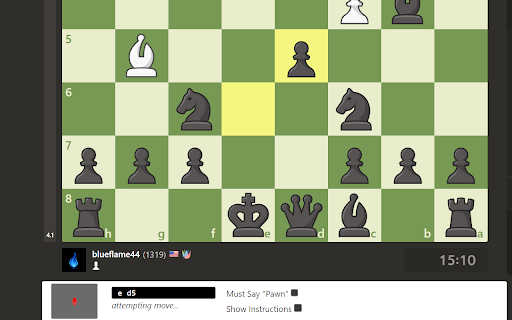
Move your pieces with voice commands (like "Queen D4"). Play hands-free using standard chess notation.
UPDATES (v1.1.0):
- Extension always appears now. It also appears for puzzles now.
- Can now move pawns by saying "g3" instead of "Pawn g3" (this feature can be disabled).
- Fixed mistranslations of "Pawn" and "Rook".
- A fix for stacked pawns, and a move like "Rook a c1".
- Full details: https://github.com/huntergregory/chess-voice-commands/releases/tag/v1.1.0
Features:
1. Handles all edge cases in standard notation.
3. Provides feedback for invalid moves.
3. Corrects common mistranslations like "broke -> Rook" and "before -> b4".
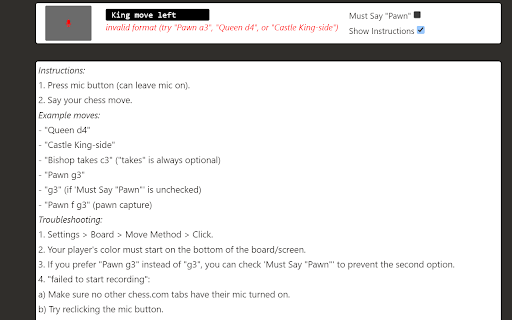
4. Instructions and examples included on the extension's display.
Code & Support:
All code is open-source on https://github.com/huntergregory/chess-voice-commands. If you encounter any trouble, please post here or make a GitHub issue on the GitHub repo.
Currently only supports English chess terms and numbers.
| 分类 | ♿无障碍访问 |
| 插件标识 | jhfacpfmnjeambcapipomocgnjmjgbaf |
| 平台 | Chrome |
| 评分 |
★★★★★
5
|
| 评分人数 | 9 |
| 插件主页 | https://chromewebstore.google.com/detail/speak-to-chesscom-standar/jhfacpfmnjeambcapipomocgnjmjgbaf |
| 版本号 | 1.1.0 |
| 大小 | 24.93KiB |
| 官网下载次数 | 48 |
| 下载地址 | |
| 更新时间 | 2023-10-31 00:00:00 |
CRX扩展文件安装方法
第1步: 打开Chrome浏览器的扩展程序
第2步:
在地址栏输入: chrome://extensions/
第3步: 开启右上角的【开发者模式】
第4步: 重启Chrome浏览器 (重要操作)
第5步: 重新打开扩展程序管理界面
第6步: 将下载的crx文件直接拖入页面完成安装
注意:请确保使用最新版本的Chrome浏览器
同类插件推荐
Chess.com Voice Input
Enable square clicks on chess.com via speech recog

Chess.com Voice Commentary (improved)
Hear chess moves and annotation spoken as they are

Chess voice commands
Está extensão permite entrar com lances via teclad

Chess.com Custom Pieces & GIF Background
Customize your chess board on Chess.com with your

Speak to Chess.com (Standard Notation)
Move your pieces with voice commands (like "Q

Chess.com Hydrated
Additional features for chess.comThis extension pr
Chess Assistant
Chess Assistant provides chess hints and analysis

Chess.com Custom Themes, Boards - ChessHelper
2025 Setup new themes, pieces, fonts, and boards,
Colorize Extension for chess.com
This extension will help viewers to understand whe

Chess.com Insights
Shows Win/Lose/Draw and average accuracy for playe

Chess.com Analysis at Lichess
Opens PGN of a game from chess.com or chessgames.c

Chess.com Keyboard
This browser extension allows you to make moves on

Chess Pro
A Chrome chess extensionSuggesting the best move (