
Super PiP - Picture-in-Picture with playback controls and subtitles Chrome 插件, crx 扩展下载
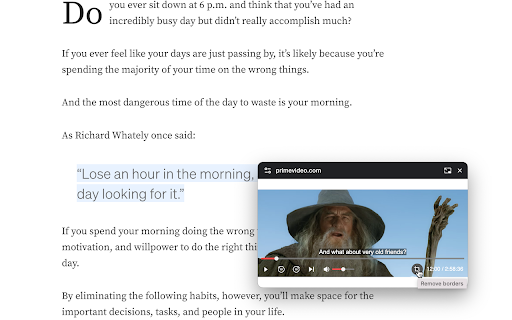
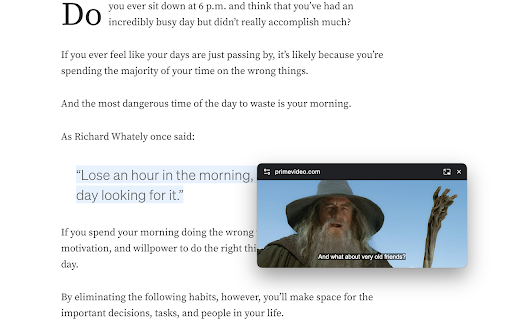
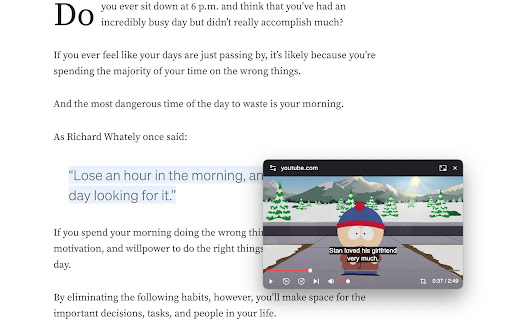
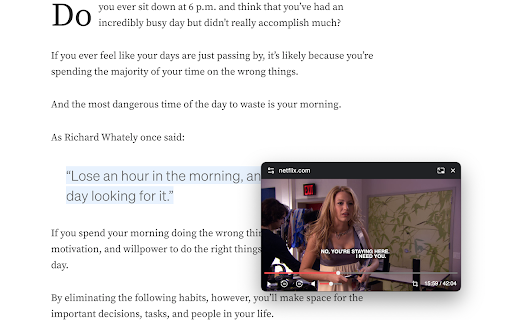
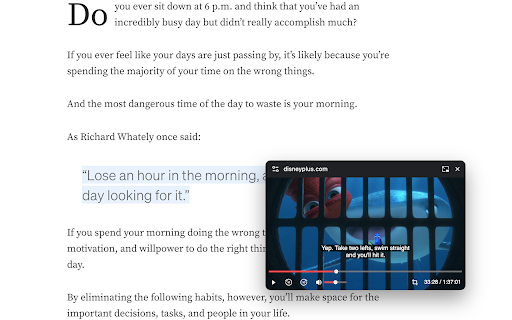
Watch videos in Picture-in-Picture mode. A floating window shows up on top of other windows with playback controls and subtitles.
Playback controls will be displayed so you can:
* Play/Pause the video
* Adjust/Mute the volume
* Forward/Rewind the video
* Change the playback speed
* Play the next video
Subtitles will be displayed if it's turned on. Currently subtitles work on Youtube, Netflix, Disney+ and PrimeVideo (more to come).
The size of the PiP window will be remembered. Next time you open it you will get the same size.
Use hotkey E and S to expand/shrink the PiP window. Otherwise the PiP window will not keep the aspect ratio when you resize and you need to use hotkey C to remove white borders (or the crop button at the bottom right).
Use hotkey Alt+P to toggle the PiP window and below hotkeys when the PiP window is hovered or focused:
* Forward (→)
* Rewind (←)
* Increase volume (↑)
* Decrease volume (↓)
* Pause/Play (␣)
| 分类 | 🎉趣味休闲 |
| 插件标识 | jjjpjmbnbdjhbkclajpagjkefefnednl |
| 平台 | Chrome |
| 评分 |
★★★★☆
4.8
|
| 评分人数 | 63 |
| 插件主页 | https://chromewebstore.google.com/detail/super-pip-picture-in-pict/jjjpjmbnbdjhbkclajpagjkefefnednl |
| 版本号 | 2.12 |
| 大小 | 28.45KiB |
| 官网下载次数 | 20000 |
| 下载地址 | |
| 更新时间 | 2024-11-22 00:00:00 |
CRX扩展文件安装方法
第1步: 打开Chrome浏览器的扩展程序
第2步:
在地址栏输入: chrome://extensions/
第3步: 开启右上角的【开发者模式】
第4步: 重启Chrome浏览器 (重要操作)
第5步: 重新打开扩展程序管理界面
第6步: 将下载的crx文件直接拖入页面完成安装
注意:请确保使用最新版本的Chrome浏览器
同类插件推荐

YouTube PiP Extension
1. *Picture-in-Picture Mode*: Watch YouTube videos

Clear Pip View
Enhance Your Viewing Experience with Clear Pip Vie

Picture-in-Picture Anything - Place Any Element on Top of your screen
An extension that allows you to use Picture-in-Pic

Picture-in-Picture any site
Picture-in-Picture any site even non videoThis ext

Picture-in-Picture Shortcut
Switch videos to Picture-in-Picture mode with a ke

Picture in Picture | PIP
Сonvenient picture-in-picture, compact PiP, seamle

Super PiP - Picture-in-Picture with playback controls and subtitles
Watch videos in Picture-in-Picture mode. A floatin

Picture in Picture with subtitles — Piphover
Picture in Picture with subtitles. Increase your p

Picture-in-Picture Extension (by Google)
Watch video using Picture-in-PicturePicture-in-Pic

pip (画中画)
在浏览器窗口外或任何其他应用程序上方的浮动窗口中观看视频画中画 (PIP)。使用浮动播放器增强您的视

画中画 - 浮动播放器 (PiP)
在浮动画中画(PiP)模式下观看视频。使用浮动播放器在在线做其他事情时观看视频。使用畫中畫 - 浮動

畫中畫 - 浮動視頻播放器
畫中畫模式允許您在帶有播放控件的浮動視頻中觀看視頻。 浮動視頻擴展。畫中畫 - (浮動播放器) -