
ChatGPT AUTO - AI Coding Assistant Chrome 插件, crx 扩展下载

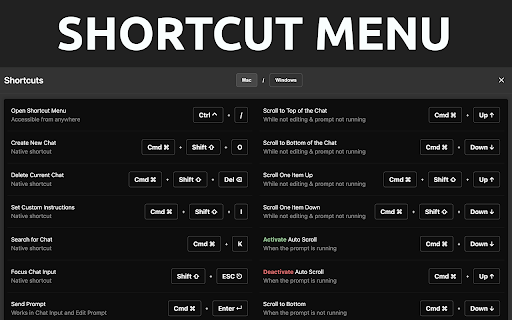
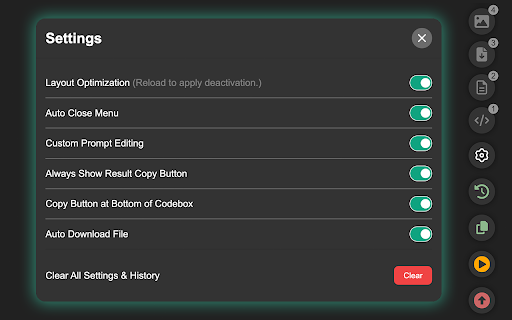
Auto-Scroll, Continue, Copy, Fullscreen Layout, ShortCut List, Fast Edit, and many more handy features. Saves up to 50% of your time
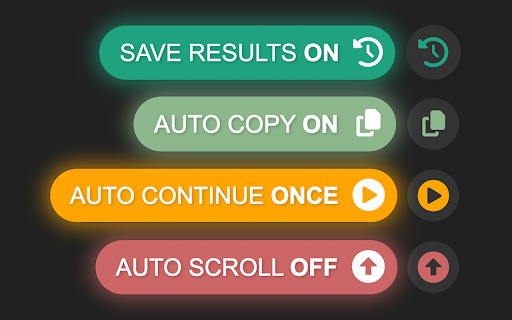
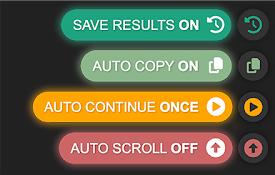
- Auto Scroll: Always scrolls down while the prompt is running.
- Auto Continue: Presses the "Continue" button for you.
- Auto Copy: Automatically copies the last result to the clipboard after completion.
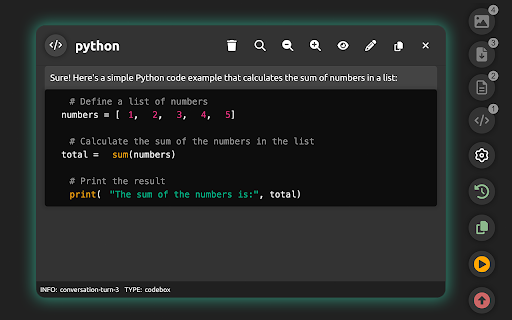
- History Buttons: View and edit your prompts & results with ease.
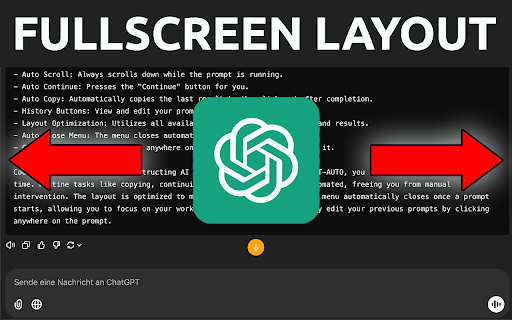
- Layout Optimization: Utilizes all available space to display prompts and results.
- Auto Close Menu: The menu closes automatically when a prompt starts.
- Custom Prompt Editing: Click anywhere on your previous prompt to edit it.
Coding is now as simple as instructing AI to do it for you. With ChatGPT-AUTO, you can save up to 50% of your time. Routine tasks like copying, continuing, and scrolling are now automated, freeing you from manual intervention. The layout is optimized to maximize screen space, and the menu automatically closes once a prompt starts, allowing you to focus on your work. Additionally, you can easily edit your previous prompts by clicking anywhere on the prompt.
| 分类 | 💻开发者工具 |
| 插件标识 | jkigihhkjimmljfahdidgfcaanaepfjd |
| 平台 | Chrome |
| 评分 |
★★★★☆
4.7
|
| 评分人数 | 1239 |
| 插件主页 | https://chromewebstore.google.com/detail/chatgpt-auto-ai-coding-as/jkigihhkjimmljfahdidgfcaanaepfjd |
| 版本号 | 2.0.9.13 |
| 大小 | 636KiB |
| 官网下载次数 | 84 |
| 下载地址 | |
| 更新时间 | 2025-01-26 00:00:00 |
CRX扩展文件安装方法
第1步: 打开Chrome浏览器的扩展程序
第2步:
在地址栏输入: chrome://extensions/
第3步: 开启右上角的【开发者模式】
第4步: 重启Chrome浏览器 (重要操作)
第5步: 重新打开扩展程序管理界面
第6步: 将下载的crx文件直接拖入页面完成安装
注意:请确保使用最新版本的Chrome浏览器
同类插件推荐
ChatGPT AUTO - AI Coding Assistant
Auto-Scroll, Continue, Copy, Fullscreen Layout, Sh
JetBrains Grazie: AI Writing Companion
Improve your writing with proofreading, summarizat
Toolgo - 一体化AI工具箱
聊天、写作、翻译、ChatPDF、OCR、总结……由ChatGPT、Gemini、Claude提供支

AI Chrome Extension powered by ChatGPT - Magictool AI
Your All-in-One AI Chrome Extension featuring Chat