
SecHard Chrome 插件, crx 扩展下载
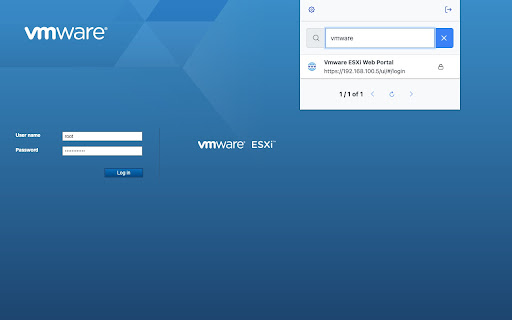
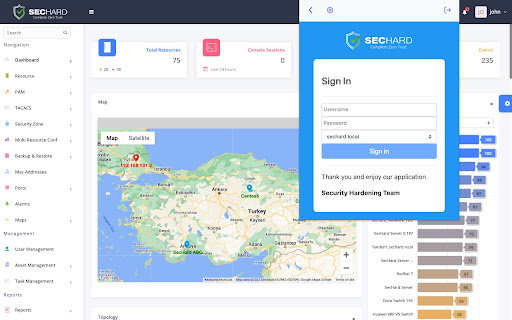
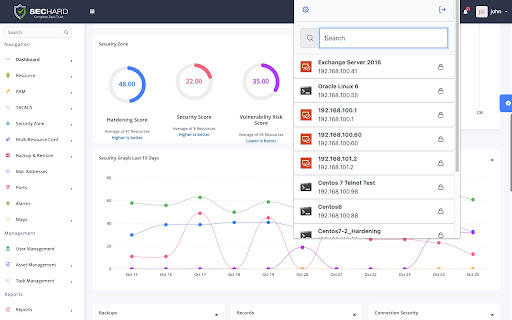
SecHard Browser Extension for Chrome, Edge, Brave
SecHard is a PAM product and has a password vault. It can enable the accesses such as RDP, VNC, SSH, and Telnet without knowing the password and can record all the sessions both in video and text format. This browser extension helps end-users fill out login forms automatically by using the information defined in SecHard product.
| 分类 | 📝工作流程与规划 |
| 插件标识 | jklhiadiohgjnpddnekdmphgahkbnmmk |
| 平台 | Chrome |
| 评分 |
★★★★☆
4.5
|
| 评分人数 | 1182 |
| 插件主页 | https://chromewebstore.google.com/detail/sechard/jklhiadiohgjnpddnekdmphgahkbnmmk |
| 版本号 | 1.1.1.0 |
| 大小 | 631KiB |
| 官网下载次数 | 652 |
| 下载地址 | |
| 更新时间 | 2023-03-23 00:00:00 |
CRX扩展文件安装方法
第1步: 打开Chrome浏览器的扩展程序
第2步:
在地址栏输入: chrome://extensions/
第3步: 开启右上角的【开发者模式】
第4步: 重启Chrome浏览器 (重要操作)
第5步: 重新打开扩展程序管理界面
第6步: 将下载的crx文件直接拖入页面完成安装
注意:请确保使用最新版本的Chrome浏览器
同类插件推荐

DeepSeek Open SideBar in Chrome
Chrome 的 DeepSeek 扩展程序。Chrome 中的 DeepSeek 新 AI 和 O
SecHard
SecHard Browser Extension for Chrome, Edge, BraveS

Astalty For Chrome
Astalty's Browser ExtensionAstalty For Chrome

Anti phising safer browsing for chrome
Browserguard protects you against the dangers of t