
ideaocam Chrome 插件, crx 扩展下载
ideaocam
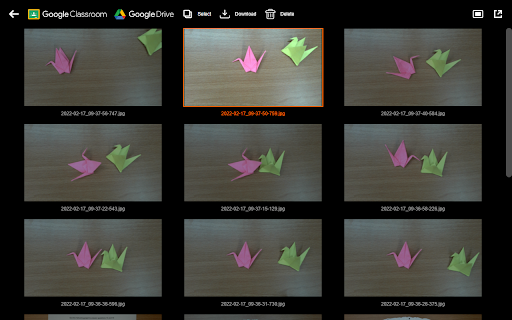
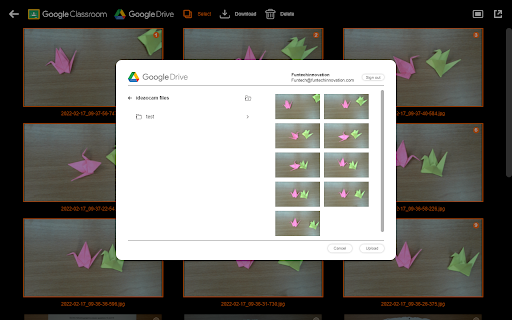
Designed for Ideao document camera, IdeaoCam let you take snapshots and create amazing video with ease! Connect with your Goolgle account, and access your file anywhere, anytime. IdeaoCam allows you to upload pictures directly onto your Google Drive, or use with Google Classroom to create assignments.
• Control Ideao Camera
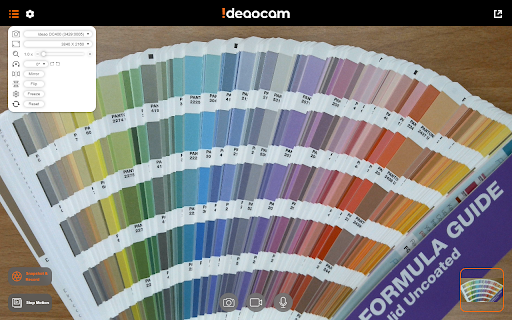
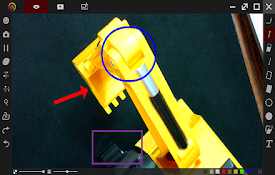
Perform up to 6x zoom to get a close-up shot. Rotate in 0°/90°/180°/270° to get the right displaying angle. Flip and mirror the video when turning the document camera into the front-facing webcam mode. Freeze the image to avoid any interference. The intuitive menu bar let you control the Ideao document camera at your fingertips.
• Snapshot and Record
Take snapshots and record videos in the selected resolution. IdeaoCam offers the easiest way to digitize your content in picture and video format, no matter you are using IdeaoCam for live demo or pre-recorded sessions.
• Stop Motion Video
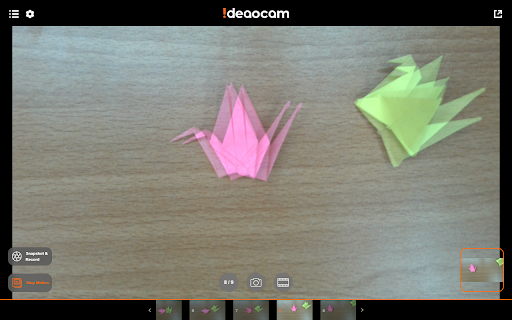
Create eye-catching stop motion video becomes easier than ever before! Featuring Onion Skinning to let you see through the frames and compare the keyframes to make perfect stop motion. All you need to do is taking pictures, adjust the frame per second, and export the stop motion video. It is that simple.
• Connect with Google Drive and Google Classroom
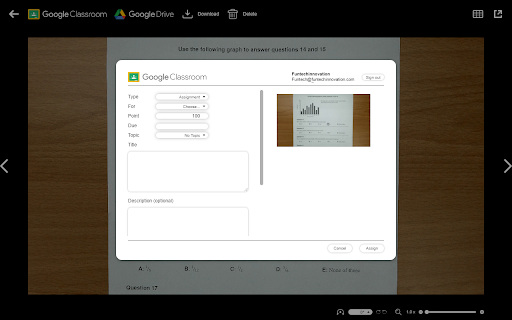
Sign in and access your Google Drive or Google Classroom. Every snapshot and video you make, you can save directly onto the cloud drive without hassle; or assign as quiz, assignment, or announcement. Enjoy the seamless integration with Google to help your lesson preparation more effective.
| 分类 | 📚教育 |
| 插件标识 | jkoihbmmdnnciboklipeogheldkngigc |
| 平台 | Chrome |
| 评分 |
☆☆☆☆☆
0
|
| 评分人数 | 5 |
| 插件主页 | https://chromewebstore.google.com/detail/ideaocam/jkoihbmmdnnciboklipeogheldkngigc |
| 版本号 | 1.0.17 |
| 大小 | 910KiB |
| 官网下载次数 | 2000 |
| 下载地址 | |
| 更新时间 | 2024-05-24 00:00:00 |
CRX扩展文件安装方法
第1步: 打开Chrome浏览器的扩展程序
第2步:
在地址栏输入: chrome://extensions/
第3步: 开启右上角的【开发者模式】
第4步: 重启Chrome浏览器 (重要操作)
第5步: 重新打开扩展程序管理界面
第6步: 将下载的crx文件直接拖入页面完成安装
注意:请确保使用最新版本的Chrome浏览器
同类插件推荐

CamFlip
Flips your webcamCamFlip creates a virtual webcam

ideaocam
ideaocamDesigned for Ideao document camera, IdeaoC
Smart DC
Smart DCA useful tool of document camera for suppo

OKIOCAM Stop Motion
Use your webcam to make stop motion videos and aut

定格动画师
通过网络摄像头定格这是使用网络摄像机创建定格动画序列的简单工具。 如果要制作定格动画视频,则应安装我

DocCam Viewer
Document Camera Viewer for Chromium BrowsersAllows

SMART Document Camera 650 Software Lite
SMART Document Camera 650 Software LiteThe SMART D

OKIOCAM Live
The perfect app for live presentations. Display yo

Google Meet Mirror / Flip Camera
Adds a toggle to flip Google Meet camera image, Fl

Documate OCR
Documate OCRDocumate includes optical character re

Glints TalentRadar
Supercharge your sourcing efforts.For Glints recru

CrecenTech Utilities
CrecenTech UtilitiesIt's a simple chrome exten

Add to LinkJoin
Organize and automatically open virtual meetings.K