
Netflix Subtitle Delay Chrome 插件, crx 扩展下载
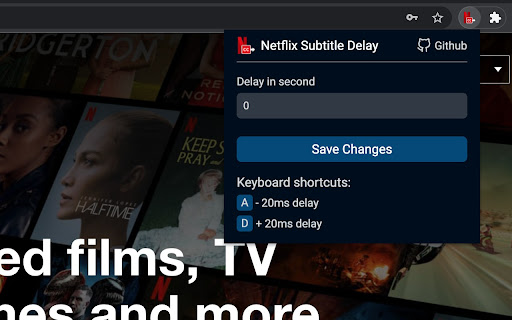
Mini tool to delay the Netflix subtitles
Mini tool to delay subtitles on the Netflix official website.
As you may know, Netflix doesn't have this functionality by default, and being able to delay subtitle streaming can be of great help when you're trying to learn a new language.
By default, you can change the delay time by "A" and "D" keyboard shortcuts. It's also possible to adjust your shortcuts.
This extension is only allowed to execute on the Netflix official website and I hope they add the subtitle delay options soon and make this extension useless :)
v1.11
| 分类 | 📝工作流程与规划 |
| 插件标识 | jlfdecbacdnabiopdhgbjmgggabhjoce |
| 平台 | Chrome |
| 评分 |
★★★★☆
4
|
| 评分人数 | 1 |
| 插件主页 | https://chromewebstore.google.com/detail/netflix-subtitle-delay/jlfdecbacdnabiopdhgbjmgggabhjoce |
| 版本号 | 1.11 |
| 大小 | 32.97KiB |
| 官网下载次数 | 759 |
| 下载地址 | |
| 更新时间 | 2022-09-15 00:00:00 |
CRX扩展文件安装方法
第1步: 打开Chrome浏览器的扩展程序
第2步:
在地址栏输入: chrome://extensions/
第3步: 开启右上角的【开发者模式】
第4步: 重启Chrome浏览器 (重要操作)
第5步: 重新打开扩展程序管理界面
第6步: 将下载的crx文件直接拖入页面完成安装
注意:请确保使用最新版本的Chrome浏览器
同类插件推荐

Netflix CC Enhancer
Closed captioning enhancer for Netflix removes SDH

Adaptive Netflix Subs
Adaptive Subs for Netflix: Master Languages as You
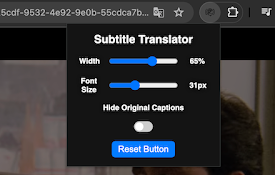
Netflix Subtitle Translator
Translates Netflix subtitles in real-time.Netflix

Netflix Pixie
Netflix dual subtitles, favorite genres list, hist

Dual Subtitles for Netflix
Helps you learn languages using Netflix. Uses your

Netflix 双语字幕
为 Netflix 加上双语字幕!为 Netflix 加上双语字幕! ★ 支援双语字幕 ★ 快捷键
Netflix 双语字幕 - 字幕翻译器
Netflix 双 字幕:双语字幕、可自定义样式和位置、轻松下载字幕。30秒内完成设置!? 翻译和自
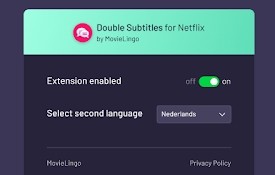
Double Subtitles for Netflix by MovieLingo
Extension allows for displaying additional subtitl

Netflix SubStyler : customize subtitles
Extension to customize captions and subtitles on N

Subtitles for netflix
Subtitles for netflix!This extension enables multi

HTML5 media speed controller + subs
Speed controls and subtitles for HTML5 media.Use t
Netflix Subtitle Delay
Mini tool to delay the Netflix subtitlesMini tool

YouTube Subtitle Delay
Mini tool to delay the YouTube subtitlesMini tool