
Leexi - Google Meet recording Chrome 插件, crx 扩展下载
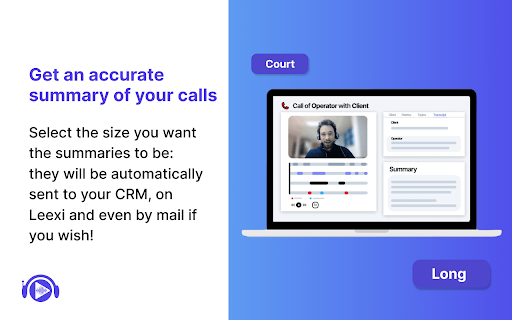

Never forget to record your Google Meet video conferences again and find them in the Leexi app in one click.
Automatically record and summarize all your meetings on Google Meet with this extension.
Also available for Microsoft Teams and Zoom, you can capture the informations you need and enhance your productivity.
- Contextualized summary
- Follow-up emails
- AI note-taking
- Complete transcription with 10+ speakers identification
- Transcribe all the transcription in 100+ languages
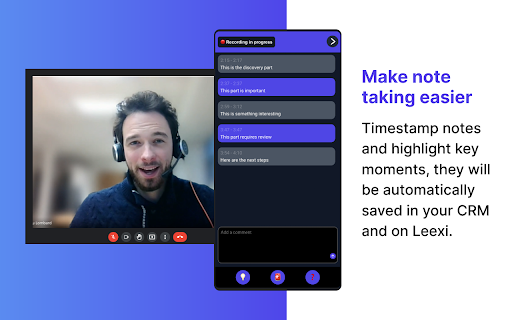
- Time-stamped notes during calls
- Automatically load your CRM (Salesforce, Hubspot, Pipedrive,...) with call information
- Share call shorts
- Upload video and audio files
- Dictaphone for physical meetings
- And much more...
Leexi allows you to effortlessly transcribe, analyze, and summarize calls and video conferences.
Start now and enjoy the summary of your next meetings !
https://www.leexi.ai/en/pricing/
| 分类 | 🛠️工具 |
| 插件标识 | joejebaflimhlpmabcgpehaipjlgpcdg |
| 平台 | Chrome |
| 评分 |
★★★★☆
4.4
|
| 评分人数 | 44 |
| 插件主页 | https://chromewebstore.google.com/detail/leexi-google-meet-recordi/joejebaflimhlpmabcgpehaipjlgpcdg |
| 版本号 | 2.0.8 |
| 大小 | 143KiB |
| 官网下载次数 | 748 |
| 下载地址 | |
| 更新时间 | 2025-02-10 00:00:00 |
CRX扩展文件安装方法
第1步: 打开Chrome浏览器的扩展程序
第2步:
在地址栏输入: chrome://extensions/
第3步: 开启右上角的【开发者模式】
第4步: 重启Chrome浏览器 (重要操作)
第5步: 重新打开扩展程序管理界面
第6步: 将下载的crx文件直接拖入页面完成安装
注意:请确保使用最新版本的Chrome浏览器
同类插件推荐
Leexi - Google Meet recording
Never forget to record your Google Meet video conf

Meeting Timer - for Google Meet
Display a Timer on Google Meet calls based on your

Google 实时转录与摘要
meetXcc:即时总结 Google Meet 文字记录。您的 AI 会议助手。用AI助手为您的会

Claap - Meeting & Screen Recording
Summarize meetings on Google Meet 50x faster, reco