
Notes for Chrome Chrome 插件, crx 扩展下载
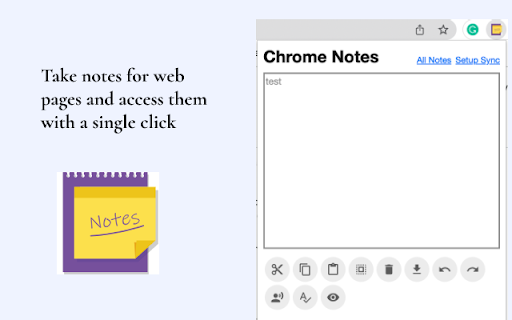
Take notes for web pages and quickly take a note of anything, anytime. (Syncs to Google Drive)
Sometimes we need to take a quick notes of points discussed during any meeting or a call so this extension will help you out there.
Offload your memory by appending notes:
- to a specific website
- to a specific page of that website
- to a specific element of that page
- to any web page matching a defined scope
The features:.
* on any page, you can make note on the web page,
* Ability to add password for each note
* Nice look and feel.
* Synchronizes across your logged-in browsers.
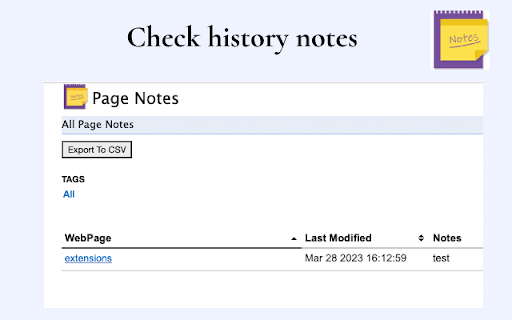
* Easy to use and check all notes
* Ability to export all notes to CSV file
| 分类 | 📝工作流程与规划 |
| 插件标识 | kahlkdnhgpfgoibfcafhddmickpikolo |
| 平台 | Chrome |
| 评分 |
★★★★☆
4.2
|
| 评分人数 | 1216 |
| 插件主页 | https://chromewebstore.google.com/detail/notes-for-chrome/kahlkdnhgpfgoibfcafhddmickpikolo |
| 版本号 | 1.0.2 |
| 大小 | 102KiB |
| 官网下载次数 | 161 |
| 下载地址 | |
| 更新时间 | 2023-05-24 00:00:00 |
CRX扩展文件安装方法
第1步: 打开Chrome浏览器的扩展程序
第2步:
在地址栏输入: chrome://extensions/
第3步: 开启右上角的【开发者模式】
第4步: 重启Chrome浏览器 (重要操作)
第5步: 重新打开扩展程序管理界面
第6步: 将下载的crx文件直接拖入页面完成安装
注意:请确保使用最新版本的Chrome浏览器
同类插件推荐
Notes for Chrome
Take notes for web pages and quickly take a note o

Chrome Notes
A simple notepad extension for Google ChromeNEW: Y

Page Notes
Take notes for web pages and access them with a si

Google Chrome™的页面标记
在选项卡屏幕快照上绘制矢量图形。安装此扩展程序后,可直接在任何网页上绘制。 是否需要一种快速的方法