
Hide Funimation UI Chrome 插件, crx 扩展下载
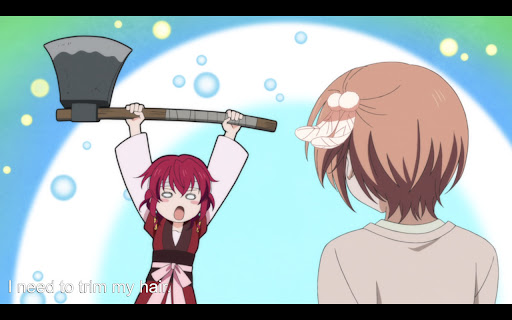
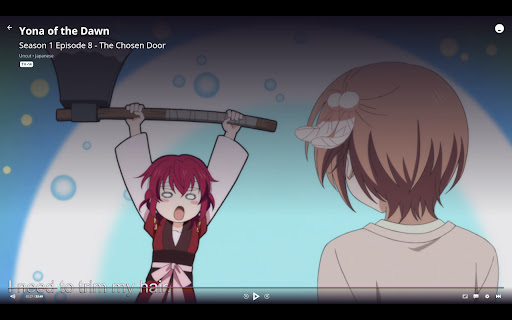
Hide/show Funimation video UI with 'z' and use PageUp/PageDown or ArrowUp/ArrowDown keys to seek 1 second back/forward
The Funimation video UI does not hide itself when paused. This can be very inconvenient when you want to take screenshots of videos.
With this browser extension active, when watching a Funimation video, you can:
* Press 'z' to hide the video UI
* Use the up and down arrow keys (or the PgUp/PgDown keys) to seek back and forward in 1 second increments.
This is a new version adapted to the new Funimation player. The hide functionality can now find the elements to hide in the new player. The seek functionality has changed to prevent conflict with the native controls. The player now uses left and right arrow keys natively for 5 second searches, so I've moved 1 second searching to up/down or PgUp/PgDown keys.
| 分类 | 📝工作流程与规划 |
| 插件标识 | kbcnlmdebncggiahkpdpkbgjhfembeja |
| 平台 | Chrome |
| 评分 |
☆☆☆☆☆
0
|
| 评分人数 | 17 |
| 插件主页 | https://chromewebstore.google.com/detail/hide-funimation-ui/kbcnlmdebncggiahkpdpkbgjhfembeja |
| 版本号 | 2.1 |
| 大小 | 11.38KiB |
| 官网下载次数 | 1000 |
| 下载地址 | |
| 更新时间 | 2022-08-13 00:00:00 |
CRX扩展文件安装方法
第1步: 打开Chrome浏览器的扩展程序
第2步:
在地址栏输入: chrome://extensions/
第3步: 开启右上角的【开发者模式】
第4步: 重启Chrome浏览器 (重要操作)
第5步: 重新打开扩展程序管理界面
第6步: 将下载的crx文件直接拖入页面完成安装
注意:请确保使用最新版本的Chrome浏览器
同类插件推荐

Crunchyroll Dark Mode + UI Upgrade
Dark Mode for Cruncyroll on DesktopDark Mode for C

Funimation Remove Video Player Shadow
Hides overlay shadow on video playerThe video play

Roll Together
Synchronize Crunchyroll VideosRoll Together is a C

Crunchyroll Enhanced
Improves your Crunchyroll experienceEnhance Crunch

Funimation Better Lights Off
Does a couple hacks to resize and hide background

Funimation - Queue Fix
If you can't save your queue changes (Reorderi
Hide Funimation UI
Hide/show Funimation video UI with 'z' and

Anime Skip Player
Custom video player for anime streaming websites.

Dark Skin For Crunchyroll
Adds a toggleable dark theme to Crunchyroll.comSou

Improve Crunchyroll
Enhance Crunchyroll: theater mode, skip intros/out
MAL-Sync
将MyAnimeList/AniList/Kitsu/Simkl集成一体并具备剧集自动跟踪功能。MA

Hulu Ad Skipper | Ad Blocker
Skip ads on HuluFast Forward Through Commercials o