
!Bang Quick Search Chrome 插件, crx 扩展下载

DuckDuckGo !bang quick search
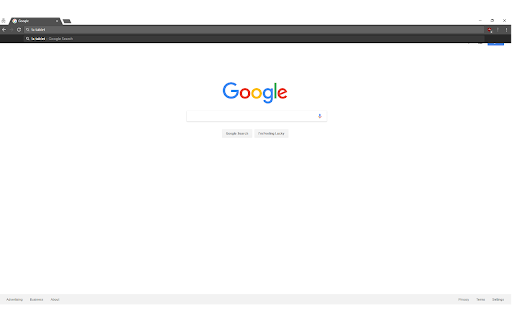
This extension adds DuckDuckGo !bang search to chrome. You can use it from the URL bar as long as your default search engine is either google or bing (for now). You can also use it directly on google's and bing's websites.
UPDATED FOR V3 - although the extension has been crippled due V3 changes, it still redirects, just not as seamless.
Note: This extension is basically in beta. I would very much appreciate any feedback in regards to any issues, compliments, new features, or suggestions. I am maintaining this on my own and will get any features or fixes as soon as possible.
Thank you for trying out this extension!
----------------------------------------------------------------
How to use:
1) Your default chrome search engine must be set to Google or Bing (for now) - The reason being is because chrome only allows me to redirect from certain websites, so I would have to add every site to the permissions in order for it to work. I will gladly add any requests sent in.
2) Enter your !bang followed by your search term (or search term followed by the bang), hit enter and you'll be automatically redirected to that site with your search term! Ex: !a tablet or tablet !a will automatically bring you to amazon with tablet as your search!
3) You can even just enter the !bang and it'll bring you to the website's homepage!
----------------------------------------------------------------
Supported Websites:
UPDATE: This extension now supports ANY and ALL !bang searches that are supported by DuckDuckGo!!
----------------------------------------------------------------
Updates:
v1.1 - Fix Amazon multiple word search
v1.2 - Add Google Scholar and JS optimization
v1.3 - Add search request through DuckDuckGo to support all !bang searches
v1.4 - Will no longer do a bang search when there is not a letter following ! (Any search with a ! would cause a bang search)
v1.5 - Fix an issue where any prediction/ autofilled text was not being caught for a !bang search
v1.6 - Remove unneeded chrome extension permission
v2.0 - Added V3 support
| 分类 | 🛠️工具 |
| 插件标识 | kcopjlobikiakoacoadbnghpdcmngali |
| 平台 | Chrome |
| 评分 |
★★★★★
5
|
| 评分人数 | 4 |
| 插件主页 | https://chromewebstore.google.com/detail/bang-quick-search/kcopjlobikiakoacoadbnghpdcmngali |
| 版本号 | 2.0 |
| 大小 | 7.78KiB |
| 官网下载次数 | 309 |
| 下载地址 | |
| 更新时间 | 2024-12-29 00:00:00 |
CRX扩展文件安装方法
第1步: 打开Chrome浏览器的扩展程序
第2步:
在地址栏输入: chrome://extensions/
第3步: 开启右上角的【开发者模式】
第4步: 重启Chrome浏览器 (重要操作)
第5步: 重新打开扩展程序管理界面
第6步: 将下载的crx文件直接拖入页面完成安装
注意:请确保使用最新版本的Chrome浏览器
同类插件推荐

Bangs for Google
Use DuckDuckGo Bangs in the Google Search"Ban
!Bang Quick Search
DuckDuckGo !bang quick searchThis extension adds D

Search Results on GrabDuck
Shows GrabDuck search results side by side with Go

DuckDuckGo !bangs but Faster
Processes DuckDuckGo !bangs client-sideWARNING: It

Custom Bang Search
Use custom DuckDuckGo-like bangs directly from the

High Wiki
Read everything on Wikipedia in just one tab. For

!bang
!bang extention. a quick and geeky search engine.f

Omnibang
Search many sites right from address bar using ban

WikiPeek
Get a sneak-peek of a Wikipedia article.* Now work

EveryTube
Populates your YouTube Subscriptions page with con

Context
Context makes reading any Wikipedia article easier
Wiki Preview
Preview Wikipedia links for easier reading.When yo

Extended Twitter Profile Information
Show Twitter user profile information on the top o