
FamiSafe Chrome 插件, crx 扩展下载



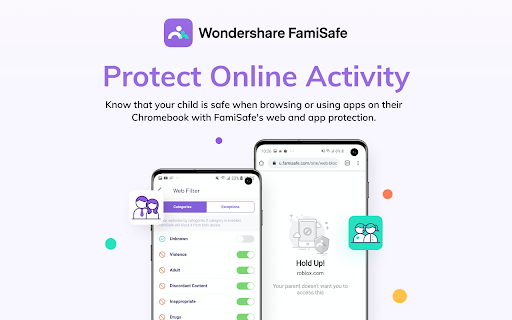
FamiSafe extension
FamiSafe Chrome Extension works alongside the FamiSafe Jr App for Android to protect Chromebook devices. These are the companions of the FamiSafe Parental Control App, our app for the parent's device. Please only install this app onto the devices being used by a child or teen.
Parents need to install FamiSafe Parental Control App on parent devices (usually on your mobile phone or pad). Then, download this Chrome Extension and the FamiSafe Jr App onto your child’s device or devices. Together, the two apps allow parents to manage a child’s screen time, track a child’s location, block inappropriate websites. And other features like game & porn blocking, suspicious photos detecting and suspicious text detecting on social media app like YouTube, Facebook, Instagram, WhatsApp and more on linked mobile, tablet or desktop devices across platforms including Chromebook, Android, iOS, macOS and other major operating systems. FamiSafe help kids cultivate healthy digital habits and create a safe online environment.
Our FAQs:
• Does FamiSafe screen time and parental control app work on other platforms besides Chromebook?
FamiSafe can protect Android, iOS, Windows, Mac and Kindle.
• Can I install FamiSafe on school-issued Chromebooks?
If your Chromebook is managed by your child's school, please make sure they allow third party extensions in their Google Suite account so you can install the FamiSafe Extension on the device.
• What languages do you support?
FamiSafe is available in English, Spanish, French, Portuguese, German, Japanese and Korean.
For support, contact us here: https://famisafe.wondershare.com/faq/
| 分类 | 📝工作流程与规划 |
| 插件标识 | kdcadgckcdgebkmhedjkebadbefeeona |
| 平台 | Chrome |
| 评分 |
☆☆☆☆☆
0
|
| 评分人数 | 33 |
| 插件主页 | https://chromewebstore.google.com/detail/famisafe/kdcadgckcdgebkmhedjkebadbefeeona |
| 版本号 | 1.0.2 |
| 大小 | 1.24MiB |
| 官网下载次数 | 916 |
| 下载地址 | |
| 更新时间 | 2021-09-18 00:00:00 |
CRX扩展文件安装方法
第1步: 打开Chrome浏览器的扩展程序
第2步:
在地址栏输入: chrome://extensions/
第3步: 开启右上角的【开发者模式】
第4步: 重启Chrome浏览器 (重要操作)
第5步: 重新打开扩展程序管理界面
第6步: 将下载的crx文件直接拖入页面完成安装
注意:请确保使用最新版本的Chrome浏览器
同类插件推荐

Bark for Chrome
Monitor chrome web browsing for inappropriate cont

Bark for Chrome Watchdog
Ensure health of the Bark for Chrome extensionsBar

FamiSafe
FamiSafe extensionFamiSafe Chrome Extension works

YouTube Parental Control
Allows parents to whitelist safe channels. A small

Safe Browser Parental Controls
Enable Parental Controls and Safe Browsing in your

网篱色情内容过滤器
反黄过滤器,过滤成人、色情、黄色内容网站,网络健康守卫者。网篱色情内容过滤器是chrome上的反色情
Net Filter Pro
Net Filter Pro is an advanced web & content fi

Beta Watch: Parental Monitoring and Control
Parental software that monitors and controls your

Kindredly - Explore together
A private space to collect and share the things yo

PorNo! Porn Blocker (Beta)
Beat porn once and for all. Redirect your temptati

色情/成人网站拦截器,拦截网站 - BlockerX
Chrome的色情网站拦截器。可以拦截超过2百万色情网站。也可以根据您的喜好拦截网站。如果您正在寻找

Qustodio
Qustodio extensionQustodio Chrome Extension works

a9 Web Protection: filter, parental control
Top-rated parental control tool, web filter, porn