
Internet Security by MetaCert Chrome 插件, crx 扩展下载

Internet security for teams, remote workers and families.
Protects you from known malware and phishing. This browser extension tells you which links inside Gmail are safe, dangerous and unknown. If a link is “unknown”, you should proceed with caution. The URL reputation system built into the software tells you when sign in pages and websites are verified as safe.
MetaCert is the only software that can protect you from *new* dangerous links and websites that evade other security companies that haven’t had time to validate them yet.
Millions of new domains are registered by cybercriminals every year. It’s mathematically impossible for any security company in the world to protect you from them all. That’s why we decided to do things different at MetaCert.
1 minute to install / no setup.
HOW IT WORKS
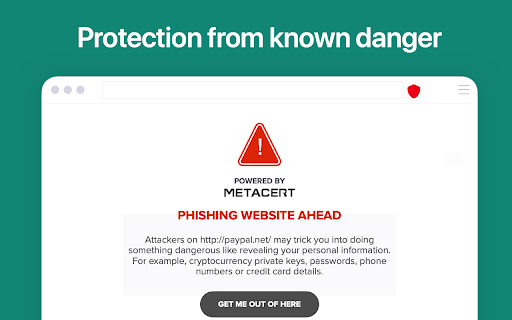
- Red Warning = Danger
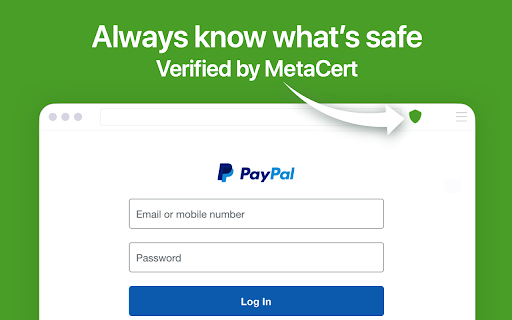
- Green Shield = Verified
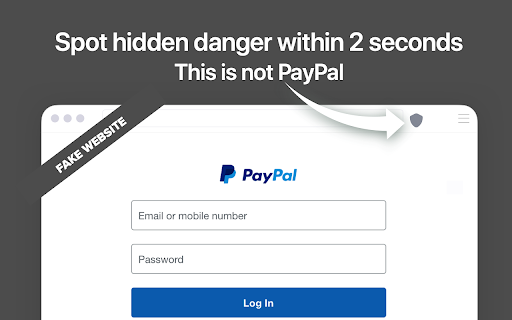
- Grey Shield = Caution
Whenever you open a link, this extension will immediately check it against the MetaCert authentication system. Dangerous links/websites are immediately blocked before harm can be done. And authenticated websites display the MetaCert green shield.
EXAMPLE:
Before signing into Microsoft365, the reputation shield will turn green. If the shield doesn’t turn green, you know it’s a new counterfeit website that hasn’t been validated yet. This is the magic that will keep you safe.
WHY WEBSITE AUTHENTICATION?
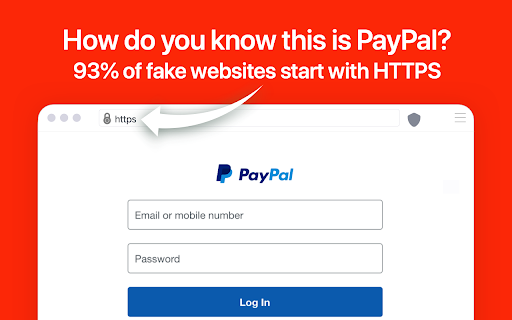
Over 93% of all new phishing websites start with https and display the browser padlock. It’s time to replace the padlock with the reputation shield for online trust.
FREE TRIAL
You can try the software for free for 7 days. No credit card needed. And if you sign up, you can cancel your subscription at anytime. We also offer a 30 day money back guarantee.
Most security products that are free, collect and sell your data. The biggest security extension on this store was banned from the Chrome and Firefox store for selling user data. We think that’s creepy. That’s why ours is a paid service. Pricing here: https://metacert.com/select-plan.html
ABOUT THE TEAM
MetaCert is brought to you by the same developers who built the official browser extensions for digg, Delicious, Yahoo!, Nike, Sony, eBay, PayPal, Google and Microsoft. We build software that’s fast, secure and reliable.
Founder and CEO Paul Walsh is one of the two people who co-instigated the creation of the standard for URL Classification at the W3C, the standard body for the World Wide Web - formally replacing PICS in 2009.
| 分类 | 📝工作流程与规划 |
| 插件标识 | keghdcpemohlojlglbiegihkljkgnige |
| 平台 | Chrome |
| 评分 |
★★★★☆
4.4
|
| 评分人数 | 118 |
| 插件主页 | https://chromewebstore.google.com/detail/internet-security-by-meta/keghdcpemohlojlglbiegihkljkgnige |
| 版本号 | 5.0.2 |
| 大小 | 1.33MiB |
| 官网下载次数 | 10000 |
| 下载地址 | |
| 更新时间 | 2024-12-12 00:00:00 |
CRX扩展文件安装方法
第1步: 打开Chrome浏览器的扩展程序
第2步:
在地址栏输入: chrome://extensions/
第3步: 开启右上角的【开发者模式】
第4步: 重启Chrome浏览器 (重要操作)
第5步: 重新打开扩展程序管理界面
第6步: 将下载的crx文件直接拖入页面完成安装
注意:请确保使用最新版本的Chrome浏览器
同类插件推荐

TezBox - Tezos Wallet
Secure Tezos Wallet from your browserTezBox is a m
CryptoTicker by Coinigy
Live Bitcoin & Altcoin Market Data in ChromeLi
EtherAddressLookup
Adds links to strings that look like Ethereum addr
Nighthawk by PhishFort
Protect yourself from phishing attacks.Key feature
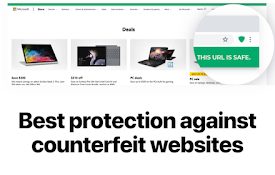
Internet Security by MetaCert
Internet security for teams, remote workers and fa
Bittrex Enhanced
Enhance your Bittrex experience by including USD v

CoinMarketCap Enhanced
Adds some enhancements to the cryptocurrency site
ICONex
ICONexICONex - Wallet ICONex is ICON's Wallet

Station Wallet
Station Wallet is the premier interface to Web3. S
Enkrypt: ETH, BTC and Solana Wallet
The best multichain crypto walletThe best Metamask

TronLink
The first and most popular TRON wallet. Recommende

Yoroi
A simple, secure and fast Cardano ADA wallet.Engli

Cryptocurrency Price Tracker
This simple extension allows you to track price ch