
Fetchify Address Lookup Chrome 插件, crx 扩展下载
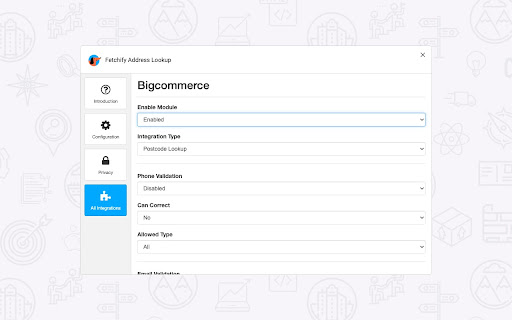

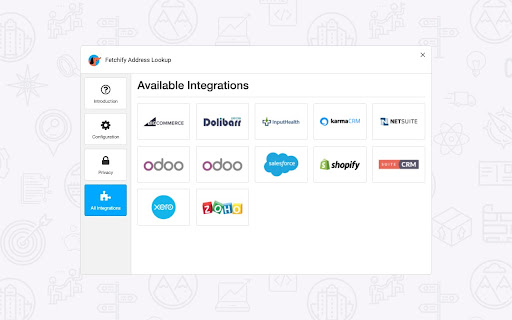
Fetchify Address Lookup extension for various systems, including BigCommerce, Shopify, Shopify Plus and Salesforce.
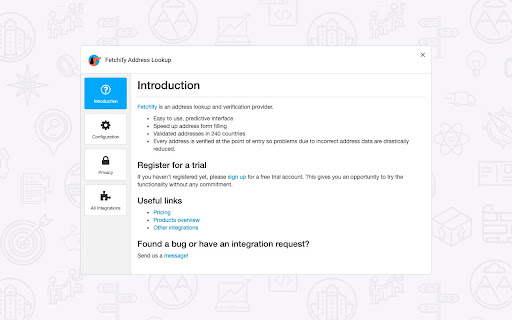
This browser extension from Fetchify (previously Crafty Clicks) can be configured to provide 2 different address lookup and validation products.
It adds address search functionality to systems where integration by other means is not possible.
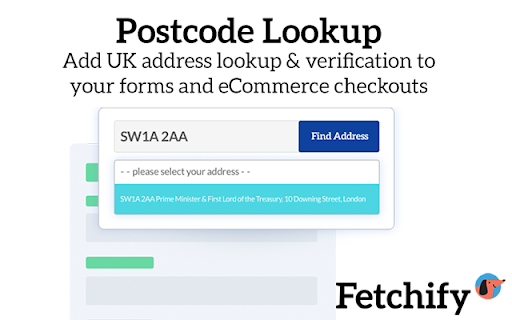
POSTCODE LOOKUP
The de facto solution for address capture and validation in the UK.
Enter any UK postcode in the search field, click the search button and the drop down will show all the relevant address results for that postcode. Select the required address and the form will immediately be populated with accurate information.
ADDRESS AUTO-COMPLETE
Adds address auto-fill, lookup and validation to address forms for over 240 countries. Can be configured to allow the user to select which postal regions are required for delivery.
The checkout or form experience becomes faster and easier as a customer no longer has to type out their full address. The smart predictive search helps speed up form filling and boosts usability. Every address is verified at the point of entry. Problems due to incorrect or badly typed address data are drastically reduced.
Note: Address Auto-Complete currently only provides functionality for Shopify, Shopify Plus and Salesforce.
GETTING STARTED
In order to use this service, you will need to sign up for an account. You will then receive an access token which will give you access to our service. You need to insert this access token in the configuration options. We offer a 14-day free trial with 100 free searches for testing purposes, but in order to use this plugin on a live site, you must have a paid account with us.
Sign up here - https://fetchify.com
| 分类 | 🛠️工具 |
| 插件标识 | kehijnbocipekohpmldcgdlblmlgfohi |
| 平台 | Chrome |
| 评分 |
☆☆☆☆☆
0
|
| 评分人数 | 2 |
| 插件主页 | https://chromewebstore.google.com/detail/fetchify-address-lookup/kehijnbocipekohpmldcgdlblmlgfohi |
| 版本号 | 3.2.2 |
| 大小 | 1.63MiB |
| 官网下载次数 | 1000 |
| 下载地址 | |
| 更新时间 | 2024-12-13 00:00:00 |
CRX扩展文件安装方法
第1步: 打开Chrome浏览器的扩展程序
第2步:
在地址栏输入: chrome://extensions/
第3步: 开启右上角的【开发者模式】
第4步: 重启Chrome浏览器 (重要操作)
第5步: 重新打开扩展程序管理界面
第6步: 将下载的crx文件直接拖入页面完成安装
注意:请确保使用最新版本的Chrome浏览器
同类插件推荐
Address Autocomplete API by PostGrid™
Autocomplete, Geocode, Reverse Geocode, Verify and

Fetchify Address Lookup
Fetchify Address Lookup extension for various syst

Breached
Find out which sites you're visiting have been

Michael's Upgrade for TrakED
Upgraded features for TrakED in the THS. (This ext

Anti FeR toolkit
Adds features and extensions for the bushtarion we

Apiary - Web Highlighter & Annotator
Highlight and take notes directly on what you read

Hull University Buddy
The Hull University Buddy browser extension is a h

Suspend tabs
Free up your device's memory and speed up your

The Big Gift List
Easily add items to your 'The Big Gift List

brocrobes
Browser plugin for https://transcrob.esBrocrobes i

Stop It Grandpa
Prevents grandpa from lookin' at his favorite

Trello Bug Feature Colors
Sets colors on Trello cardsColors Trello cards tha

FRC Search
FRC Search is a chrome extension that allows you t