
Google Calendar™ on new Tab Chrome 插件, crx 扩展下载
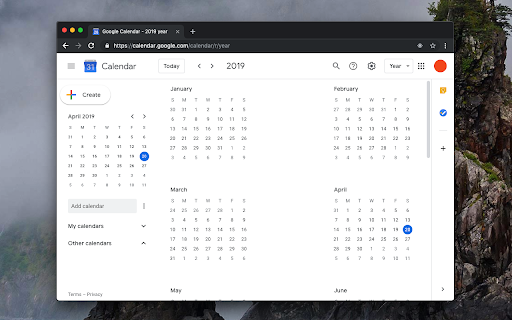
在新的标签上显示你的日历的每周或每月的时间表和议程
This extension overwrites the default new tab page with a custom Google Calendar page. This page can be used to see the day, week, month, year, or agenda pages. Also, a user can define its own custom URL for the new page (even the URL can be from another calendar web application). The extension simply redirects the new page to the provided URL, that's it.
Legal:
This extension is an open-source project that only opens the official Google Calendar web application in a new tab. There is no connection between this extension and the Google or Google Calendar team. Also, this extension cannot read or change your calendar or any other data at all.
| 分类 | 📝工作流程与规划 |
| 插件标识 | keodkbefllpdgoodnnamaipiacnkpmog |
| 平台 | Chrome |
| 评分 |
★★★★☆
4.6
|
| 评分人数 | 126 |
| 插件主页 | https://chromewebstore.google.com/detail/google-calendar-on-new-ta/keodkbefllpdgoodnnamaipiacnkpmog |
| 版本号 | 0.2.3 |
| 大小 | 54.94KiB |
| 官网下载次数 | 4000 |
| 下载地址 | |
| 更新时间 | 2024-12-11 00:00:00 |
CRX扩展文件安装方法
第1步: 打开Chrome浏览器的扩展程序
第2步:
在地址栏输入: chrome://extensions/
第3步: 开启右上角的【开发者模式】
第4步: 重启Chrome浏览器 (重要操作)
第5步: 重新打开扩展程序管理界面
第6步: 将下载的crx文件直接拖入页面完成安装
注意:请确保使用最新版本的Chrome浏览器
同类插件推荐
Kalendario for Google Calendar™
Shows event descriptions in Google Calendar™.Kalen
Quick View for Google Calendar
View your Google Calendar events with the click of

Tags for Google Calendar™
A little visual addon that adds special markup to
Toolset for Google Calendar™
This extension provides multiple small tools for t
Google Calendar™ on new Tab
在新的标签上显示你的日历的每周或每月的时间表和议程This extension overwrites

Button for Google Calendar
Check Google Calendar schedule and join meetings w

Google Calendar AutoHide Toolbars
More events. Less toolbar.• Google Calendar's

Today - Google Calendar Highlighter for Today
Highlight the today box in Google CalendarHighligh
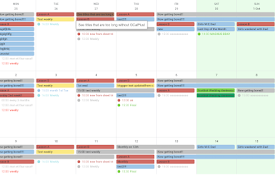
GCalPlus
Extra Options for Google CalendarBe more productiv

Event Durations for Google Calendar
Shows event durations on Google Calendar.** Google

Checker Plus for Google Calendar™
从扩展图标中就能获悉之后的会议安排和今天的日期信息;通过桌面通知获得活动提醒;不需打开Google日

Plan - Calendar & Tasks
The beautiful new tab page with your calendars and

AI New Tab: Calendar, Tasks, ChatGPT
New tab homepage with Google Calendar, Tasks, Chat