
W3C Markup Validation Service for CSR pages Chrome 插件, crx 扩展下载
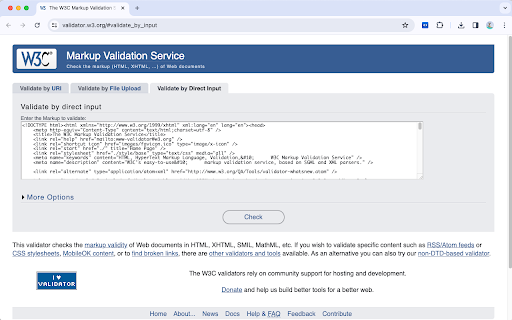
W3C Validator for client side rendering pages
A tool for validating the currently rendered html with the Markup Validation Service provided by the W3C.
It provides the ability to extract the HTML of the current page and populate values into Validate by Direct Input in the Markup Validation Service (https://validator.w3.org/#validate_by_input ).
This makes it easier to validate compliance with markup standards for pages generated by Client Site Rendering (CSR).
| 分类 | 💻开发者工具 |
| 插件标识 | kfjemflfclknofbklcnbnpjelkfhcomk |
| 平台 | Chrome |
| 评分 |
★★★★☆
4.1
|
| 评分人数 | 144 |
| 插件主页 | https://chromewebstore.google.com/detail/w3c-markup-validation-ser/kfjemflfclknofbklcnbnpjelkfhcomk |
| 版本号 | 1.0 |
| 大小 | 13.36KiB |
| 官网下载次数 | 1000 |
| 下载地址 | |
| 更新时间 | 2024-02-02 00:00:00 |
CRX扩展文件安装方法
第1步: 打开Chrome浏览器的扩展程序
第2步:
在地址栏输入: chrome://extensions/
第3步: 开启右上角的【开发者模式】
第4步: 重启Chrome浏览器 (重要操作)
第5步: 重新打开扩展程序管理界面
第6步: 将下载的crx文件直接拖入页面完成安装
注意:请确保使用最新版本的Chrome浏览器
同类插件推荐
W3C Markup Validation Service for CSR pages
W3C Validator for client side rendering pagesA too

HTML验证器
利用在线HTML验证器快速验证HTML代码。利用我们的语法检查验证器作为有效的HTML错误检查器?
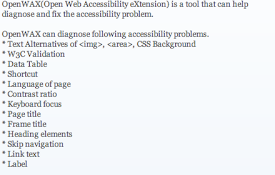
OpenWAX
OpenWAX(Open Web Accessibility eXtension) is a too
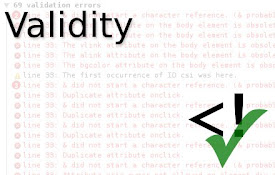
Validity
Click the icon in the address bar or press Alt+Shi

HTML Validator
Add HTML Validator in Developer ToolsThis is the o
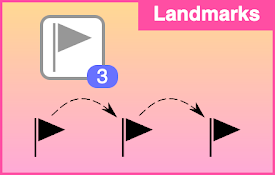
Landmark Navigation via Keyboard or Pop-up
Allows you to navigate a web page via WAI-ARIA lan
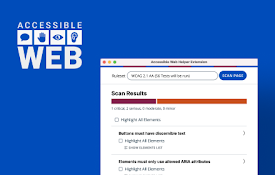
Accessible Web Helper
Discover and highlight accessibility violations on

ARC Toolkit
Accessibility testing tool from TPGiThe ARC Toolki

Siteimprove Accessibility Checker
Jumpstart your web accessibility efforts directly

IBM Equal Access Accessibility Checker
A web browser extension for checking accessibility

HeadingsMap
To show, browse and audit (for accessibility and S
WAVE Evaluation Tool
Evaluate web accessibility within your browser.WAV

axe DevTools - Web Accessibility Testing
Accessibility Checker for Developers, Testers, and