
Youtube™ Default Audio Track Chrome 插件, crx 扩展下载
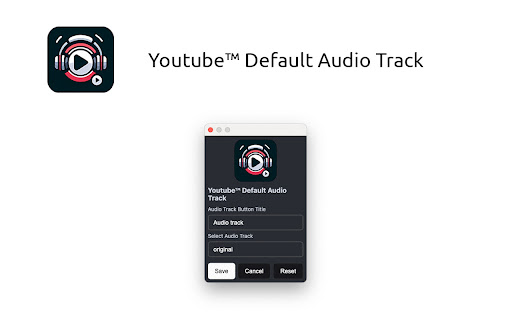
Auto change Youtube™ audio track to your preference
Do you enjoy watching YouTube™ channels in languages other than your own but struggle with YouTube defaulting the audio to your native language? Our extension, "YouTube™ Default Audio Track", is here to enhance your viewing experience. It effortlessly switches the audio track to your preferred language, allowing you to enjoy content the way it was intended.
Features
- Easily set and save your preferred language for audio tracks, so you can always hear your favorite channels in the language of your choice as long as it is provided in video.
- Choose from the original language of the video or any available dubbed audio tracks.
If you interest in how it work, feel free to check source code here:
https://github.com/Cheersupzoo/yt-default-audio-track
| 分类 | 📝工作流程与规划 |
| 插件标识 | khabfaaginopfogabecfhmdnimhodboo |
| 平台 | Chrome |
| 评分 |
★★★★☆
4.5
|
| 评分人数 | 796 |
| 插件主页 | https://chromewebstore.google.com/detail/youtube-default-audio-tra/khabfaaginopfogabecfhmdnimhodboo |
| 版本号 | 1.0.0 |
| 大小 | 49.49KiB |
| 官网下载次数 | 521 |
| 下载地址 | |
| 更新时间 | 2024-05-02 00:00:00 |
CRX扩展文件安装方法
第1步: 打开Chrome浏览器的扩展程序
第2步:
在地址栏输入: chrome://extensions/
第3步: 开启右上角的【开发者模式】
第4步: 重启Chrome浏览器 (重要操作)
第5步: 重新打开扩展程序管理界面
第6步: 将下载的crx文件直接拖入页面完成安装
注意:请确保使用最新版本的Chrome浏览器
同类插件推荐
Youtube™ Default Audio Track
Auto change Youtube™ audio track to your preferenc

Custom Youtube Playback Speed
Easy way to change youtube video playback speedChr

Custom Progress Bar for YouTube™
将Youtube™进度条更改为来自有趣收藏的自定义。让你的Youtube™播放器真棒!将 YouTu

Youtube Playlist alphabetical A-Z sorting
Sort your Youtube Playlists alphabetically by defa