
Wiki Readifyer Chrome 插件, crx 扩展下载
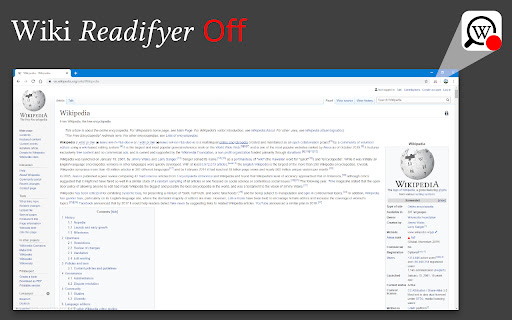
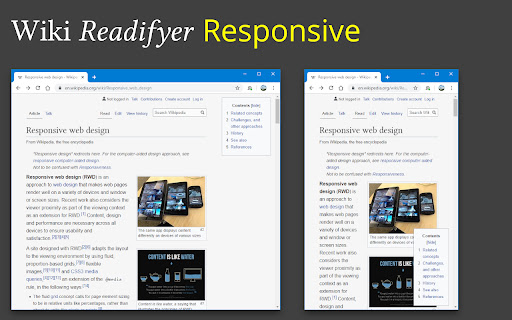
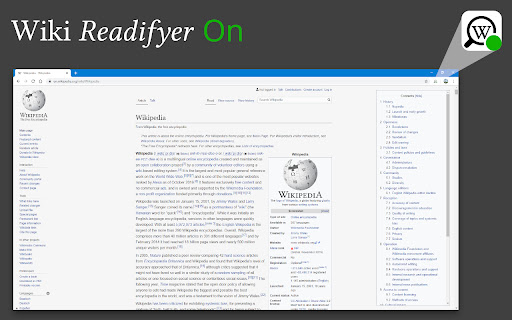
Makes Wikipedia articles pleasantly readable. Nothing more. Nothing less.
Have you ever tried to read an Wikipedia article, trying to gain knowledge but the page's design just hindered your eyes from locating the words that held the desired wisdom?
Well, worry no more! Wiki Readifyer makes the knowledge you are searching for pleasantly readable. The wisdom you desire to read is just one installation away!
And the best thing: It doesn't remove anything from the page it only changes the layout while staying 100% faithful* to the original contents.
The following changes are applied to guarantee the best possible experience:
• responsive layout: articles are pleasantly readable at any window size
• slight reduction of text-background-contrast
• reduction of article width
• moving the table of contents to the right where it stays even when scrolling
• the title also stays visible when scrolling down
• some other little adjustments
*However, if the window width is too small the extension will hide the left sidebar, only to guarantee the best use of your precious screen space. To make it visible again, just make the window wider.
In 2023, many Wikipedias changed their default theme to Vector 2022, a more modern and user-friendly theme. Wiki Readifyer does not touch Wikipedia's layout if any theme other than the old (legacy) Vector theme is active. This means, to get the advertised layouts on Wikipedias with the new theme, you have to turn off the new skin.
| 分类 | ♿无障碍访问 |
| 插件标识 | kinhfkialnlpoomgdpolokhholkofeke |
| 平台 | Chrome |
| 评分 |
★★★★★
5
|
| 评分人数 | 4 |
| 插件主页 | https://chromewebstore.google.com/detail/wiki-readifyer/kinhfkialnlpoomgdpolokhholkofeke |
| 版本号 | 1.4.4 |
| 大小 | 203KiB |
| 官网下载次数 | 310 |
| 下载地址 | |
| 更新时间 | 2023-09-30 00:00:00 |
CRX扩展文件安装方法
第1步: 打开Chrome浏览器的扩展程序
第2步:
在地址栏输入: chrome://extensions/
第3步: 开启右上角的【开发者模式】
第4步: 重启Chrome浏览器 (重要操作)
第5步: 重新打开扩展程序管理界面
第6步: 将下载的crx文件直接拖入页面完成安装
注意:请确保使用最新版本的Chrome浏览器
同类插件推荐

Wiki Reader
Adjusts Formatting of Wiki Pages for better readab

WikiCopy
A lightweight tool for copying text from sites lik

WikiReader: Wikipedia Simplified
Get what you need from Wikipedia with a simple and
Wikipedia-Interlink
In Wikipedia, insert a link to the other language

Wiki Redesigned
A redesigned user interface for WikiMedia Projects

Qwikipedia
Hover over blue terms in Wikipedia pages to get a

Wiki Readifyer
Makes Wikipedia articles pleasantly readable. Noth

High Wiki
Read everything on Wikipedia in just one tab. For

WikiSimplia - collapse Wikipedia's menu
Simplify Wikipedia's layout by hiding the menu

Side Portal
Browse Wikipedia spatially with a graph view and a

Enhanced Wikipedia UI
A massive redesign of the Wikipedia website. Enhan

Context
Context makes reading any Wikipedia article easier
Wiki Preview
Preview Wikipedia links for easier reading.When yo