
Screen and Audio Capture Extension Chrome 插件, crx 扩展下载
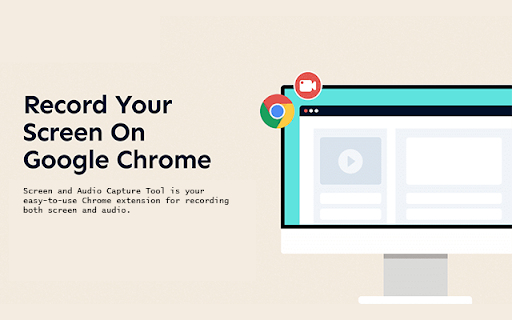
Capture your screen and audio and save it as a .mp4 file.
Screen and Audio Capture Tool is your go-to extension for capturing both screen and audio directly from your Chrome browser. Whether you're recording a tutorial, a presentation, or simply saving a video call, this tool makes the process seamless and efficient. With just one click, you can capture high-quality video and audio, save it as an .mp4 file, and share it wherever you need.
Key Features:
Easy Screen Recording: Capture your entire screen or select a specific window or tab with just one click. The extension gives you full control over what you want to record.
Audio Capture: Record audio alongside your screen capture. Whether it’s system audio, microphone input, or both, this extension ensures your recordings are complete.
High-Quality Output: Save your recordings in .mp4 format, ensuring compatibility and high-quality playback across all devices.
No Additional Software Required: All recording happens directly in your Chrome browser. No need for additional downloads or software installations.
Simple and Intuitive Interface: The user-friendly interface is designed to be simple enough for beginners yet powerful enough for professionals.
Quick Access: The extension is easily accessible from your browser toolbar. Start and stop recordings effortlessly without leaving your current screen.
Use Cases:
Create Tutorials and Demos: Perfect for educators and content creators who need to create instructional videos, software demos, or video tutorials.
Record Online Meetings: Capture video conferences or webinars with audio for later review or sharing with colleagues.
Save Streaming Videos: Record live-streamed content that you want to save for offline viewing.
Share Gameplay: Gamers can record their gameplay along with in-game audio and commentary.
Professional Presentations: Business professionals can record their presentations with voiceover for distribution.
SEO Keywords:
Screen Capture Chrome Extension
Capture Screen and Audio
Record Screen with Audio
Screen Recording Tool
Video Capture Chrome Extension
Record Screen Online
Chrome Screen Recorder
Capture Video and Audio
How It Works:
Install the Extension: Add the Screen and Audio Capture Tool to your Chrome browser from the Chrome Web Store.
Start Recording: Click the extension icon in your toolbar, and hit the "Capture Screen" button. Select the screen, window, or tab you wish to record.
Stop and Save: Once you’re done, stop the Sharing. Your video will be automatically saved as an .mp4 file for easy sharing or editing.
| 分类 | 🛠️工具 |
| 插件标识 | kipjhcacndmoanlilneanfbdkjjoajlo |
| 平台 | Chrome |
| 评分 |
★★★★☆
4.5
|
| 评分人数 | 1019 |
| 插件主页 | https://chromewebstore.google.com/detail/screen-and-audio-capture/kipjhcacndmoanlilneanfbdkjjoajlo |
| 版本号 | 1.0 |
| 大小 | 14.07KiB |
| 官网下载次数 | 729 |
| 下载地址 | |
| 更新时间 | 2024-08-23 00:00:00 |
CRX扩展文件安装方法
第1步: 打开Chrome浏览器的扩展程序
第2步:
在地址栏输入: chrome://extensions/
第3步: 开启右上角的【开发者模式】
第4步: 重启Chrome浏览器 (重要操作)
第5步: 重新打开扩展程序管理界面
第6步: 将下载的crx文件直接拖入页面完成安装
注意:请确保使用最新版本的Chrome浏览器
同类插件推荐

Convert to MP3
Convert and download video & audio files to .m
Screen and Audio Capture Extension
Capture your screen and audio and save it as a .mp

视频转音频转换器 -Mp4 to Mp3 Converter
使用视频转音频转换器:在线将视频转换为音频(mp4转mp3等)。应用程序用于将文件转换为mp3并提取
截圖工具
屏幕捕获和屏幕录制工具以记录屏幕。充分利用您的屏幕捕获!免费截取屏幕快照。Introducing t