Udemy Dark Theme Chrome 插件, crx 扩展下载

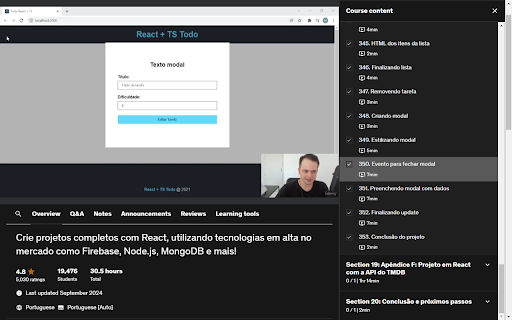


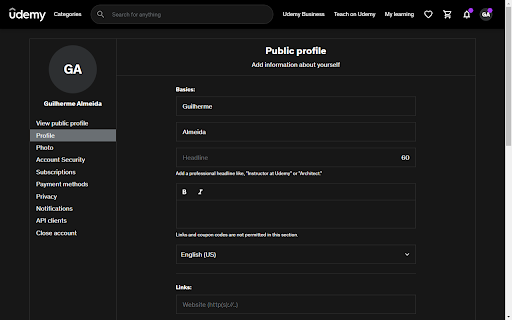
A simple dark theme for Udemy.
Watching your lessons using your new dark theme in udemy.com
Install and Use
Step 1: Install the extension from the Chrome Web Store.
Step 2: Acess udemy.com
Did you like it, or do you want improvements? Your feedback is important to us. Please leave your thoughts and rate us below.
Support: Are there any blank or unstyled elements in the extension? Send us a printout so we can fix it.
Disclaimer: This simple extension is nonprofit and not officially affiliated with Udemy.
GitHub Repository: https://github.com/xdgrxd/udemy-dark-theme
| 分类 | ♿无障碍访问 |
| 插件标识 | kkcgdamhkijlpibacnelakenbkejjidm |
| 平台 | Chrome |
| 评分 |
★★★★☆
4.2
|
| 评分人数 | 221 |
| 插件主页 | https://chromewebstore.google.com/detail/udemy-dark-theme/kkcgdamhkijlpibacnelakenbkejjidm |
| 版本号 | 1.2 |
| 大小 | 42.64KiB |
| 官网下载次数 | 931 |
| 下载地址 | |
| 更新时间 | 2025-01-28 00:00:00 |
CRX扩展文件安装方法
第1步: 打开Chrome浏览器的扩展程序
第2步:
在地址栏输入: chrome://extensions/
第3步: 开启右上角的【开发者模式】
第4步: 重启Chrome浏览器 (重要操作)
第5步: 重新打开扩展程序管理界面
第6步: 将下载的crx文件直接拖入页面完成安装
注意:请确保使用最新版本的Chrome浏览器