
192.168.188.1 Login Admin Chrome 插件, crx 扩展下载
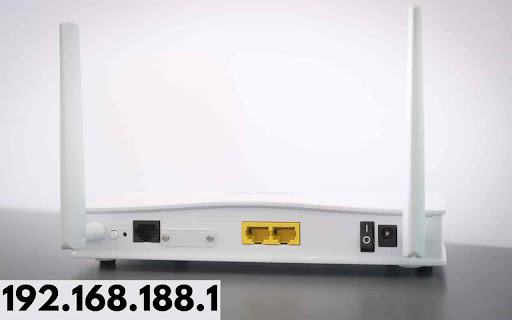
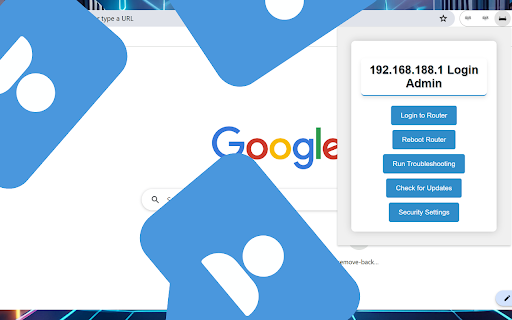
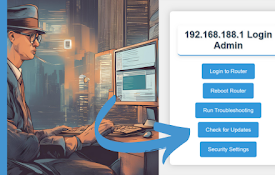
Login Now!...192.168.188.1 Login Admin. It is a private IPv4 network address to change default router settings.
"192.168.188.1 Login Admin" is a simple and efficient Chrome extension designed to make managing your router settings easier than ever.
With just a single click, you can quickly access your router's login page and take control of your network.
Whether you need to update firmware, adjust security settings, or troubleshoot network issues, this extension provides a convenient shortcut to streamline the process.
The IANA or Internet Assigned Numbers Authority maintains the IP addresses such as 192.168.188.1 as an essential section of 192.168.188.0/24, a private network.
You can locate the default settings on the device's backside, in the case of a Netgear, TP-Link, or D-Link wireless router. If the above point doesn't work, one may select to reset the router.
Just bear in mind for different routers, the default IP access address is distinctive. Here, users are usually authorized to make suitable changes in the default address. Hence, kindly refer to the particular access address, though.
The IP address 192.168.188.1 is commonly used as a private gateway for logging into router administration settings. This IP falls within the 192.168.0.0/16 range, reserved for private networks, making it a common choice for home and small business routers.
Logging into 192.168.188.1
To access the router's admin page via 192.168.188.1. Just install the 192.168.188.1 Login Admin extension. After installation just click on Login Admin and you will get the desired result.
Connect to the Router:
Ensure your device is connected to the router either via a wired connection (LAN) or wirelessly (Wi-Fi).
Open a Web Browser:
Type http://192.168.188.1 into the address bar and press Enter.
Enter Credentials:
You will be prompted to enter a username and password. Common defaults are:
Username: admin
Password: admin or password
If you cannot access the login page, check the following:
Ensure your device is properly connected to the router.
Verify the IP address in the browser is correct.
Check if the router's management port has been modified (e.g., 192.168.188.1:8080).
Make sure the browser is not set to use a proxy.
Changing the Router's IP Address
Sometimes, you might need to change the router’s IP address to avoid conflicts or for network organization:
Login to the Admin Page:
Follow the steps above to log in.
Navigate to LAN Settings:
Find the LAN port settings and change the IP address to a new one, such as 192.168.3.1.
Save and Reconnect:
Save the changes and reconnect your device using the new IP address.
Modifying the Wi-Fi Password
To enhance security, changing the default Wi-Fi password is recommended:
Login to the Admin Page:
As described above.
Go to Wireless Settings:
Navigate to the wireless settings section.
Change Password:
Enter a new password and save the changes.
Resetting the Router to Factory Settings
If you need to reset your router to its original settings, you can do so via the admin page or a physical reset button:
Via Admin Page:
Login, then navigate to 'Administration' and select 'Backup Settings' or similar. Choose 'Restore Factory Settings'.
Physical Reset Button:
Locate the reset button on the router (often a small pinhole). Press and hold it for about 10 seconds until the router reboots.
These steps will help you manage your router settings using 192.168.188.1 effectively, ensuring a secure and properly configured network.
| 分类 | 📝工作流程与规划 |
| 插件标识 | klgbkjchnaoaajcapfhahabjnelipjei |
| 平台 | Chrome |
| 评分 |
☆☆☆☆☆
0
|
| 评分人数 | 3 |
| 插件主页 | https://chromewebstore.google.com/detail/1921681881-login-admin/klgbkjchnaoaajcapfhahabjnelipjei |
| 版本号 | 1.1 |
| 大小 | 11.15KiB |
| 官网下载次数 | 2000 |
| 下载地址 | |
| 更新时间 | 2024-11-16 00:00:00 |
CRX扩展文件安装方法
第1步: 打开Chrome浏览器的扩展程序
第2步:
在地址栏输入: chrome://extensions/
第3步: 开启右上角的【开发者模式】
第4步: 重启Chrome浏览器 (重要操作)
第5步: 重新打开扩展程序管理界面
第6步: 将下载的crx文件直接拖入页面完成安装
注意:请确保使用最新版本的Chrome浏览器
同类插件推荐

LocoHost
Quick links to localhost at various portsAdd quick
192.168.188.1 Login Admin
Login Now!...192.168.188.1 Login Admin. It is a pr

Link Router
Route links on any given page to the main log with
192.168.1.3 Login Admin
Login Now!...192.168.1.3 Login Admin. It is a priv
192.168.2.1 Login Admin
Login Now!...192.168.2.1 Login Admin. It is a priv
192.168.0.1 Login Admin
Login Now!...192.168.0.l Login Admin. It is a priv

192.168.1.1 Router Admin Login Extension
This extension is created by 10.0.0.0.1 Consortium
192.168.1.1 Login Admin
Login Now!...192.168.1.1 Login Admin. It is a priv
192.168.1.101 Login Admin
Login Now!...192.168.1.101 Login Admin. It is a pr

VIT WiFi Auto Login
Automatically login to VIT WiFiThis is a Chrome Ex

Finesse and Internet Connection Monitor
Monitors internet connection status. Monitor Fines
IP & Downlink Utility
Show all of your local and external (IPv4 & IP

Internet Connection Alerter
Alerts you when Internet goes downEver wondered, i