
192.168.0.1 | Router Login Admin Chrome 插件, crx 扩展下载
Very easy to log into the router using 192.168.0.1 for management and configuration.
Connecting to 192.168.0.1 opens the gateway to streamlining your network management, a default gateway preset by many router brands (including NETGEAR, Linksys, etc.).
With our Chrome extension, you can journey to 192.168.0.1 with a single click.
Discovering 192.168.0.1
As the foundation of router configuration, 192.168.0.1 is the preferred IP for numerous manufacturers, guiding users into the router's admin interface.
Simply type 192.168.0.1 into the address bar of your web browser to gain access to this digital command center.
Step into the admin area with ease,where you can effortlessly alter network identifiers such as SSID and passwords, upgrade security measures, monitor devices connected to your network, and diagnose network issues.
Smooth 192.168.0.1 Login Process
Follow these steps:
1. Start by adding the extension to Chrome and pinning it to your browser's toolbar.
2. Next, click on the extension icon.
3. Click on the "192.168.0.1 Admin" button that appears.
4. It's time to input your router's username and password.
5. The Admin Panel will reveal itself to you — your centralized control center for the router.
6. All done — enjoy your newfound network control hub!
| 分类 | 🛠️工具 |
| 插件标识 | kmpcaigdlfaifjdikcnoehmjhobokgam |
| 平台 | Chrome |
| 评分 |
☆☆☆☆☆
0
|
| 评分人数 | 3 |
| 插件主页 | https://chromewebstore.google.com/detail/19216801-router-login-adm/kmpcaigdlfaifjdikcnoehmjhobokgam |
| 版本号 | 1.0.0 |
| 大小 | 123KiB |
| 官网下载次数 | 112 |
| 下载地址 | |
| 更新时间 | 2024-04-20 00:00:00 |
CRX扩展文件安装方法
第1步: 打开Chrome浏览器的扩展程序
第2步:
在地址栏输入: chrome://extensions/
第3步: 开启右上角的【开发者模式】
第4步: 重启Chrome浏览器 (重要操作)
第5步: 重新打开扩展程序管理界面
第6步: 将下载的crx文件直接拖入页面完成安装
注意:请确保使用最新版本的Chrome浏览器
同类插件推荐
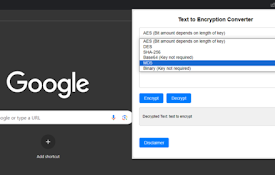
Text to Encryption Converter
Encrypt/decrypt text with a key into AES, SHA, MD5

10.0.0.1 | Router Login Admin
Access your router via 10.0.0.1 for an easy setup

192.168.0.1 | Router Login Admin
Very easy to log into the router using 192.168.0.1

192.168.0.1 - Router Login Admin
192.168.0.1 is a private IP address that is used t
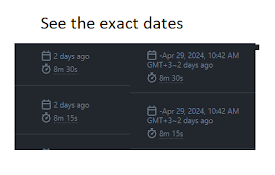
Github Exact Dates
Shows you the exact dates on github, instead of re

Trustwave Web App Ext for Fusion
Trustwave Web App Ext for FusionThis is the Intera

Gray Cover
Make website screen gray to protect your eyesAltho

SkipIt | YouTube Summarizer
Display a short video summary below each video on

Jira View
Improves Jira Cloud (*.atlassian.net) views to mak

Winglang Syntax Hightlight
Highlight Winglang code on Github.comSyntax highli

No-Metrics-Pane (slimmer DevTools)
Hides the metrics-/box-model-pane from DevTools. U

Default profile for Disney+
Default profile for Disney+, auto-logs chosen prof

gvsavings
мониторинг трат героев в городах для godville.net