
WebBarrier: Free Website Blocker Chrome 插件, crx 扩展下载
A extentison that blocks any website for free!
? WebBarrier is an extension that can block any website for completely free. No limit, no background charges, all free! This website blocker was made in order to help others boost productivity without having to be stuck behind a huge paywall. ?
Key Features ⭐: Custom Blocklist/URL Direct, ?Custom Scheduling, ?Custom Password, Focus mode, Custom themes (see below).
Why chose WebBarrier?❓❓❓❓❓
1. FREE WITH NO LIMITS ???
WebBarrier, compared to other big website blockers, has no limits on the amount of websites you choose and all the special features are free as well.
2. PRIVACY ?
WB is a client-based extension meaning that developers and third parties sources have NO access in seeing any of your data. No website history is stored/collected in any means, and new tabs URLs are ONLY used to match with websites in your blocked lists. If you have any concerns, use the contact info below.
3. PERFORMANCE ?️
WebBarrier is very performance-light on your computer (especially your RAM) , compared to other website blockers.
Key Features⭐✨
1. CUSTOM BLOCKLIST ??
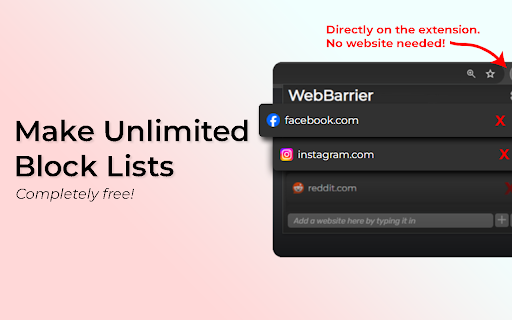
You can make your own custom blocklist WITH NO LIMITS!!!!!! It is found on the extension popup, opened when clicking on the small icon in Google's extensions tab.
2. (NEW, HIGHLY REQUESTED) CUSTOM SCHEDULED BLOCKING ??
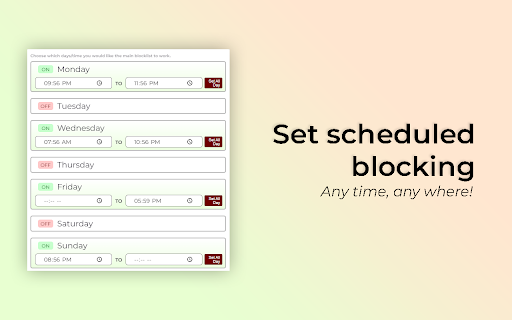
Now, you finally have the ability to schedule what days/what time you would like the main blocked list to work. Found in the settings page, you can now turn on/off certain days and time to your choosing.
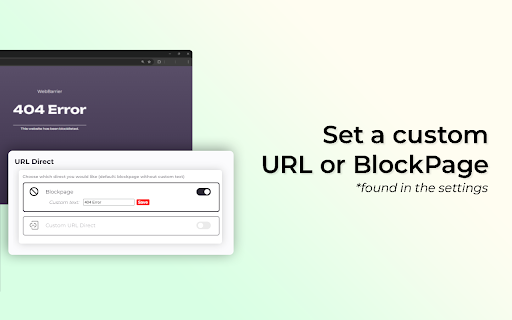
3. CUSTOM BLOCKPAGE & URL DIRECT ?️
You have the ability to make custom text on the WebBarrier's default blockpage OR you may use a custom link where blocked sites redirect to (note: to avoid errors, do not use websites in any of the blocklists as the custom URL). This is found in the settings page.
4. (NEW) CUSTOM PASSWORD ?
You have the ability now to set a password (in the settings) which can block users from deleting any website. Website still can be added, but not deleted. The main blocklist is the only list affected, focus mode list doesn't not use the password system.
5. FOCUS MODE ?
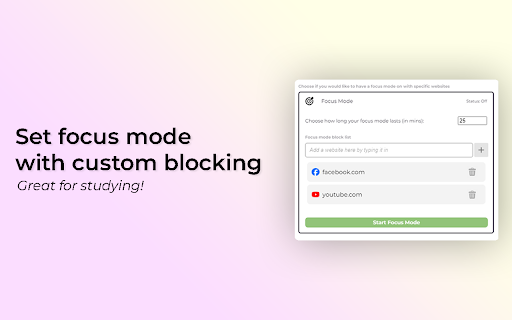
You may turn on/off focus mode which can be set for desired amount of time (up to 2 hours; may change in the future), which has its OWN blocklist. This is found also in the settings page.
6. CUSTOM THEMES ?
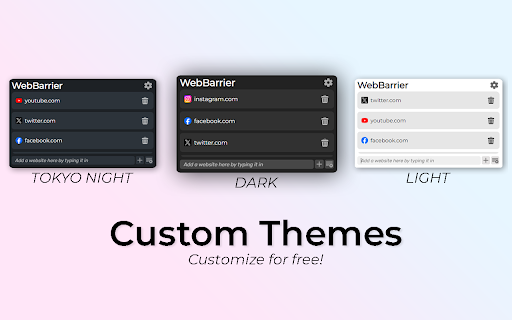
You can choose a theme for WebBarrier's popup for better visibility/looks. As of July 2024, the available themes are Dark, Tokyo Night, and Light (many more to come). This is found in the settings page.
CONTACT US ☎️?
If any errors happen or if you have any questions, please email us at: [email protected]
Check our website at: webbarrier.org
| 分类 | 📝工作流程与规划 |
| 插件标识 | laikeihjojpnekpnjdhbbaalfodogdbn |
| 平台 | Chrome |
| 评分 |
★★★★☆
4.3
|
| 评分人数 | 2965 |
| 插件主页 | https://chromewebstore.google.com/detail/webbarrier-free-website-b/laikeihjojpnekpnjdhbbaalfodogdbn |
| 版本号 | 0.1.9 |
| 大小 | 937KiB |
| 官网下载次数 | 56 |
| 下载地址 | |
| 更新时间 | 2024-09-29 00:00:00 |
CRX扩展文件安装方法
第1步: 打开Chrome浏览器的扩展程序
第2步:
在地址栏输入: chrome://extensions/
第3步: 开启右上角的【开发者模式】
第4步: 重启Chrome浏览器 (重要操作)
第5步: 重新打开扩展程序管理界面
第6步: 将下载的crx文件直接拖入页面完成安装
注意:请确保使用最新版本的Chrome浏览器
同类插件推荐

WebBarrier: Free Website Blocker
A extentison that blocks any website for free!? We
Highlight Unlocker: Bypass Text Restrictions
One-click solution to bypass text restrictions on

Website Blocker
Easily block an unlimited number of websites using

Web Blocker
Block unlimited website for freeBoost productivity