
Disable YouTube Number Keyboard Shortcuts Chrome 插件, crx 扩展下载
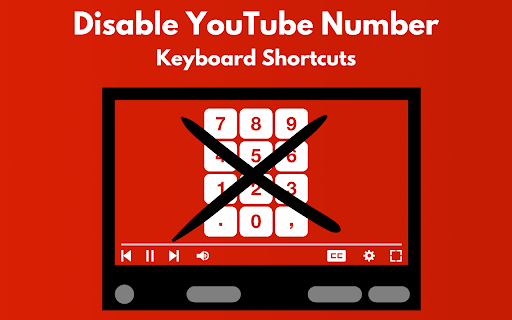
Blocks 0-9 keys on YouTube, preventing video seek with keyboard shortcuts.
Enhance your YouTube viewing experience with our “Disable YouTube Number Keyboard Shortcuts” Chrome extension! This innovative tool is designed to streamline your video watching by blocking the number keys (0-9) on YouTube, preventing unintentional video seeking through keyboard shortcuts. Whether you’re an avid YouTube user tired of accidentally jumping to different parts of a video or someone seeking a more controlled viewing environment, this extension is your perfect solution.
Key features include:
Effortless Control: Say goodbye to unintended video skips. Our extension ensures that pressing the number keys won’t disrupt your viewing pleasure.
Universal Compatibility: Works seamlessly on all YouTube and YouTube-nocookie.com pages, providing a consistent experience across the platform.
Lightweight Design: With minimal impact on your browser’s performance, enjoy an unobtrusive addition that enhances functionality without slowing you down.
Installation is a breeze, and in just a few clicks, you can enjoy a more focused and interruption-free YouTube experience. Our “Disable YouTube Number Keyboard Shortcuts” extension comes equipped with customizable icons for easy access and recognition, ensuring that your viewing preferences are always just a click away.
Don’t let accidental keystrokes ruin your YouTube experience. Add “Disable YouTube Number Keyboard Shortcuts” to your Chrome browser today and take control of your video watching like never before. Perfect for students, professionals, and anyone looking to optimize their YouTube viewing, this extension is a must-have tool for every Chrome user.
| 分类 | 📝工作流程与规划 |
| 插件标识 | lajiknjoinemadijnpdnjjdmpmpigmge |
| 平台 | Chrome |
| 评分 |
★★★★☆
4.6
|
| 评分人数 | 161 |
| 插件主页 | https://chromewebstore.google.com/detail/disable-youtube-number-ke/lajiknjoinemadijnpdnjjdmpmpigmge |
| 版本号 | 1.0 |
| 大小 | 16.41KiB |
| 官网下载次数 | 1000 |
| 下载地址 | |
| 更新时间 | 2024-02-21 00:00:00 |
CRX扩展文件安装方法
第1步: 打开Chrome浏览器的扩展程序
第2步:
在地址栏输入: chrome://extensions/
第3步: 开启右上角的【开发者模式】
第4步: 重启Chrome浏览器 (重要操作)
第5步: 重新打开扩展程序管理界面
第6步: 将下载的crx文件直接拖入页面完成安装
注意:请确保使用最新版本的Chrome浏览器
同类插件推荐
Disable YouTube Number Keyboard Shortcuts
Blocks 0-9 keys on YouTube, preventing video seek

YouTube Blur
Avoid distractions on YouTube by blurring the thum

Hide YouTube Thumbnails
Hide YouTube Thumbnails for less clickbaity browsi

Seek Subtitles for YouTube
通过筛选字幕并跳过无趣的部分,节省观看YouTube视频的时间。使用 Seek Subtitles