
ChatGPT Folders Chrome 插件, crx 扩展下载
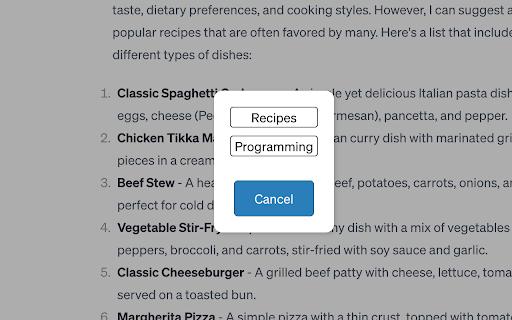
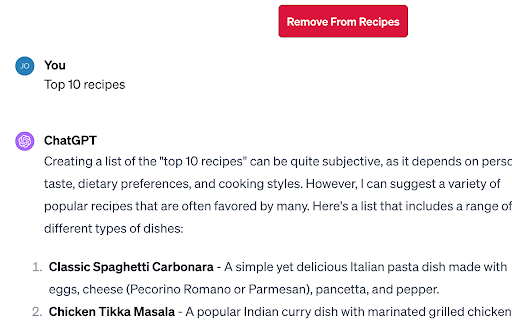
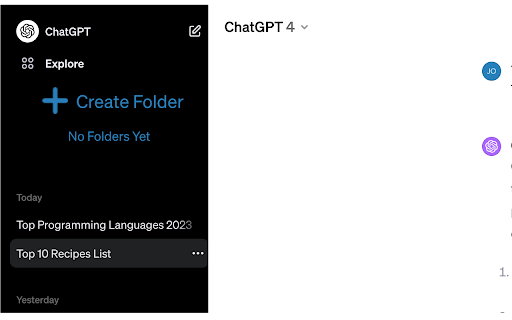
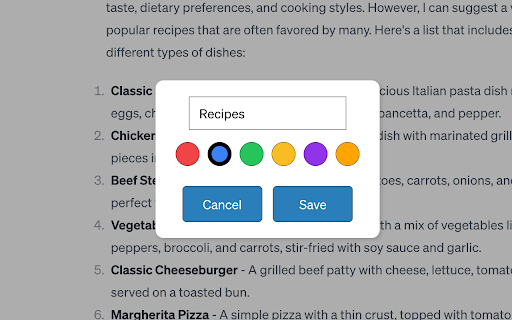
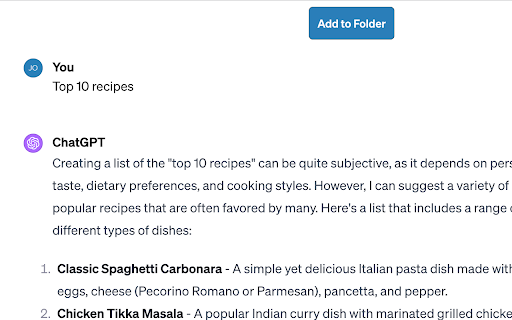
Organize & Search your ChatGPT chats. Color coded folders for better organization.
Organize Your Chats Efficiently. Easily create custom folders to categorize your ChatGpt conversations. Whether it's work, personal, educational, or any other category, ChatGpt Folders makes it simple to keep your chats organized.
***NB****: Existing users as of May 3, 2024 - ChatGpt has migrated their domain to chatgpt.com. A new version of the extension (v 1.7.6) was released to work with this. Update the extension so it can work on this new domain. You may also have to re-enable the extension because request to work on the new domain is seen as a new permission. You can go to: "chrome://extensions/" in your chrome browser to re-enable
**Updates**
Jan 21 - Added color picker, removed search (now natively apart of chatgpt)
Nov 28 - bug fix
Aug 28 - Fixed bug after UI update
Jun 30 - Added edit folder (finally)
Jun 25 - ui improvements
**This extension is not associated with ChatGPT in anyway**
If you have many chats, you want a way to organize them, and this is a tool made just for you to do that.
- Install the Extension: Add ChatGpt Folders to your Chrome browser with just a click.
- Create Folders: Start by creating your first folder and customize it according to your needs.
- Organize Chats: Click the Add to Folder button in a chat to put it into a created folder
- Enjoy: Organized chats.
Please note, the extension will not affect the chats created by you. For example, if you remove a chat from a folder, it is not removed from ChatGPT itself. The chat will still be accessible.
All your data is stored on your device. This extension does not transmit anything over the internet.
We believe in continuous improvement and value your feedback. If you have suggestions, questions, or need support, reach out to us at [email protected].
| 分类 | 📝工作流程与规划 |
| 插件标识 | lapefebfdhoomaehglkomljbpfbjcham |
| 平台 | Chrome |
| 评分 |
★★★★☆
4.5
|
| 评分人数 | 13 |
| 插件主页 | https://chromewebstore.google.com/detail/chatgpt-folders/lapefebfdhoomaehglkomljbpfbjcham |
| 版本号 | 1.9.4 |
| 大小 | 191KiB |
| 官网下载次数 | 10000 |
| 下载地址 | |
| 更新时间 | 2025-01-22 00:00:00 |
CRX扩展文件安装方法
第1步: 打开Chrome浏览器的扩展程序
第2步:
在地址栏输入: chrome://extensions/
第3步: 开启右上角的【开发者模式】
第4步: 重启Chrome浏览器 (重要操作)
第5步: 重新打开扩展程序管理界面
第6步: 将下载的crx文件直接拖入页面完成安装
注意:请确保使用最新版本的Chrome浏览器
同类插件推荐
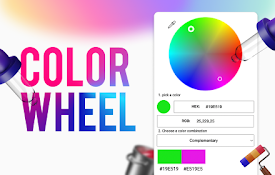
色轮
Discover color combinations in Color Wheel Chart.
ChatGPT to PDF by PDFCrowd
Turn your chats into neatly formatted PDF.The add-

ChatGPT Folders
Organize & Search your ChatGPT chats. Color co

ChatGPT Batch Delete History Manager
ChatGPT Batch Delete History ManagerFeatures: - Ba

ChatGPT Toolbox
The Ultimate ChatGPT Experience! Prompt Library, E

ChatGPT-Archive
ChatGPT Archive enhances the ChatGPT experience by

BookmarkGPT - Bookmark Your ChatGPT Prompts
An extension for bookmarking ChatGPT prompts.Enhan

ChatGPT Folder Master
Organize your ChatGPT conversations into folders a

PinFold: ChatGPT Folder and Pins
Pin and organize your ChatGPT conversations into f

Echoes-ChatGPT, Claude & Gemini Tool for Search, Label, Export & Summarize
Search and organize ChatGPT, Claude and Gemini cha

ChatGPT & Claude 文件夹聊天整理器 GPT-3.5/4o AI - Easy Folders
创建文件夹,搜索聊天历史,为聊天添加书签,提示管理器,提示库,创建自定义指令配置文件Declutte

ChatGPT 导出器 - ChatGPT 转换为 PDF、MD 等
免费下载 ChatGPT 会话为 PDF、Markdown 等格式。将 ChatGPT 结果下载为

Superpower ChatGPT
ChatGPT with Superpowers! Folders, Search, GPT Sto