
ArchDaily New Tab Chrome 插件, crx 扩展下载
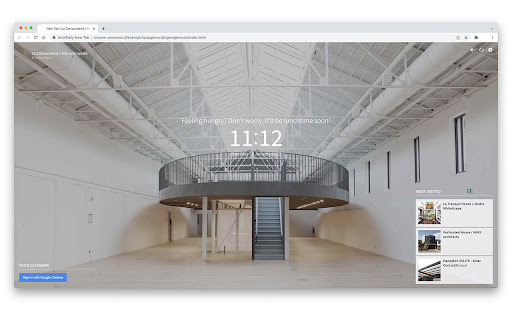
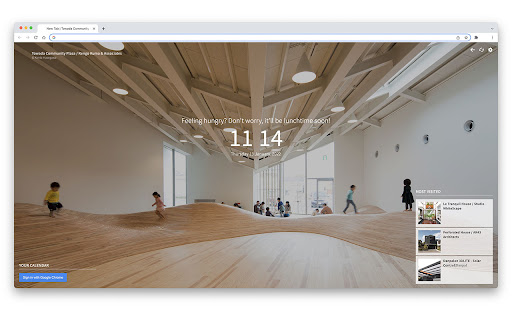
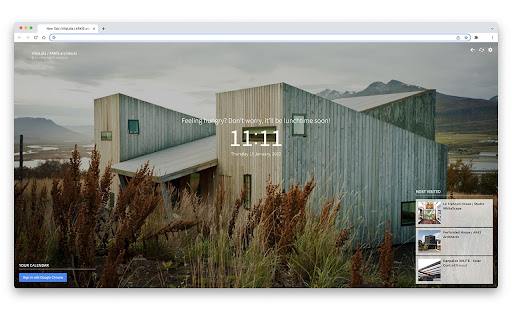
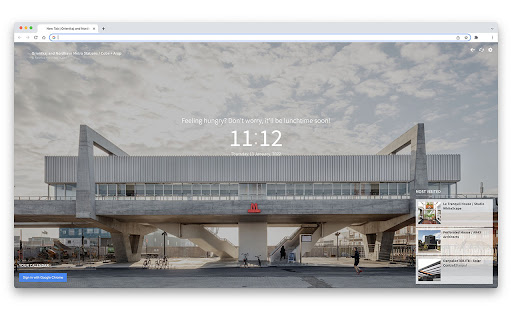
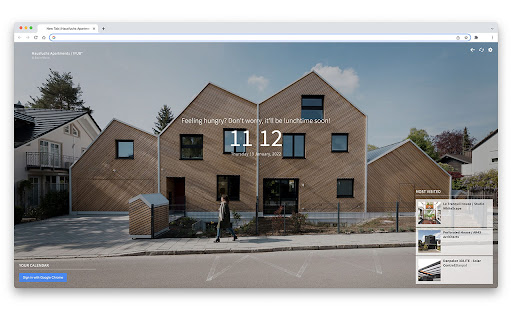
Get inspired with every new tab
Transform your “New Tab” page into a useful, inspiring tool for all architecture lovers with ArchDaily’s New Tab Chrome Extension
Every time you open a new tab in your Chrome browser, we’ll show you a randomly selected photograph of an ArchDaily project. If you want to learn more about the project, you can easily click to see more pictures, drawings and information.
We also keep you updated on the latest news and articles by showing you the most visited articles of the day. And even your Google Calendar is integrated — we’ll show you your upcoming appointments and meetings!
| 分类 | 📝工作流程与规划 |
| 插件标识 | lbokmpfckpapgecocdjhlgenajjemcdn |
| 平台 | Chrome |
| 评分 |
★★★★☆
4.6
|
| 评分人数 | 256 |
| 插件主页 | https://chromewebstore.google.com/detail/archdaily-new-tab/lbokmpfckpapgecocdjhlgenajjemcdn |
| 版本号 | 3.5 |
| 大小 | 660KiB |
| 官网下载次数 | 50000 |
| 下载地址 | |
| 更新时间 | 2023-03-29 00:00:00 |
CRX扩展文件安装方法
第1步: 打开Chrome浏览器的扩展程序
第2步:
在地址栏输入: chrome://extensions/
第3步: 开启右上角的【开发者模式】
第4步: 重启Chrome浏览器 (重要操作)
第5步: 重新打开扩展程序管理界面
第6步: 将下载的crx文件直接拖入页面完成安装
注意:请确保使用最新版本的Chrome浏览器
同类插件推荐

Embark - New Tab Page
A minimalistic new tab page.Embark replaces Chrome

Leoh New Tab
Replace your new tab with a minimalistic and custo

Zen tab: Beautiful, simple new tab
Change your default new tab for a new one with wid

The Curatist
Put on the Curatist's glasses to get inspired

Archilovers Inspiration Tab
Get a beautiful project from Archilovers network e
Palette Creator
Creates a color palette from any image. Just right

calm - style your new tab
Design your own "new tab" - site with in
ArchDaily New Tab
Get inspired with every new tabTransform your “New

Google 艺术与文化
在浏览器标签页中欣赏谷歌艺术与文化项目中“艺术”下的佳作Breathe a little cultu

ProductivityTab — Custom New Tab Dashboard
A customizable personal dashboard on your new tab
Fruumo - New Tab Page
Fruumo is a super powerful new tab page for chrome