
SONAR Email Tracker for Gmail - Secure & Free Chrome 插件, crx 扩展下载


Unlimited and forever free tool to track your emails easily.
SONAR Email Tracker is a Chromium-based browser extension for Gmail that makes you able to track your email activities, such as when your email is opened. Other than that, SONAR Email Tracker will give you peace of mind and a hint of what is the next email you should send or the next action you should take after you send an email, know who opened your emails, how many times your emails are opened, and how many times the links are clicked.
With SONAR Email Tracker, you can:
- Track email activities. Never lose track of your most important emails.
- Get real-time notifications when your urgent email is opened.
- Have a daily report on every email activity to analyze and improve your strategy.
And with SONAR Email Tracker Pro features, you can:
- Hide SONAR signature.
- Track links in your email.
- Get the first open alert via email.
- Get reminder for unopened emails.
- Track emails for 7 days.
- Get a more detailed, in-depth daily email report.
- Get an in-depth activity dashboard.
Why should you use SONAR Email Tracker?
- Easy to install, easy to use.
- It has a very low learning curve.
- High-powered tool.
- Free and unlimited in tracking your email journey.
- You can use it as a personal email marketing tool.
- Tracking emails has never been this easy.
- Boost your email productivity like never before.
- Know your next action when the recipients open your email.
How to start using SONAR Email Tracker?
- Go to Chrome Web Store, hover your mouse to “Search” on the top navigation bar, and type SONAR Email Tracker.
- Click and continue with the installation of the SONAR by MTARGET extension for your Google Chrome Extension.
- Compose your email as usual, and hit send. SONAR will automatically track your email without you having to do any settings.
- You can start email tracking by clicking the “Sent emails” folder.
- Grey double-dashed line -- means that the email you sent wasn’t powered by SONAR.
- Two grey check marks ✓✓ mean that the recipient hasn’t opened your email.
- Two blue check marks ✓✓ mean that the recipient has opened and read your email.
Perfect Time to Use SONAR Email Tracker:
- Job application: Know when your application has been opened or not by the recruiter.
- Marketing or sales activities: Know if your potential clients have already read your emails and engaged with it.
- Most important emails: Know when your most important and urgent email is opened to make the right move after it's opened.
Enjoy SONAR features forever free:
- Tracked first open and notification on Chrome.
- Track your email for up to 48 hours.
- Tracked email indicator.
- Report on a daily basis.
SONAR Email Tracker works with:
- Google Chrome
- Opera
- Microsoft Edge
- Samsung Internet
- Vivaldi
- Brave
- Epic Privacy, and other chromium-based browsers.
Updates
SONAR v1.1.5
- Minor bugfix after improvement
SONAR v1.1.4
- Improvement in sending email performance
SONAR v1.1.0
- Fixed issues with Gmail becoming slow and relatively unuseable when too many emails in the sent folder.
- Loading performance improved.
| 分类 | 📝工作流程与规划 |
| 插件标识 | lcjmfkbfkpmpfpppjllldbmjhbcpimcm |
| 平台 | Chrome |
| 评分 |
★★★★☆
4.8
|
| 评分人数 | 467 |
| 插件主页 | https://chromewebstore.google.com/detail/sonar-email-tracker-for-g/lcjmfkbfkpmpfpppjllldbmjhbcpimcm |
| 版本号 | 1.1.5 |
| 大小 | 351KiB |
| 官网下载次数 | 519 |
| 下载地址 | |
| 更新时间 | 2024-09-27 00:00:00 |
CRX扩展文件安装方法
第1步: 打开Chrome浏览器的扩展程序
第2步:
在地址栏输入: chrome://extensions/
第3步: 开启右上角的【开发者模式】
第4步: 重启Chrome浏览器 (重要操作)
第5步: 重新打开扩展程序管理界面
第6步: 将下载的crx文件直接拖入页面完成安装
注意:请确保使用最新版本的Chrome浏览器
同类插件推荐

GoEmailTracker-Email Tracker,Template,chatGPT
Email tracker for Gmail and Google Workspace (G Su

Streak Email Tracking for Gmail
Know when your email is viewed.Features: ? Get not

Email Eye - Email Tracker for Gmail
Track who opens your emails in Gmail for free in r
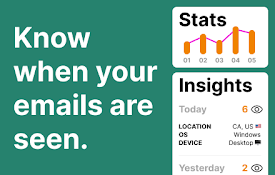
Mail Seen - Unlimited Email Tracker for Gmail
Know when your emails are opened!MailSeen - The Ul
SONAR Email Tracker for Gmail - Secure & Free
Unlimited and forever free tool to track your emai
Free Email Tracker for Gmail, by Canary Mail
Unlimited email open tracking notifications for yo

DoSales: Email Tracking & Templates For Gmail
DoSales will help you boost your sales by increasi

Unlimited Email Tracker by Snov.io
Email tracker for Gmail. Email opens tracking and

Email Tracker For Gmail - MailerPlex
Free email tracker for Gmail. See email tracking a

Email Tracker
Free Email Tracker for GmailEmail Tracker is your

TraceMail Extension
Unlock real-time email tracking with TraceMail and

LinkedIn Email Finder & Tracking | Salesgear
LinkedIn Email Finder tool helps you find emails &

MailTracker: Email tracker for Gmail
Track if your emails are opened & how many tim