
meeting prep Chrome 插件, crx 扩展下载

Get your prospect details on autopilot and prepare your next sales meeting in seconds with meeting prep, your AI assistant
Prepare your meetings in seconds—for free
Join meeting prep by lemlist—the Chrome extension that uses AI to gather everything you need to know about your prospect and their company, so you can feel confident going into any meeting.
Add meeting prep to your browser in seconds and access your notes anywhere, anytime.
? Write templates effortlessly
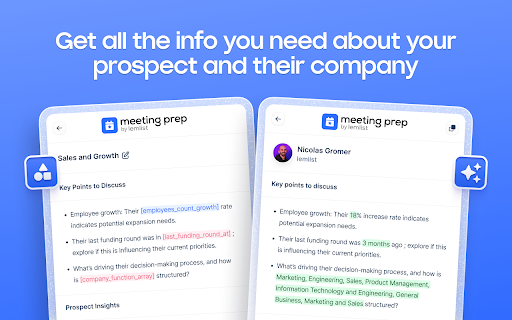
Personalize your meeting templates with data tailored to your prospect. Just type “/” to pull up key insights like their job title, company size, or anything else you need. You can even create custom variables to dig deeper and find info that’s specific to your business.
? Add custom AI variables
Need a personalized icebreaker? Insights about your prospect’s industry? An age estimate or potential fit for your product? No problem. With meeting prep, you can create AI variables to generate highly specific details that help you lead impactful conversations.
? Prepare meetings on autopilot
Our engine pulls data directly from lemlist’s B2B database and your prospect’s website. It analyzes and fetches accurate information for you. No more wasting hours searching manually.
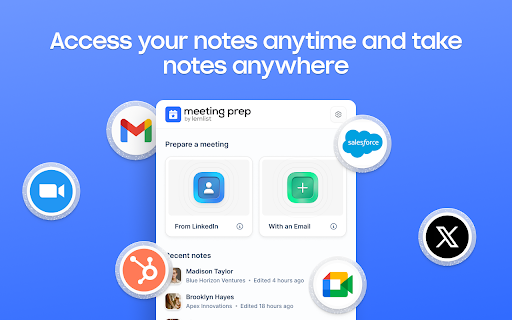
? Access your notes anywhere
Your notes go wherever you do. Whether you’re in your inbox, socials, CRM, or video meeting tools, your insights are always at your fingertips. Plus, you can quickly write down notes to keep up with every prospect.
With meeting prep, showing up unprepared is a thing of the past.
~~~
Add meeting prep to your browser now and ace your next meeting.
| 分类 | 🛠️工具 |
| 插件标识 | ldchjcahlhggaiommekkpgglkcgobbjg |
| 平台 | Chrome |
| 评分 |
★★★★☆
4.7
|
| 评分人数 | 1142 |
| 插件主页 | https://chromewebstore.google.com/detail/meeting-prep/ldchjcahlhggaiommekkpgglkcgobbjg |
| 版本号 | 1.0.2 |
| 大小 | 5.79MiB |
| 官网下载次数 | 38 |
| 下载地址 | |
| 更新时间 | 2025-02-08 00:00:00 |
CRX扩展文件安装方法
第1步: 打开Chrome浏览器的扩展程序
第2步:
在地址栏输入: chrome://extensions/
第3步: 开启右上角的【开发者模式】
第4步: 重启Chrome浏览器 (重要操作)
第5步: 重新打开扩展程序管理界面
第6步: 将下载的crx文件直接拖入页面完成安装
注意:请确保使用最新版本的Chrome浏览器
同类插件推荐

lemcal
Book meetings in the easiest way ever.Get the one

meeting prep
Get your prospect details on autopilot and prepare

Spoke - GMeet Recorder, live AI reports
Spoke’s FREE Chrome extension creates LIVE AI summ

Prospeo - Email Finder
Find contact info from anywhere for free, and veri

Lavender
Easily write more thoughtful and effective e-mails

FullEnrich — LinkedIn Phone & Email Finder
Find anyone's phone or email on LinkedIn. Buil

lemlist
Scrape LinkedIn & Sales Navigator profiles, fi

EasyGen - Intelligent LinkedIn content, made easy.
Turn your thoughts into viral LinkedIn posts with

Humanlinker
Let Humanlinker multiply your prospecting performa

Surfe
Bring your CRM to where your sales are. Access and

Kaspr: B2B Phone Number and Email Finder
Get access to your prospects' phone numbers an

Taplio X
Supercharge your LinkedIn experience: find post in

folkX
folkX lets you add contacts to your folk from anyw