
Link Roamer Chrome 插件, crx 扩展下载

A browser extension for gathering, organizing, and inspecting all the links on a web page.
1. Inspect links
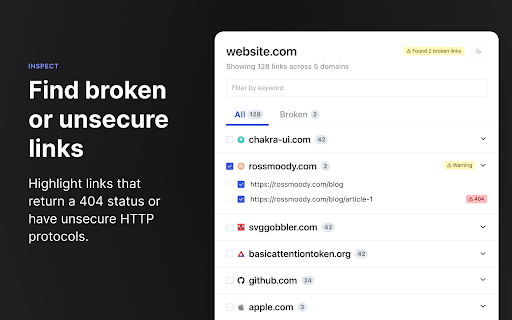
- Highlight broken links on a page (i.e. 404)
- Highlight non-secure links on a page (i.e. http)
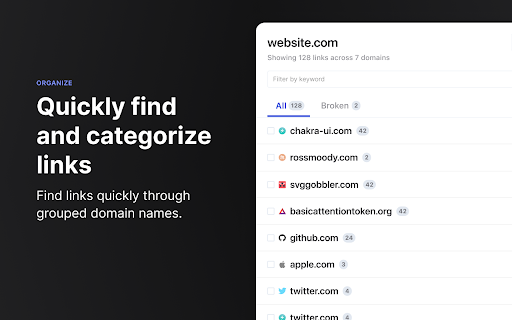
- Quickly find, view, organize, and navigate links on a page
- See the status and reasoning for requests that don't succed
- View links and where they redirect to before navigating
2. Organize links
- Group links by their primary domain name
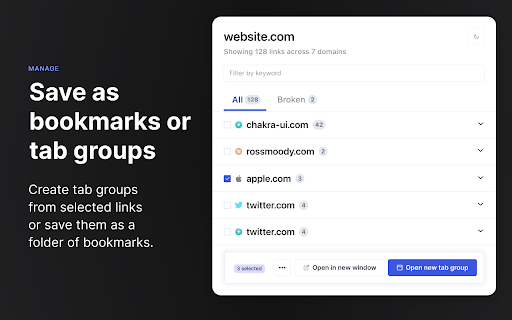
- Create a tab group from a set of selected links
- Save a set of selected links as bookmarks
3. Interact with links
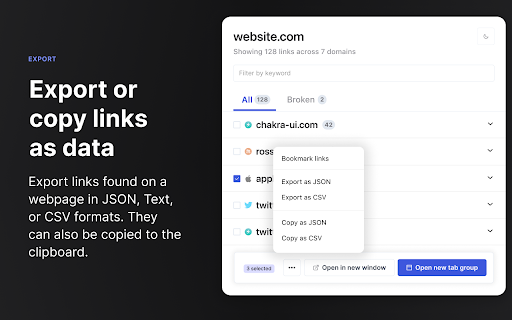
- Copy links to clipboard
- Open links in a new window or tab
- Open individual links in a background tab
- Export links as `json`, `text`, or `csv`
- Export detailed URL and fetch request data
---
Open source
This extension is open source and doesn't collect any information from users. You can inspect the source fode at https://github.com/rossmoody/link-roamer. It's free, and made available because I like making useful things for the web. Please consider contributing with an idea, bug fix, or feature request on GitHub.
| 分类 | 💻开发者工具 |
| 插件标识 | lgcgflalbmeodapiohjepkjlgipmhofe |
| 平台 | Chrome |
| 评分 |
★★★★☆
4.3
|
| 评分人数 | 19 |
| 插件主页 | https://chromewebstore.google.com/detail/link-roamer/lgcgflalbmeodapiohjepkjlgipmhofe |
| 版本号 | 1.2.0 |
| 大小 | 351KiB |
| 官网下载次数 | 202 |
| 下载地址 | |
| 更新时间 | 2022-04-26 00:00:00 |
CRX扩展文件安装方法
第1步: 打开Chrome浏览器的扩展程序
第2步:
在地址栏输入: chrome://extensions/
第3步: 开启右上角的【开发者模式】
第4步: 重启Chrome浏览器 (重要操作)
第5步: 重新打开扩展程序管理界面
第6步: 将下载的crx文件直接拖入页面完成安装
注意:请确保使用最新版本的Chrome浏览器
同类插件推荐

Scripter debugger extension
This extension debugs the scripter blocks and load

Page Crawler
Scrape links from any siteA convenient way to scra

sqanything
Query anything in your browser with SQLQuery any H

Scraper
RSS, Atom Feed Reader & Web CrawlerRSS, Atom F

getURL - Link Parameter Extractor
getURL extracts the query parameters of the clicke
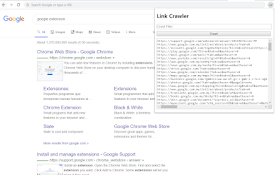
Link Crawler
Crawl Link from active pageCrawl link from your cu

Link Roamer
A browser extension for gathering, organizing, and

Promnesia
Recall which pages you already visited, why and in

GitHub Recommender
Get similar repositories on GitHub pageGet recomme

Link Xtractor
Link Xtractor lets you extract all the links from

DataGrab
Extract web data at scale without coding.DataGrab

Telescope: AI-powered Web Clipper
AI-powered Knowledge Base that transcribes videos,

Trufflepiggy - Quick Search
The all-in-one search tool: select and search. Fin