
Click to Call by PhoneIQ Chrome 插件, crx 扩展下载
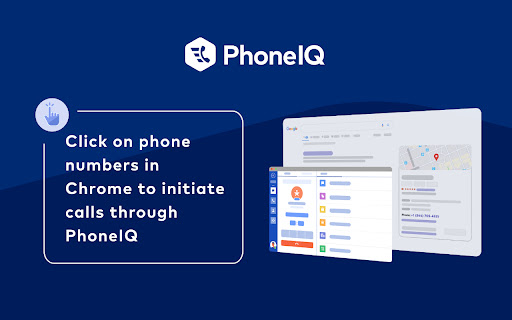
Makes PhoneIQ: links out of phone numbers on the page, so you can click them to dial with PhoneIQ
The PhoneIQ Click to Dial extension enables users to initiate outbound phone calls via PhoneIQ’s desktop app by just clicking on phone numbers within Salesforce.
PhoneIQ is a new breed of cloud based contact center & unified communications software designed and built for companies using Salesforce. Unlike traditional telephony and call center solutions, PhoneIQ is fully integrated with the Salesforce platform, leveraging data within the CRM and AI to radically change the way business communications work.
| 分类 | 📝工作流程与规划 |
| 插件标识 | lgeeknebmmlolagoalmhminclogblcfb |
| 平台 | Chrome |
| 评分 |
★★★☆☆
3.7
|
| 评分人数 | 139 |
| 插件主页 | https://chromewebstore.google.com/detail/click-to-call-by-phoneiq/lgeeknebmmlolagoalmhminclogblcfb |
| 版本号 | 2.0.1 |
| 大小 | 53.67KiB |
| 官网下载次数 | 57 |
| 下载地址 | |
| 更新时间 | 2024-04-03 00:00:00 |
CRX扩展文件安装方法
第1步: 打开Chrome浏览器的扩展程序
第2步:
在地址栏输入: chrome://extensions/
第3步: 开启右上角的【开发者模式】
第4步: 重启Chrome浏览器 (重要操作)
第5步: 重新打开扩展程序管理界面
第6步: 将下载的crx文件直接拖入页面完成安装
注意:请确保使用最新版本的Chrome浏览器
同类插件推荐

Channels Click to Call
Channels automatically highlights phone numbers on

VoiceRules - Click To Call for CRM Tools
Make & receive more sales and support calls, t

GCF Click-to-Dial
A Chrome extension that allows users to make calls

Click-to-Call-SMS
Click-to-Call-or-SMS Directly from Any Website.Wit
Click to Call by PhoneIQ
Makes PhoneIQ: links out of phone numbers on the p

Virtru Email Protection
Surprisingly easy email protection and control for

Call From Browser
Call From Browser - Make your mobile call numbers

Click To Call Chrome Extension
This chrome extension use for click to call any nu

Kixie PowerCall
Kixie PowerCall enhances your Kixie experience by

Dialpad Extension
Quick launch the Dialpad app and link phone number

JustCall - Click To Call for CRM Tools
Click to call phone numbers available on any web p

Click To Call for Internet Phone - Ringover
With the Click To Call for Internet Phone - Ringov