
NattyNote Chrome 插件, crx 扩展下载
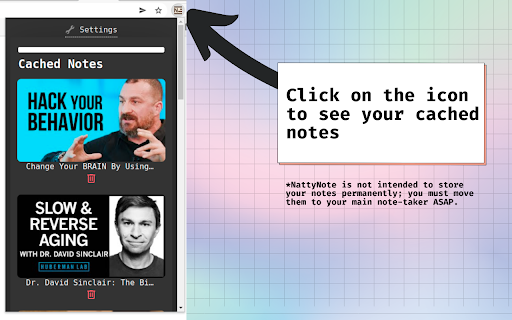
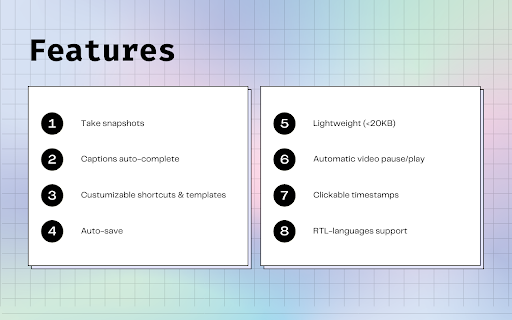
Take time-stamped YouTube notes.
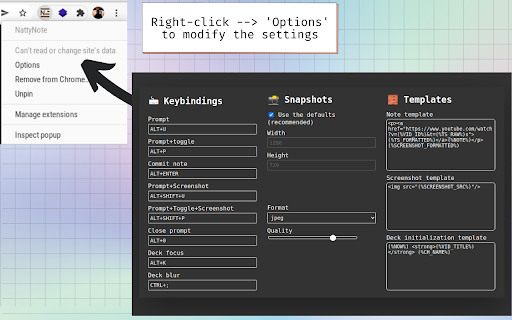
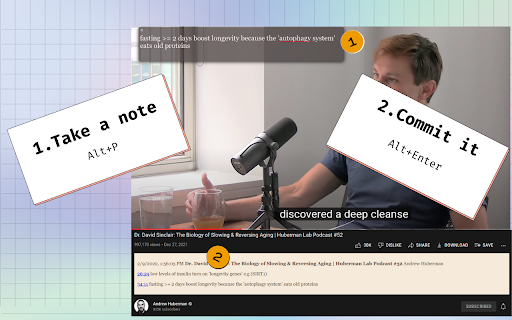
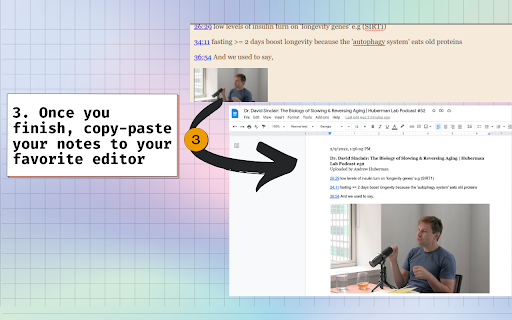
With this extension you can take time-stamped notes while watching YouTube videos. Press Alt+P, the video will stop playing, a prompt will show up, write your note and press Alt+Enter. Your timestamped notes will appear at the bottom of the video. Hit the Shift key with the previous commands to take a snapshot! You can find more shortcuts and customize them.
| 分类 | 📝工作流程与规划 |
| 插件标识 | lgopopmbcfmojhfmnlbhjhgepclocphh |
| 平台 | Chrome |
| 评分 |
★★★★☆
4.2
|
| 评分人数 | 60 |
| 插件主页 | https://chromewebstore.google.com/detail/nattynote/lgopopmbcfmojhfmnlbhjhgepclocphh |
| 版本号 | 2.1.1 |
| 大小 | 19.59KiB |
| 官网下载次数 | 245 |
| 下载地址 | |
| 更新时间 | 2023-11-05 00:00:00 |
CRX扩展文件安装方法
第1步: 打开Chrome浏览器的扩展程序
第2步:
在地址栏输入: chrome://extensions/
第3步: 开启右上角的【开发者模式】
第4步: 重启Chrome浏览器 (重要操作)
第5步: 重新打开扩展程序管理界面
第6步: 将下载的crx文件直接拖入页面完成安装
注意:请确保使用最新版本的Chrome浏览器
同类插件推荐
NattyNote
Take time-stamped YouTube notes.With this extensio

ZippyNotes - Take notes on YouTube videos
The Chrome Extension for ZippyNotesThe chrome exte

YiNote
Most efficient way to take & share time-stampe
Transnote - Video Notes for YouTube
This is the official extension for TransnoteTransn

Askify - Youtube Notes
Take Notes From YoutubeTake Notes and screenshot f

LunaNotes - Take notes on YouTube
The Simplest Way to Take Notes on YouTube Videos!?

Annotate.tv
Create video annotations on YouTube and Vimeo vide

vidyaNote - YouTube 笔记和荧光笔
使用实时预览 Markdown 笔记编辑器从 YouTube 视频笔记中记下笔记。文本和视频荧光笔。

ReClipped: YouTube Notes & Screenshots
Take timestamped notes and screenshots from videos

Memex
Search, annotate and organize what you've read

Obsidian Web
Connect your browser with your notes in Obsidian.

Obsidian Clipper
A small chrome plugin that let's you easily cl

MarkDownload - Markdown Web Clipper
This extension works like a web clipper, but it do