
Sort Feed | App for Instagram™ Chrome 插件, crx 扩展下载

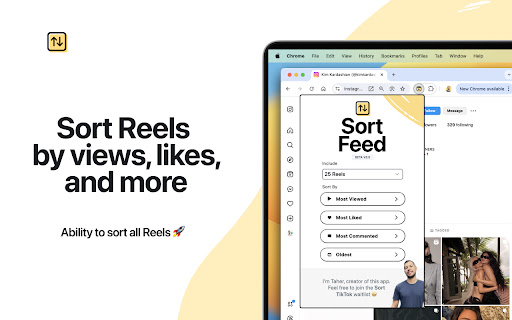
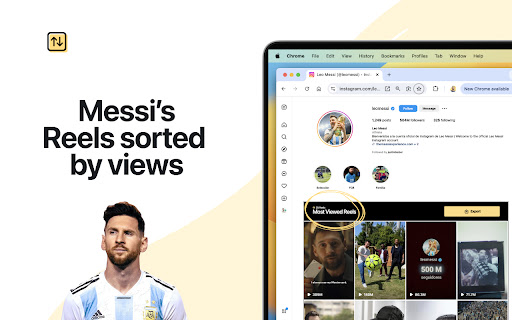
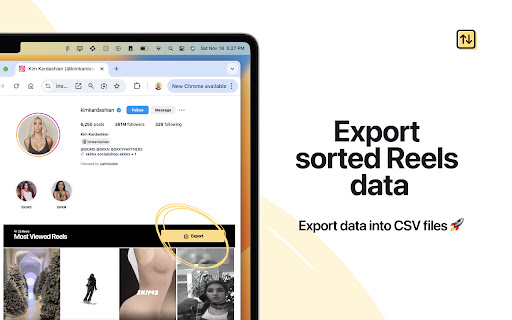
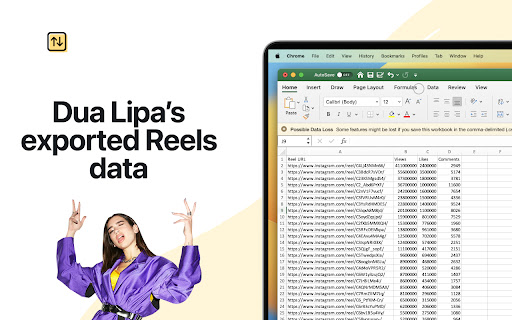
Sort Instagram™ Reels by views, likes, and more, and export data into CSV ?
I'm Taher ? I made this extension to make it super easy to sort Reels by views, likes, and more, and to export Instagram™ Reels data.
? Join the Discord server (https://discord.gg/NKB9FhAbcm) to chat about feature ideas or bugs you're facing.
Ready to begin?
1. ? Install extension, and visit a user's profile on Instagram.
2. ? Go to their Reels tab, and use the extension's icon to sort.
3. ? Note, make sure the extension is pinned on your Chrome's toolbar.
Note:
? The extension is designed specifically for English Instagram URLs due to variations in formatting for non-English URLs. Simply append “hl=en” to any Instagram profile URL. Example: https://www.instagram.com/kimkardashian/?hl=en
Need more info?
1. ? Extension only works on User Pages.
2. ? Your data remains private, since the extension operates on device only.
Disclaimer:
Instagram™ is a trademark of Instagram Inc., registered in the U.S. and other countries. This is an independent project developed by me, Taher Elsheikh ?, and it has no relationship to Instagram™ or Instagram Inc.
| 分类 | 👥社交 |
| 插件标识 | lhiilgfanjkbombmnlfelondlfohfpfg |
| 平台 | Chrome |
| 评分 |
★★★★☆
4.6
|
| 评分人数 | 5766 |
| 插件主页 | https://chromewebstore.google.com/detail/sort-feed-app-for-instagr/lhiilgfanjkbombmnlfelondlfohfpfg |
| 版本号 | 3.9 |
| 大小 | 12.19MiB |
| 官网下载次数 | 20000 |
| 下载地址 | |
| 更新时间 | 2025-02-21 00:00:00 |
CRX扩展文件安装方法
第1步: 打开Chrome浏览器的扩展程序
第2步:
在地址栏输入: chrome://extensions/
第3步: 开启右上角的【开发者模式】
第4步: 重启Chrome浏览器 (重要操作)
第5步: 重新打开扩展程序管理界面
第6步: 将下载的crx文件直接拖入页面完成安装
注意:请确保使用最新版本的Chrome浏览器
同类插件推荐

Sort Feed | App for Instagram™
Sort Instagram™ Reels by views, likes, and more, a

InSaverify | Web for Instagram™
這個擴展比Instagram的移動版更好! 在瀏覽器中查看和上傳IG Story和其他功能。App

Instagram ™ 用网络客户端
像您最喜欢的移动应用程序一样运行 Instagram™ 的网络客户端。下载视频和图片,上传您自己的内

App Client for Instagram™ - InLoad
Instagram 應用程序 - 從 Web 下載將照片、視頻、故事、短片發佈到 Instagram