
Creator Studio: YouTube AI Toolkit, ChatGPT, and Obsidian Integration Chrome 插件, crx 扩展下载

Creator Studio: Learn. Create. Repeat.
Transform YouTube with AI Tools, ChatGPT, and Obsidian Integration
Creator Studio is your all-in-one toolkit for enhancing your YouTube experience with AI-driven features and seamless integration with Obsidian and ChatGPT.
Here’s why you should choose Creator Studio:
1️⃣ Advanced AI Tools: Leverage ChatGPT, AI analysis, and more to enhance your workflow.
2️⃣ Effortless Note-Taking: Take notes, create bookmarks, and organize collections directly on YouTube.
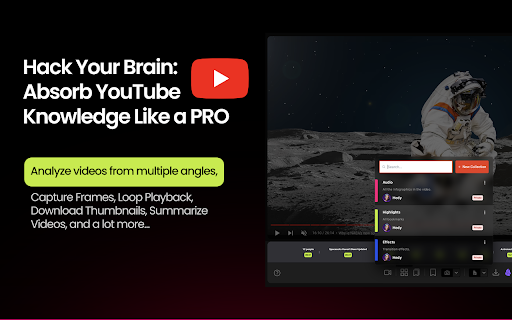
3️⃣ Video Summarization and Analysis: Summarize and analyze videos in a non-linear way.
4️⃣ Powerful Bookmarks: Capture your thoughts with screenshots and transcripts.
5️⃣ Interactive Tools and Plugins: Capture, loop, and download thumbnails with ease.
? Key Features of Creator Studio ?
1️⃣ Videos:
- Quick Access: Find important videos right from the toolbar.
- Video Launcher: Press the V key to search and access videos instantly.
2️⃣ Collections:
- Non-Linear Learning: Analyze videos from multiple perspectives.
- Private and Public Options: Keep collections private or share them with others.
- Downloadable: Save collections to your local machine.
3️⃣ Bookmarks:
- Snapshot Creation: Capture video screenshots and transcripts as bookmarks.
- Markdown Notes: Utilize powerful note-taking with Obsidian Auto Sync.
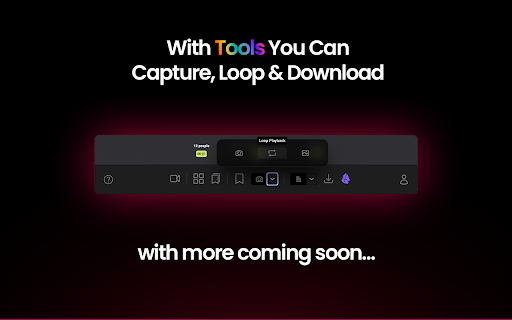
4️⃣ Tools:
- Video Interaction: Capture specific moments, loop playback, and download thumbnails.
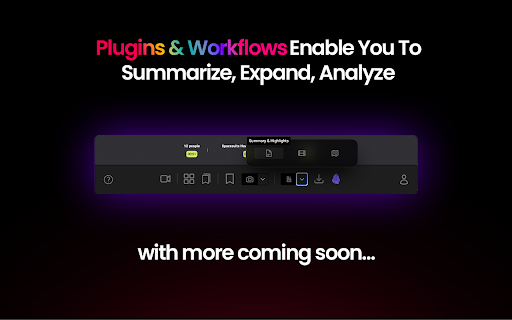
5️⃣ Plugins & Workflows:
- Enhanced Capabilities: Generate summaries, train LLMs, create B-roll, analyze frames, and more.
Transform your YouTube experience with Creator Studio—your ultimate toolkit for learning, creating, and enhancing your content effortlessly.
| 分类 | 🛠️工具 |
| 插件标识 | llnickaabggmgppemokfkpfieggpighn |
| 平台 | Chrome |
| 评分 |
★★★★☆
4.6
|
| 评分人数 | 651 |
| 插件主页 | https://chromewebstore.google.com/detail/creator-studio-youtube-ai/llnickaabggmgppemokfkpfieggpighn |
| 版本号 | 0.0.5 |
| 大小 | 4.14MiB |
| 官网下载次数 | 249 |
| 下载地址 | |
| 更新时间 | 2024-05-30 00:00:00 |
CRX扩展文件安装方法
第1步: 打开Chrome浏览器的扩展程序
第2步:
在地址栏输入: chrome://extensions/
第3步: 开启右上角的【开发者模式】
第4步: 重启Chrome浏览器 (重要操作)
第5步: 重新打开扩展程序管理界面
第6步: 将下载的crx文件直接拖入页面完成安装
注意:请确保使用最新版本的Chrome浏览器
同类插件推荐
Creator Studio: YouTube AI Toolkit, ChatGPT, and Obsidian Integration
Creator Studio: Learn. Create. Repeat.Transform Yo

Liner ChatGPT:Web&YouTube的AI副驾驶
直接在页面上使用 ChatGPT,甚至在 YouTube 上!添加 AI Copilot,与您的个人

Gist AI: 用ChatGPT摘要Web、YouTube、PDF
由ChatGPT驱动的免费摘要工具,适用于网站、YouTube视频和PDF。一个扩展摘要一切!Gis
ChatGPT Sidebar GPT-4o, Claude3, AI Video Generator & AI Tools: ChatMove
Your magical all-in-one AI content creation assist