
Disable Links Chrome 插件, crx 扩展下载
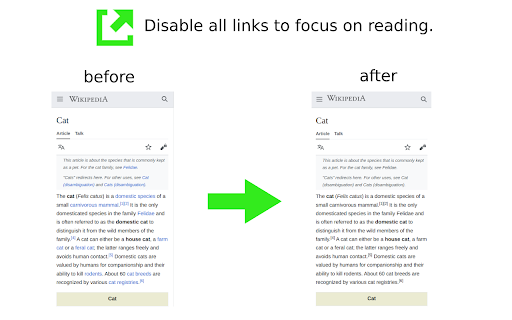
Disable all links on the page to avoid distractions.
Disable all links on the page to avoid distractions.
This extension helps you to read without distractions. Click on the extension icon to remove all links on the page. Click again to bring them back.
This is a beta version. Please reach out to me at https://becausecurious.me/contact with your ideas or bug reports. Thank you!
| 分类 | 📝工作流程与规划 |
| 插件标识 | lmehfahioclhclmcahobmlmlmlipmpdn |
| 平台 | Chrome |
| 评分 |
★★★★☆
4.4
|
| 评分人数 | 9 |
| 插件主页 | https://chromewebstore.google.com/detail/disable-links/lmehfahioclhclmcahobmlmlmlipmpdn |
| 版本号 | 0.0.0.2 |
| 大小 | 27.7KiB |
| 官网下载次数 | 151 |
| 下载地址 | |
| 更新时间 | 2022-02-17 00:00:00 |
CRX扩展文件安装方法
第1步: 打开Chrome浏览器的扩展程序
第2步:
在地址栏输入: chrome://extensions/
第3步: 开启右上角的【开发者模式】
第4步: 重启Chrome浏览器 (重要操作)
第5步: 重新打开扩展程序管理界面
第6步: 将下载的crx文件直接拖入页面完成安装
注意:请确保使用最新版本的Chrome浏览器
同类插件推荐
Disable Links
Disable all links on the page to avoid distraction

Link Saver
Save your links which you paste everywhere.While a

Generate Links for Headers
Automatically generates links for all headers on t
Open in Sidebar
Drop any link to the sidebar for dual-pane accessT