
Wikipedia+ Chrome 插件, crx 扩展下载
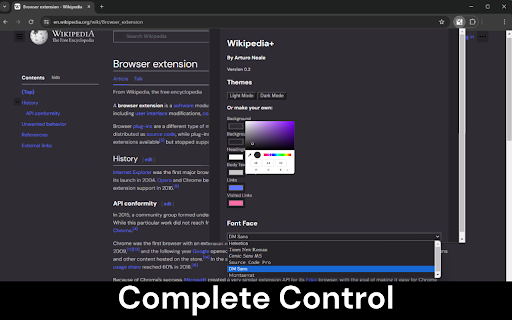
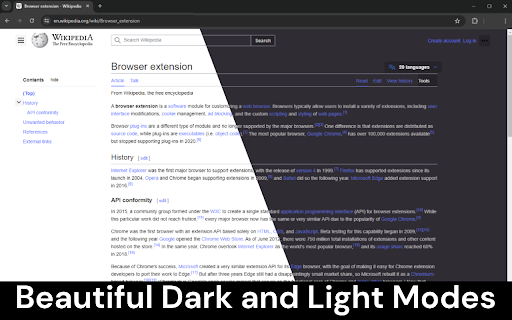
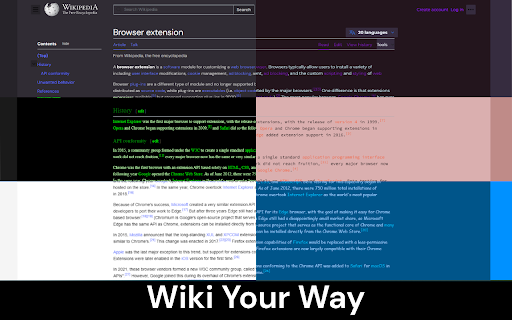
Improves the aesthetics of Wikipedia, with a focus on usability and customisability.
This extension improves the aesthetics of Wikipedia, with a focus on usability and customisability, better than any other has before.
FEATURES:
• Fully customisable Wikipedia theme creator and visualiser
• Beautiful dark mode and light mode presets
• Six available fonts for Wikipedia
• Intelligent transparent diagram contrasting to ensure readability
• More to come!
CHANGELOG:
0.2.1 - Added compatibility for a Wikipedia update which broke the extension.
0.2 - Added Font Selector. Added Helvetica, Times New Roman, Comic Sans MS, Source Code Pro, DM Sans and Montserrat fonts. Fixed styling edge cases across Wikipedia pages. Added Wikipedia reload when theme is changed.
0.1 - Added Dark Mode and Light Mode. Added Theme Creator. Added Intelligent Diagram Contrasting.
| 分类 | ⚙️功能性 |
| 插件标识 | lmhfkgiojkhilfjcfnfakecpepdbfehb |
| 平台 | Chrome |
| 评分 |
☆☆☆☆☆
0
|
| 评分人数 | 27 |
| 插件主页 | https://chromewebstore.google.com/detail/wikipedia+/lmhfkgiojkhilfjcfnfakecpepdbfehb |
| 版本号 | 0.2.1 |
| 大小 | 1.38MiB |
| 官网下载次数 | 23 |
| 下载地址 | |
| 更新时间 | 2024-05-04 00:00:00 |
CRX扩展文件安装方法
第1步: 打开Chrome浏览器的扩展程序
第2步:
在地址栏输入: chrome://extensions/
第3步: 开启右上角的【开发者模式】
第4步: 重启Chrome浏览器 (重要操作)
第5步: 重新打开扩展程序管理界面
第6步: 将下载的crx文件直接拖入页面完成安装
注意:请确保使用最新版本的Chrome浏览器
同类插件推荐

Wikipedia+
Improves the aesthetics of Wikipedia, with a focus

Wikipedia Dark Mode
View the Wikipedia website with a dark color schem

WikiVix - modern Wikipedia
WikiVix is a modern modified Wikipedia. The new u
Ancient Date Converter
Convert ancient dates into Historical Calendar dat

Google Search Tweaker — tiled google search
Customize the looks and behavior of Google search

Dark Theme for Wikipedia page
Makes the background dark and changes the leading

维基百科的夜间模式
只需单击一下,即可将您的 Wikipedia 站点模式切换为深色或浅色。你喜欢在你的电脑上使用维基百

Darkipedia Dark Mode for Wikipedia
Make your Wikipedia pages dark and easy on the eye

Wikipedia Dark Mode
Activate this extension to switch Wikipedia into d

Wikipedia Dark Mode
Enjoy reading Wikipedia with a comfortable dark mo

Icon Changer
Change the icon on twitter site with your custom i
you're never lonely on wikipedia
see how many other people have gone down the same
Customizer
Add custom CSS to one or many sitesSometimes websi